
Codex adds `/hatch` pets, in-pet chat replies, and one-curl Petdex installs
OpenAI and community posts showed a new Codex pet layer built around `/hatch`, sprite-sheet generation, active-chat replies from the pet UI, and public pet galleries like Petdex. The feature matters because it turns Codex skills into a reusable UI-extension surface, not just a chat interface.
TL;DR
- OpenAI shipped Codex Pets as a desktop overlay that you can wake with
/pet, while OpenAIDevs' launch post and the Codex settings docs both frame it as a live status surface for background work. - Custom pets run through
/hatchand thehatch-petskill, which OpenAIDevs' custom-pet post pairs with install steps, while OpenAI's skill spec spells out an 8x9 atlas,pet.jsonpackaging, QA contact sheets, and preview videos. - The weirdly useful bit is that the pet is not just decorative, because OpenAIDevs' follow-up positions it as a window into active Codex work and kr0der's reposted demo says the pet UI can show in-progress chats and accept replies.
- Community projects immediately turned pets into a shareable asset format, with RaillyHugo's Petdex post promising discovery, sharing, and one-curl installs, and gdb's gallery link pointing users to a public catalog.
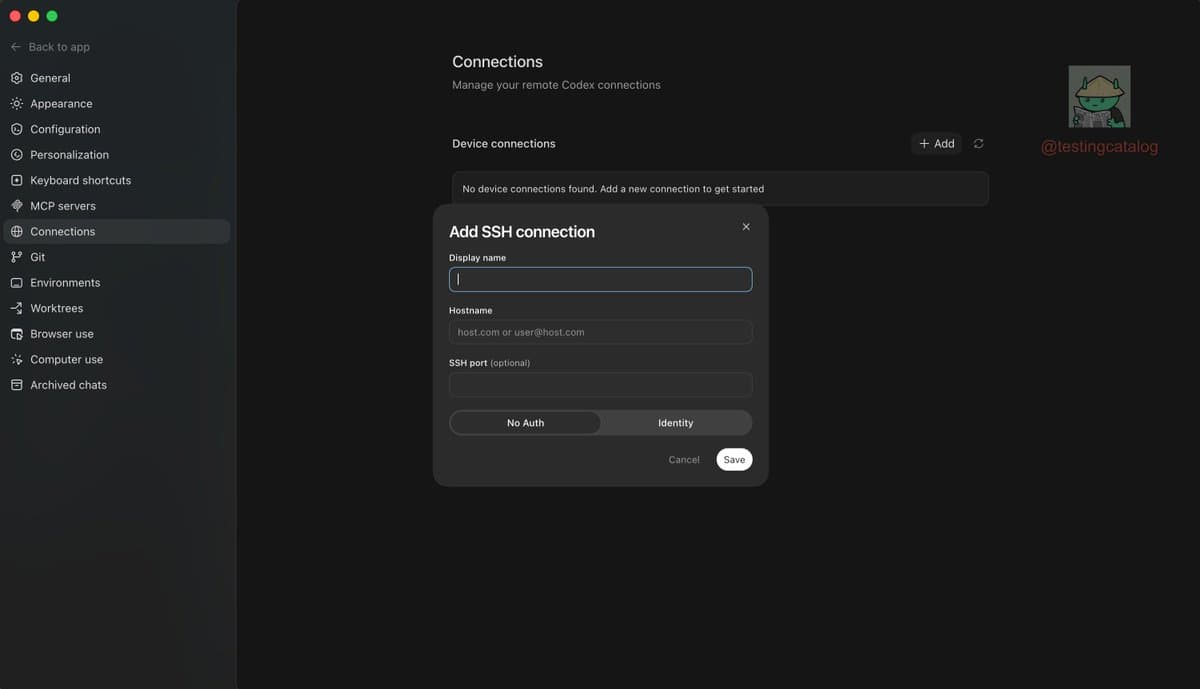
You can read the official settings docs, browse the full hatch-pet skill, and then jump straight to the community layer through Codex Pet Share. The fun part landed fast: testingcatalog's early screenshot showed eight built-in pets before rollout chatter finished, and Corey Ching's reposted summary made it clear this thing is already a mini workflow surface with wake, install, reload, and hatch commands.
Pet overlay
The official docs say the overlay shows the active thread, whether Codex is running, waiting for input, or ready for review, plus a short progress prompt, all without reopening the main thread in the app, per the Codex settings page.
That matches the first public inventory. testingcatalog's screenshot surfaced eight built-in pets: Codex, Dewey, Fireball, Rocky, Seedy, Stacky, BSOD, and Null Signal.
Hatch Pet pipeline
The official setup is short. Install hatch-pet, reload skills, then ask Codex to create a pet, according to the settings docs.
The interesting part is in the skill itself. The hatch-pet spec defines a fairly opinionated asset pipeline:
- Codex-compatible animated pets are packaged as an 8x9 spritesheet atlas.
- The skill delegates image generation to
$imagegen, not direct image API calls. - It plans prompts row by row, then assembles frames deterministically.
- It generates QA contact sheets and preview videos before packaging.
- Output includes a
pet.jsonmanifest alongside the final spritesheet.
That makes banteg's reposted observation land, pets are a small game-asset pipeline hiding inside a chat command.
Pet UI and galleries
One reveal did not come from the docs. kr0der's reposted demo says the pet can show in-progress chats and let you reply from the pet UI itself.
The sharing layer appeared almost immediately after launch. RaillyHugo's Petdex post described a public gallery where users can discover, share, and install pets with one curl, while gdb's gallery link and Codex Pet Share turned custom pets into something closer to installable extensions than one-off jokes.
Pet files
The community started treating pets as portable assets, not just app decorations. The clearest example is codex-pets-react, which documents Codex pets as local folders under ~/.codex/pets/<pet-id>/ containing exactly two files: pet.json and spritesheet.webp.
That folder shape lines up with the official skill's packaging language, and it is the strongest clue that /hatch is really exposing a reusable UI-extension surface. One early downside also showed up fast: an open GitHub issue reported the visible pet overlay pushing a MacBook Pro M5 Max's GPU helper to roughly 24 to 30 percent CPU while idle, dropping after the pet was tucked away.