
Freepik launches Speak: lip-synced videos in 30+ languages, up to 5 minutes
Freepik launched Speak, which turns an image plus text or audio into a lip-synced talking video with 30+ languages and a 5-minute cap. Use it for UGC ads, localized product demos, and fast talking-head tests without reshoots.
TL;DR
- Freepik launched Speak, a new tool that turns a single visual into a lip-synced talking video, and Freepik's launch post says it works from either uploaded audio or a written script.
- The first release is aimed at fast production, with Freepik's feature list promising custom voices in 30+ languages and clips up to five minutes long.
- Freepik's own UGC demo and localized ad demo position Speak for synthetic UGC, multilingual ad variants, and quick campaign localization without reshooting footage.
- Product marketing is another immediate use case: in Freepik's product demo post, a still product photo becomes a spoken demo, while Spaces workflow note says related audio workflows are already testable in Spaces and Speak itself is coming there soon.
What shipped
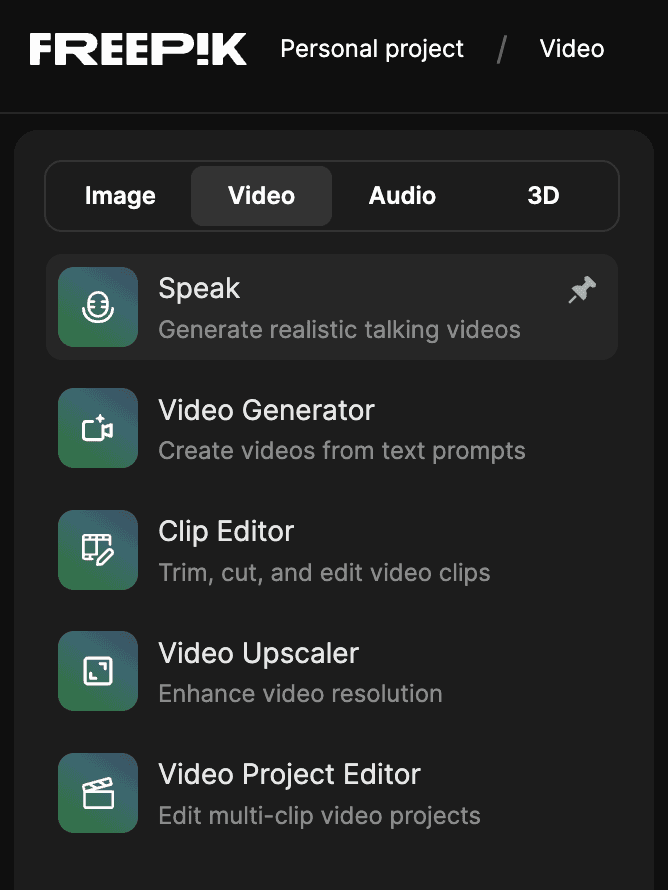
Freepik's launch post frames Speak as a simple lip-sync pipeline: upload an image or other visual, add either your own audio or a script, and generate a talking video in seconds. The same post says the release supports custom voices in more than 30 languages and allows outputs up to five minutes, which puts it beyond the short reaction-clip use case and into ad, explainer, and presenter formats. Freepik's Speak tool page and the short navigation note in tool location place it under Video > Tools > Speak.
The product pitch here is less about avatar building and more about converting still assets into presentation-ready shots. Freepik's public examples keep the setup minimal: one source image, one script or audio track, then automatic lip sync. That makes the launch notable for designers and marketers who already have visuals but do not want to record a presenter for every revision.
What creators can make with it
Freepik's UGC clip demo shows the tool targeting creator-style ad production: use an illustrated, AI-generated, or real image, write the lines, and let the system produce a talking clip. In other words, the input does not need to start as video, and the company is explicitly positioning Speak for attention-grabbing UGC-style formats.
The other examples broaden that playbook. In localized ad demo, a model photo becomes a localized talking ad in another language; in product photo demo, a static product shot becomes a spoken demo for different customer markets. Across those examples, the repeatable technique is clear: keep the visual fixed, swap script and language, and generate multiple campaign versions from the same asset.
Where it fits in Freepik's workflow stack
Freepik is already tying the launch to its broader workflow tooling. According to Spaces workflow note, the example workflows shown around Speak are available in Spaces now, and Speak itself is expected there soon, with audio nodes available immediately for testing related pipelines. The attached Spaces page suggests Freepik wants this to live inside a modular creation environment, not only as a one-off export tool.
That matters for teams producing many variants. The launch posts center on batch-friendly tasks like multilingual ads, product explainers, and low-friction talking-head tests, all of which benefit from reusable workflows more than from single polished renders.