
Kilo releases Product Week bundle with Agent Manager, Console beta, and M3 plan
Kilo's Product Week bundle added Agent Manager for isolated git worktrees, Kilo Console beta, REVIEWS.md memory hooks, and a balance-based MiniMax M3 plan. The bundle puts parallel agent runs, browser control, and plan provisioning into one shipped release.
TL;DR
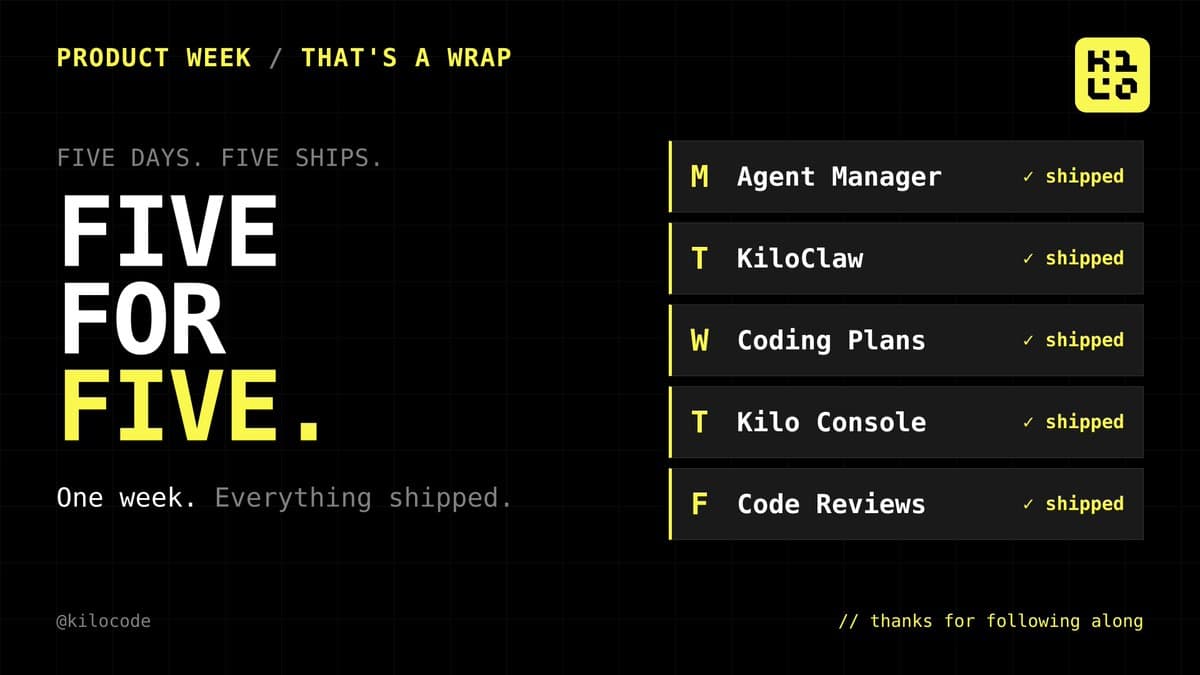
- Kilo spent the week shipping five connected pieces, according to kilocode's Product Week recap: Agent Manager, KiloClaw, Coding Plans, Kilo Console beta, and Code Reviews.
- kilocode's Agent Manager post and Kilo's Agent Manager blog post frame the centerpiece as parallel agent runs in isolated git worktrees, with review diffs and branch-by-branch merge flow inside VS Code.
- Kilo's MiniMax offer is unusually concrete for a coding plan: kilocode's pricing comparison says $20 per month buys roughly 1.7 billion M3 tokens, while the Coding Plans post adds a 1M context window, full MiniMax family access, and 3 to 4 concurrent agents.
- kilocode's Kilo Console post points to a browser UI for the CLI, and the Console beta guide says it starts with
kilo console, spins up a local daemon, and exposes worktrees, sessions, agents, provider settings, and themes. - kilocode's Code Reviews post pairs repo-level
REVIEWS.mdrules with Memory that learns from GitHub and GitLab feedback, while the Code Reviews post adds local review suggestions for uncommitted changes in VS Code.
You can browse the full Product Week bundle, open the Agent Manager walkthrough, inspect the Console beta setup commands, and read the MiniMax plan sheet. The weirdest bit is that the bundle spans both workflow primitives and billing primitives: a Kanban board for isolated worktrees on one end, a token plan bought out of an existing Kilo balance on the other.
Product Week bundle
Kilo bundled five launches into one week, with Monday through Friday mapped to Agent Manager, KiloClaw, Coding Plans, Kilo Console, and Code Reviews. The company presented them as separate ships, but the shape is pretty clear: more of the stack now lives inside Kilo's own control plane.
The recap image makes that bundling explicit.
Agent Manager
Kilo's Agent Manager blog post says each agent gets its own git worktree, meaning a separate copy of the repo with its own branch and working directory. The UI is a full-screen Kanban board in the Kilo sidebar, with cards for each agent and worktree.
The workflow is specific:
- Create a new worktree from the multi-agent button.
- Launch an agent against a prompt in that isolated worktree.
- Watch status on the board while other agents run in parallel.
- Open a side-by-side diff from the card to review changes.
- Open the worktree in VS Code, debug in the built-in terminal, then merge the branch normally.
That makes Agent Manager less about orchestration magic and more about turning git worktrees into a first-class agent container.
Coding Plans
Kilo's Coding Plans post ties model subscriptions to the same balance already used for Kilo Gateway. The launch partner is MiniMax, and the plan is sold as MiniMax Token Plan Plus for $20 per month.
The launch details are unusually operational:
- Roughly 1.7B M3 tokens per month.
- Full MiniMax family access, including M3, M2.7, image, speech, and music.
- 1M context window.
- Native multimodal input, including image and video.
- Support for 3 to 4 concurrent agents.
- Web search MCP access.
- Automatic BYOK configuration inside Kilo.
kilocode's pricing comparison adds the sharper framing. Two weeks after Copilot moved to usage-based billing, Kilo contrasted a $10 credit bucket with a plan measured in billions of tokens.
Kilo Console
The Console beta guide describes Kilo Console as a local browser UI for the Kilo CLI, not a hosted dashboard. Setup currently requires the release candidate CLI package:
Once started, the console spins up a local daemon and opens a browser page with:
- project and git worktree management,
- session launch inside a chosen worktree,
- project settings with inherited-versus-local values,
- custom agent creation,
- tool, permission, and permission-rule inspection,
- provider connections beyond Kilo Gateway,
- live theme changes and notification settings.
Kilo is basically giving its CLI the kind of admin surface that agent-heavy tools usually hide in config files.
Code Reviews
The Code Reviews post splits the update into three parts, all live now.
REVIEWS.md: an open-standard markdown file at repo root for review-specific conventions, style, and architecture rules.- Code Review Memory: analysis of replies and feedback on Kilo reviews in GitHub or GitLab, which then proposes
REVIEWS.mdupdates and can generate the PR. - Local review suggestions: VS Code can suggest a review for uncommitted changes and switch into Code Reviewer mode before push.
The Memory loop is the interesting piece. Instead of only reading static instructions, the review agent can learn from which comments a team dismisses and which ones they consistently act on.
KiloClaw
KiloClaw got the lightest tweet treatment, but the KiloClaw blog post is where the bundle picks up its strangest product surface: a hosted OpenClaw that ships with a built-in morning briefing, its own @kiloclaw.ai email address, Google Calendar access via OAuth 2.0, and Composio integration for 860+ tools through one MCP endpoint.
The same post says onboarding asks for a briefing time during setup, stores tokens in an AES-256 encrypted vault, and can send the daily brief to channels like Telegram, Slack, or Discord. So Product Week did not just add more coding surfaces. It also pushed Kilo further into personal-agent territory.