
Meta releases Muse Gadgets with ESP32 firmware and a Linux SDK
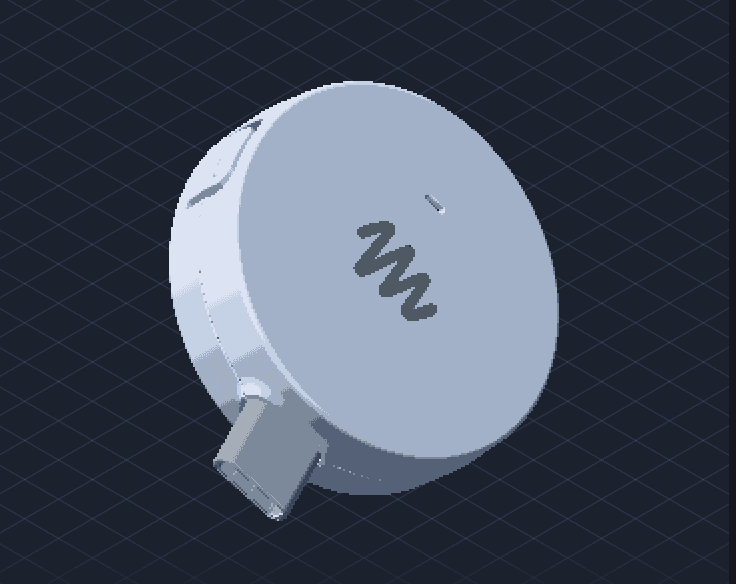
Meta's Muse Gadgets provides open-source ESP32 firmware and a Linux SDK for connected hardware. Meta also announced Muse Home Link for compatible smart devices, offering 5,000 units free to eligible US Muse subscribers.
TL;DR
- Meta opened Muse to custom hardware with ESP32 firmware and a Linux SDK, announced in its launch post.
- Home Link connects Muse to home Wi-Fi and local HTTP APIs, according to the website text quoted by testingcatalog.
- The initial Home Link batch contains 5,000 units, free to Muse subscribers while supplies last, according to the allocation announcement.
- Early gadget examples include e-ink displays and conference badges, highlighted in one post and in another.
The ESP32 SDK includes a 412 × 412 desktop simulator for its production UI. Local programs can send messages into Muse side chats without credentials of their own, a delightfully hackable hook. Each SDK directory also includes an AGENTS.md file for coding agents.
ESP32 firmware
The firmware introduced in the announcement thread supports custom displays, audio I/O and sensors. Its README spells out several constraints:
- Toolchain: ESP-IDF 6.0.1 is required; other versions are unsupported.
- Default board: ESP32-C5 DevKitC-1, using its built-in status light and BOOT button.
- Home-network tunnel: boards without PSRAM, including classic ESP32 and ESP32-C6 boards, cannot run it. Muse can still reach and control the gadget itself.
- Voice replies: push-to-talk sends a voice note, but Muse replies in text. Spoken answers require a builder-added text-to-speech API.
Linux commands
The Linux SDK documentation supports Bluetooth LE-equipped Linux computers, including Raspberry Pi 3B+, 4, 5 and Zero 2 W. Supported operating systems include Raspberry Pi OS Bullseye, Debian 11 and Ubuntu 22.04 or later, in both 32-bit and 64-bit configurations.
The installer creates /opt/musegadget and starts a persistent musegadget service. Four commands ship with the kit:
system.run: executes a shell command and returns output and exit code.file.read: reads files in 64 KB chunks.file.write: writes in 64 KB chunks, replacing the file only when complete.device.health: reports uptime, load, memory, disk and temperature.
Custom commands are added through COMMAND_SPECS and Executor.run in src/musegadget/executor.py.
SDK tokens and pairing
Both kits advertised in the launch thread use the onboarding path described in the repository README:
- Every gadget requires an SDK token, including self-built devices. Tokens come from Account > SDK tokens on the gadgets website, with separate Gadget SDK Terms.
- The Muse app on iOS or Android requires Settings > Devices > Developer mode to be enabled.
- Devices appear under Add Device with names prefixed by
MuseGadget.
The repository is Apache 2.0 licensed, with separate licenses for specified third-party files and dependencies. The Jollybot avatar is explicitly excluded from the Apache license.
Muse Home Link
Meta's own gadget reaches compatible devices over home Wi-Fi, including anything exposing a local HTTP API. The official site describes community-built skills for lights, TVs and printers, with functionality depending on the user's setup.
Eligibility is narrower than the general “free for subscribers” announcement: an active Muse subscription in the United States is required, with one device per subscriber. The site lists October shipping, first come, first served; the announcement estimates a few weeks.
An early claim confirmation puts applicants on a notification list rather than confirming immediate shipment.
E-ink displays, badges and keychains
Muse was already being promoted as “genuinely feels like living in the future”. The subsequent gadget posts highlighted four concrete directions:
- An e-ink display for Muse, shared in a gadget post.
- A conference badge, highlighted in another post.
- A small keychain, shown in a follow-up.
- Wine-collection tracking, mentioned as another use case.
Host and network permissions
Muse receives the install account's permissions on Linux. If that account can use sudo, so can Muse, according to the Linux README; the installer asks before granting account access and reports sudo capability.
The ESP32 documentation adds two security details:
- Pairing creates a fresh encrypted session and requires a physical button press, but community devices have no manufacturer verification and cannot prevent an active man-in-the-middle attack.
- NVS stores Wi-Fi credentials and device tokens. Without NVS encryption, someone with physical access can read them; the firmware exposes
CONFIG_HOMEHUB_NVS_ENCRYPTIONfor supported boards.
Muse also has a separate Tailscale connector, which joins a tailnet as its own node. Tailscale says access is outgoing-only, to declared nodes, under the user's existing access controls.