
AI video creators report $12 avatar tutorials and two-day agent runs
Creators posted concrete pipeline notes for Stages AI, LTX, inVideo, Seedance, Firefly, and Opus 5. Reports included a $12 avatar tutorial, two-day agent runs, and QC loops for short films.
TL;DR
- A ten-minute vLLM tutorial pipeline was priced at $12, with gokayfem's cost reply breaking it into $9 for LTX 2.3, $0.70 for TTS, $0.10 for STT, and $2 for GPT 5.6.
- Cost control moved inside creative editors, since dustinhollywood's Stages VIDX post paired AI color grading and adjustment layers with a Creator BYOK tier for creator-owned APIs and project cost tracking.
- Agent video still has a speed tax, with BLVCKLIGHTai's inVideo test saying scripts that took 4 to 6 hours manually took two days in the agent across three trials.
- AI filmmaking is getting production QA loops, not just prettier clips, as DavidmComfort's QC plan split review into automatic checks, narrow VLM judgments, and saved human labels.
- Longer AI films are being held together with reference sheets and hard-cut continuity anchors, a pattern DrSadek_'s lessons reduced to separate refs, delayed magic reveals, and editor-style continuity frames.
Runway's Workflows docs describe node-based media generation for repeatable pipelines. InVideo's Agent One page pitches long-term project memory, shot-by-shot storyboarding, and a timeline editor. Adobe's Firefly Boards docs list text, image, and video generation with partner models, composition references, and style references. A Dreamina partner post claimed Seedance 2.5 is moving toward 50 multimodal references and 30-second continuous video, which explains why creators are suddenly talking less like prompters and more like pipeline TDs.
The $12 tutorial stack
The cleanest budget disclosure came from gokayfem, who posted a "Learn vLLM in 10 minutes" video and then named the pipeline in a reply: ElevenLabs Scribe, TTS, HyperFrames, and LTX 2.3 gokayfem's pipeline note.
The cost stack was tiny:
- LTX 2.3: $9
- TTS: $0.70
- STT: $0.10
- GPT 5.6 script work: $2
That totals $12, and gokayfem's cost reply said the script took 10 minutes if the GPT 5.6 writing time is included. Useful, because most AI video posts still hide the meter.
Stages puts grading, effects, and cost control in one room
Stages was pitched less as a generator and more as a production room. dustinhollywood's VIDX post showed AI color grading, traditional editing, and adjustment layers in the VIDX editor while tying the workflow to a Creator BYOK tier.
The BYOK pitch was specific:
- Bring your own APIs.
- Control inference costs.
- Track costs while planning projects.
- First month free, then $29 after, according to the VIDX post.
The screenshots in the Stages Pro post show the other half of the bet: multi-shot and multi-angle generation, output variants for campaign work, and a dashboard full of effects like whip pan, digital glitch, particle dissolve, light leak, bokeh blur, smoke reveal, and fire burn away.
One limitation surfaced in a reply: dustinhollywood's Aleph 2 note said Stages currently offers Aleph 2 through its own credit system, while direct Runway accounts, subscriptions, and credits cannot be connected.
Agent video has a speed tax
InVideo's own page says Agent One stores full project context in long-term memory, edits multiple shots in one go, builds storyboards, and includes a timeline editor that it compares to Premiere Pro with AI. BLVCKLIGHTai's hands-on test put the tradeoff in creator terms.
In BLVCKLIGHTai's inVideo report, scripts that would take 4 to 6 hours by hand took two days with the inVideo agent across three tests. The same post said narrative consistency came down to prompting and Seedance, and that multiple rounds of gifted credits disappeared while trying to make a 2 to 3 minute film.
He still put inVideo in his top three. In a follow-up on agent preferences, he ranked Runway, Hedra, Magnific, and inVideo as his top four, but said agents get credit-heavy and conflict with quick iteration.
The deeper pain point was character audio. BLVCKLIGHTai's follow-up said multiple-character lip sync with custom audio is still a pipe dream and has been the primary pain point for two-plus years.
The QC loop is becoming its own studio system
DavidmComfort laid out a three-step quality-control system for AI filmmaking, then showed the same logic as a dashboard-style harness.
The system gets more expensive as judgment gets more subjective:
- Automatic checks catch obvious problems: melted texture, no motion, style drift.
- A constrained VLM answers narrow questions, like whether hands are wrong or which of two shots is better.
- Human approvals, rejects, and preferences are saved with reasons.
The saved reasons are the asset. DavidmComfort's plan says enough accumulated choices could teach the studio a creator's taste, flag bad shots before review, and learn which generator handles water versus faces.
His broader production system is already aimed at speed. DavidmComfort's Threshold Studio post said he can reasonably create a 25-minute short film in 1 to 2 days on his platform, originally built in Fable 5 and now used with Claude Code and Opus 4.8. A related style manager note said he can replicate more than 50 old master painters, with Seedance 2.0 cost named as the main constraint.
Briefs, boards, and timed prompts
Carolletta's Firefly workflow started before image generation. her Firefly article post framed the process as creative brief to concept to visual pillars to hyper-real editorial images, with a remixable Firefly Board template.
Adobe's docs back up the board-as-control-room approach: Firefly Boards supports generated images, partner models, aspect ratios, composition references, style references, image editing, and video generation from text or images.
The prompt pattern showing up in creator posts is timed, not poetic. techhalla's Seedance 2.0 prompt broke a 15-second cinéma vérité clip into 0 to 3s, 3 to 7s, 7 to 11s, and 11 to 15s beats, each with camera behavior, motion, and texture instructions.
AllaAisling used the same production-document style for a noir short:
- Storyboard sheet: 15 seconds, 8 shots, film noir, crime, deadpan AllaAisling's storyboard prompt.
- Seedance prompt: 8 timed beats at 1.9-second intervals, with camera notes and no captions AllaAisling's Seedance prompt.
Runway made node workflows promptable
Runway shipped Workflows inside Runway Agent, with the official Runway post saying creators can build, run, or edit node-based workflows through natural language by calling the / Workflow skill.
Runway's Workflows page says the feature chains generations together without manual copy-paste, combines models and tasks, saves reusable templates, and automates repetitive prompting, generation, and refinement. Runway's docs describe nodes and links as the basic structure for automated, repeatable media pipelines.
c_valenzuelab put the product change in one sentence: his Runway post said complex multi-layered workflows become as easy as a description of the desired output. Christmas come early for creators who already think in nodes.
Video is turning into game and motion specs
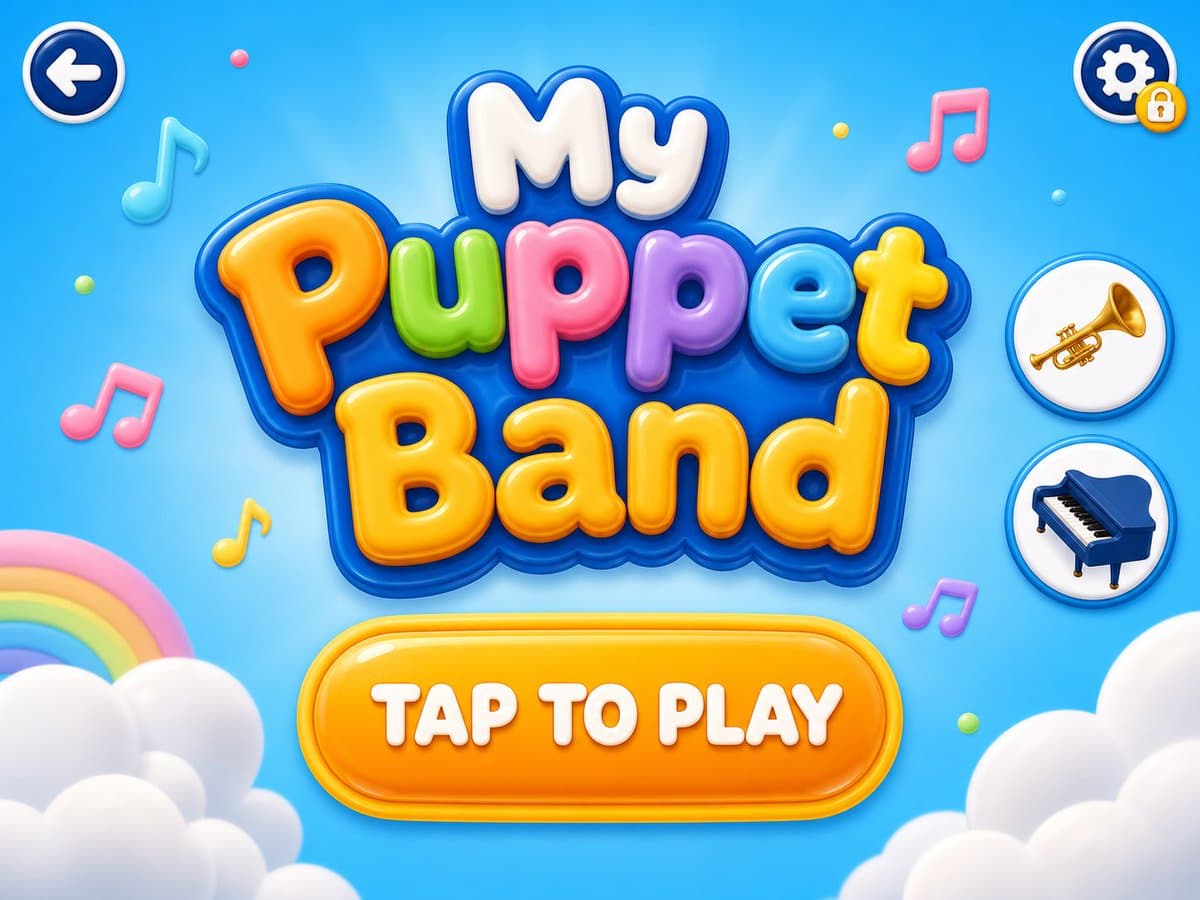
Kaigani used Seedance 2 as the start of a game-design pipeline, not the end product. his first post said the flow begins with a category and a one-line game idea, like "My Puppet Band."
The rest of the chain went model to model:
- Gemini watches the video and writes a game design brief kaigani's brief step.
- ChatGPT via Codex uses key screens to create screen mockups the same workflow note.
- Claude Code builds the brief and screens into QLOBE Kids kaigani's Claude Code step.
- The resulting game was playable through My Puppet Band.
Motion design got the same treatment. AmirMushich's Opus 5 and Moda MCP post claimed one prompt produced an animation in five minutes with editable layers, keyframes, and details. In a follow-up, he said the powerful part was the combination of Moda's MCP, Opus logic, and an editable motion canvas.
The craft tax is still real
The best counterweight to the one-shot demos came from icreatelife: his AI video note said high-quality AI videos are still incredibly hard and require cinematography knowledge.
The replies made the craft tax concrete. Even with strong prompts, icreatelife's background-consistency reply said backgrounds still drift. his animation cleanup reply said establishing shots can carry inconsistencies and Seedance 2.0 still needs lots of cleanup.
Editing stayed in the traditional stack. icreatelife's Premiere Pro post called Premiere another level for AI animation, and his price reply put the app at $22.99 per month.
Voice performance added another hidden cost. Gossip_Goblin said Pomegranate used real voice actors, and a follow-up said syncing performance to original recordings is a headache that adds more time than most people realize.
Hard-cut continuity anchors
DrSadek_'s lighthouse sequence was the most complete continuity breakdown in the pool. his setup post said the project started with one Midjourney 8.2 image of an old man on a misty coastal cliff holding a glowing cage or lantern.
The story was simple: the story note said the elder carries the last sacred butterfly to a lighthouse before sea-born creatures overrun the coast.
The workflow separated references before animating:
- Elder keeper character sheet DrSadek_'s production references.
- Glowing butterfly lantern prop sheet the same references.
- Lighthouse cliff approach sheet the same references.
- Sea-born creature sheet the same references.
Then the clips were staged by story function. the first clip prompt used only action, with no creatures and no magic reveal. the second clip prompt introduced sea-born creatures and deliberately avoided "dragon" language. the third clip prompt finally made the butterfly important by connecting the lantern to the lighthouse mechanism.
The continuity trick was mechanical: DrSadek_'s hard-cut note said each generated clip ended with a 2 to 3 second setup shot for the next clip, then the first frame of that setup shot became the first frame of the next video.
For the final exterior shot, DrSadek_'s final-shot prompt removed the elder and lantern references entirely, keeping only the lighthouse cliff and creature references so the shot focused on scale, beam, fog, sea, and dissolving creatures. His own summary: separate refs, do not use all refs all the time, keep magical details secondary until the story needs them, use hard-cut frames as continuity anchors, and think like an editor DrSadek_'s lessons.