
Claude Code supports local Ollama backends with qwen3-coder 30b and qwen2.5-coder 7b
A tutorial thread showed how to route Claude Code through Ollama, choose a local coding model, and point Claude at a local base URL for private work. Use it if you want agent-style coding on your own machine without cloud API spend.
TL;DR
- A tutorial thread from the walkthrough shows a way to run Claude Code against a local Ollama server instead of Anthropic-hosted endpoints, framing it as a private, no-API-cost setup.
- In the model-picking step, the creator recommends qwen3-coder:30b for stronger machines and lighter options like qwen2.5-coder:7b or gemma:2b for less powerful hardware.
- The key configuration change in the connection step is pointing Claude Code at a local base URL so requests go to your own machine.
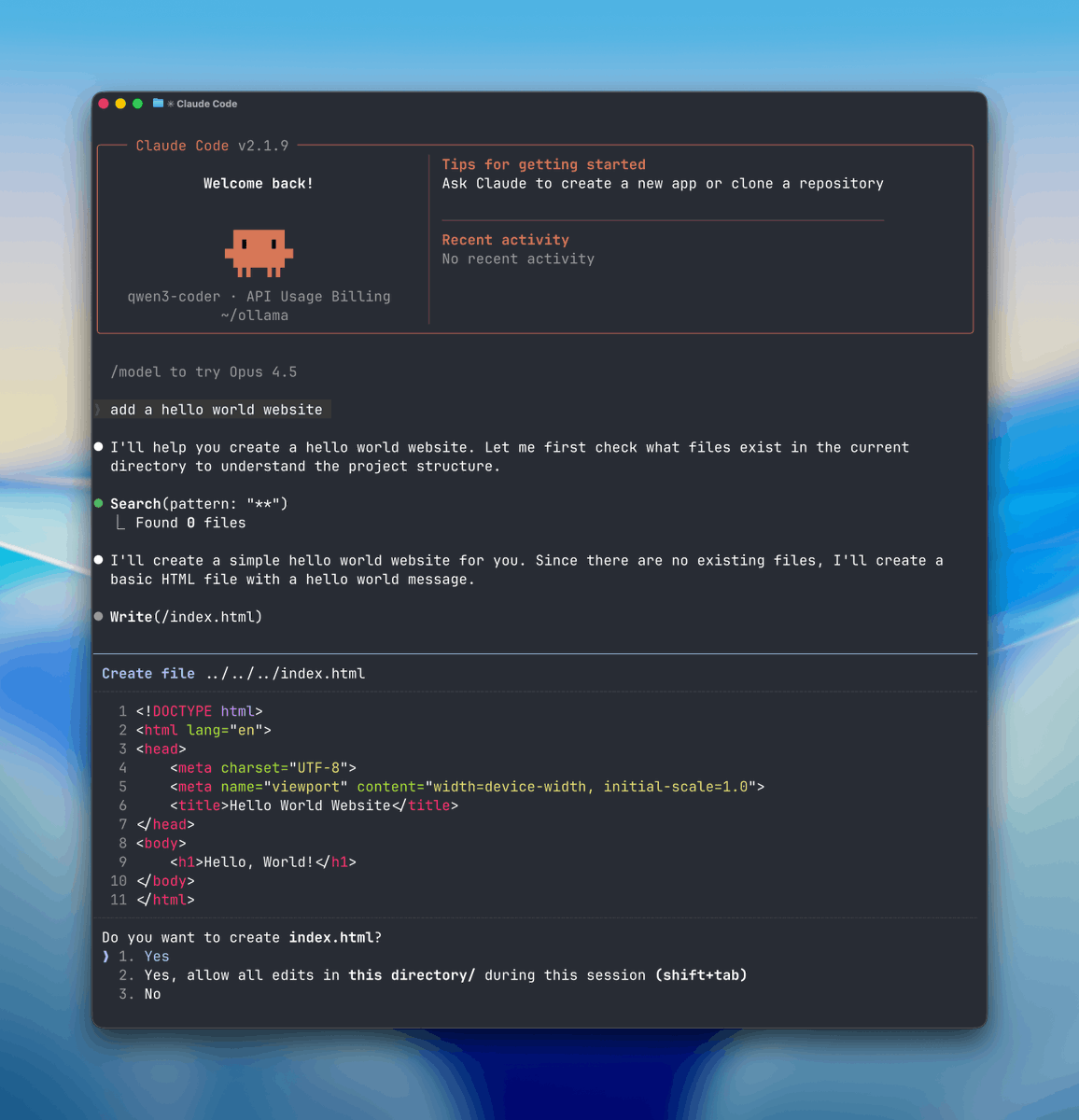
- A short demo in the usage example shows the local setup being asked to make a simple website while reading and editing project files on-device.
What changed
This is not a new Claude Code product launch. It is a creator walkthrough showing that Claude Code can be routed through Ollama locally by swapping the backend and running an open coding model on your own machine. The thread positions that as “free” and “fully private,” with Ollama doing the local model serving on Mac or Windows via Ollama.
The important technical move is in the base URL step: instead of sending requests to Anthropic’s servers, Claude Code is pointed at a local endpoint. That makes the story less about Claude itself changing and more about a practical local-agent workflow creative coders can reproduce.
How the local workflow is put together
The setup in the install step starts with Ollama running quietly in the background, then verifying the service is live locally, which the verification clip says should appear on localhost after install. From there, the creator pulls a coding model sized to the machine: qwen3-coder:30b for higher-end hardware, or smaller choices like qwen2.5-coder:7b and gemma:2b when memory is tighter.
Once the base URL is redirected, the launch example has Claude Code started inside a project folder with the selected local model. The payoff in the demo is agent-style behavior on local files: a prompt like “make a hello world website” leads the tool to inspect files, modify code, and complete tasks without a cloud call in the loop.