
Claude Opus 5.5 produces animated explainers from short prompts
Creators showed Claude Opus 5.5 producing animated projects from short prompts and style references. One used Claude Code on a phone to make a five-minute UMAP lesson with visuals and narration.
TL;DR
- A five-minute UMAP lesson with visuals and narration came out of Claude Code on a phone, as goodside’s UMAP post describes.
- A 20-second kinetic bumper arrived after a reported 14-minute run because techhalla’s published brief specified its typography, beat grid, rendering rules, and loop condition in unusual detail.
- Reference material became active production context in MengTo’s 47-minute tutorial, where Mobbin examples fed a multi-section Three.js landing page, brand guide, logo explorations, and ad creatives.
Anthropic shipped Opus 5.5 on September 22 as the first model in its 5.5 family, with Fast mode in Claude Code. An independent technical breakdown describes the emerging video workflow as code written by Claude, then recorded frame by frame by a renderer. techhalla’s published brief asks for a 20-second piece whose first and final frame are identical.
Five-minute UMAP explainer
UMAP is a dimensionality-reduction technique, a subject that usually invites diagrams, plots, and carefully paced explanation.
Goodside said Claude supplied the visual concepts and narration for an undergraduate audience, with the request run in Claude Code on a phone. A shorter test began with the one-sentence request in goodside’s one-minute UMAP prompt: “Make a 1-minute video about UMAP with synthesized voice narration.”
The narration carried a technical footnote. In goodside’s Kokoro TTS correction, goodside said the prompt included “Kokoro TTS,” and that Claude used it inside its own VM.
The 20-second production brief
Techhalla reported eight minutes of planning, two minutes installing dependencies and building HTML, then four minutes of autofixing and final rendering. The published prompt locks the output to a 20-second, 1080-by-1080, 60fps loop with a fixed palette, three-font system, and six text beats.
techhalla’s published brief calls for nine concrete techniques:
- A
seek(t)function with no CSS transitions, intervals, or frame-to-frame React state. - Closed-form spring responses for deterministic motion.
- Per-glyph position, opacity, and blur springs, staggered every 125ms.
- Two-to-four-pixel magenta and acid-green print misregistration on accent frames.
- A destination-text mask cut from the outgoing word’s outlines.
- One orthographic camera with beat-timed punch-ins and horizontal smash-pans.
- Motion blur made by blending four subframes per frame.
- A 120 BPM beat grid, with an event on every beat through the first 16 beats.
- Eight stills exported before the final render to catch cramped type, orphan words, and low contrast.
Renderable animation projects
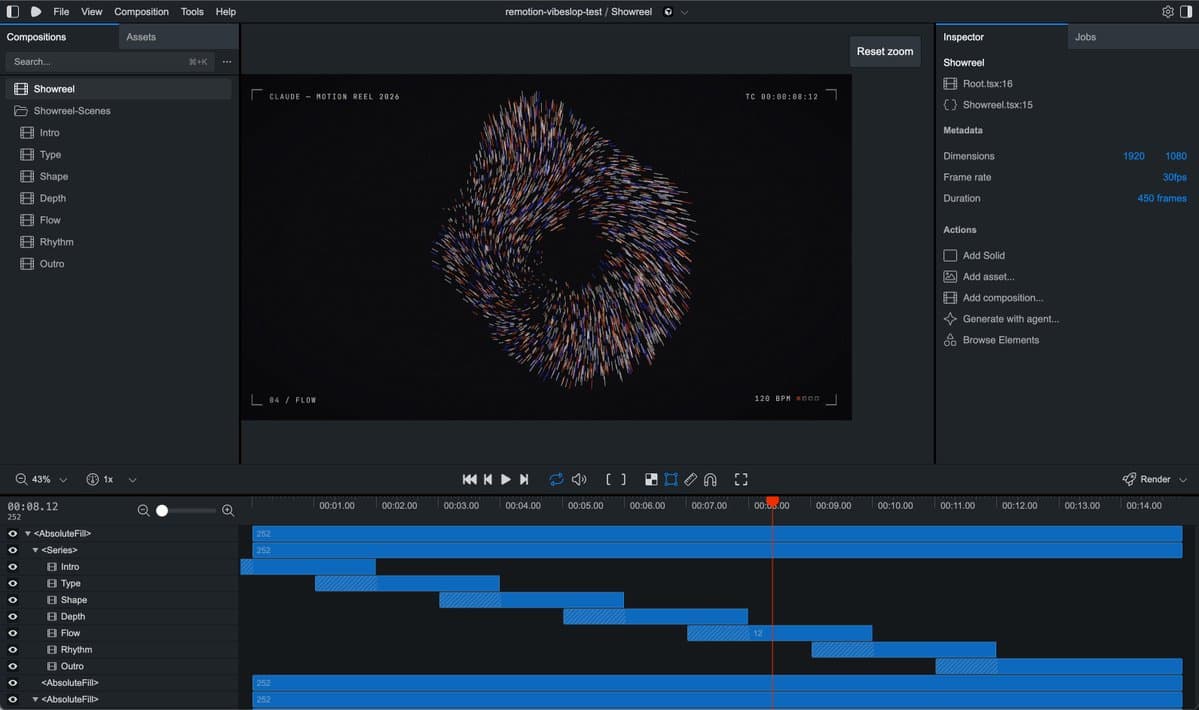
tequilafunks posted a 15-second motion piece from a short showreel prompt. A follow-up in the same thread says Opus used Remotion’s composition layering and split the work into chapters.
The output is an editable animation project alongside a rendered clip. The Vuela technical breakdown describes Claude writing the layout, timing, and animation in HTML, CSS, and JavaScript, then handing that program to a browser-based renderer for frame capture.
Reference libraries and self-scoring
MengTo said he used Mobbin MCP to give agents strong visual references, then had Opus assemble a landing page with multiple sections and a consistent design. The tutorial project also produced a detailed brand guide, logo explorations, and ad creatives.
A separate Three.js scene used a component-level scoring loop: ship, water, landscape, buildings, and their parts were each scored, then improved until they reached at least 8 out of 10 within a token and time budget. The creative brief here includes references, acceptance criteria, and a limit on iteration.
Storyboards, previews, and timestamps
shannholmberg’s workflow breaks a marketing video into six handoffs:
- Idea and brand context: goal, audience, assets, and connected Paper or Figma files, with Claude asking for missing context.
- Storyboard: scenes, on-screen text, motion, duration, and audio decisions before a build starts.
- Image assets: Codex generates needed imagery and returns it to Opus.
- Build and preview: Opus assembles the video, motion, and audio, beginning with a lower-resolution render.
- Timestamped review: feedback such as holding a 00:03 screen longer or reducing movement at 00:08 returns to the project.
- Approved export: the final video follows sign-off.
The flowchart adds a concrete production constraint: several local renders can slow the computer running them.