
Grok Imagine adds phone-first image-to-video with animate and extend controls
Creators showed Grok Imagine generating a still on phone, auto-animating it, and extending the clip after the first 10 seconds. Try it for fast social video prototypes when you want image-to-video without leaving mobile.
TL;DR
- A creator walkthrough shows Grok Imagine handling a full phone-first workflow: generate a still from a text prompt, turn that image into motion with the animate control, and keep building the clip without leaving mobile, according to phone workflow and animate controls.
- The key speed claim is short-form output in roughly a minute: workflow thread says Grok can make a 10-second 720p video fast, then extend it further with either a new prompt or Grok's own continuation.
- Creators are already using the tool for stylized social-ready outputs, from cyberpunk city scenes in city demo to cartoon-heavy looks mixed with Midjourney styling in style mashup.
- Grok Imagine also appears strong on effect shots, with drawing trick showing a simple “drawing comes to life and leaps off the paper” prompt turned into a paper-to-3D animation.
What the phone workflow looks like
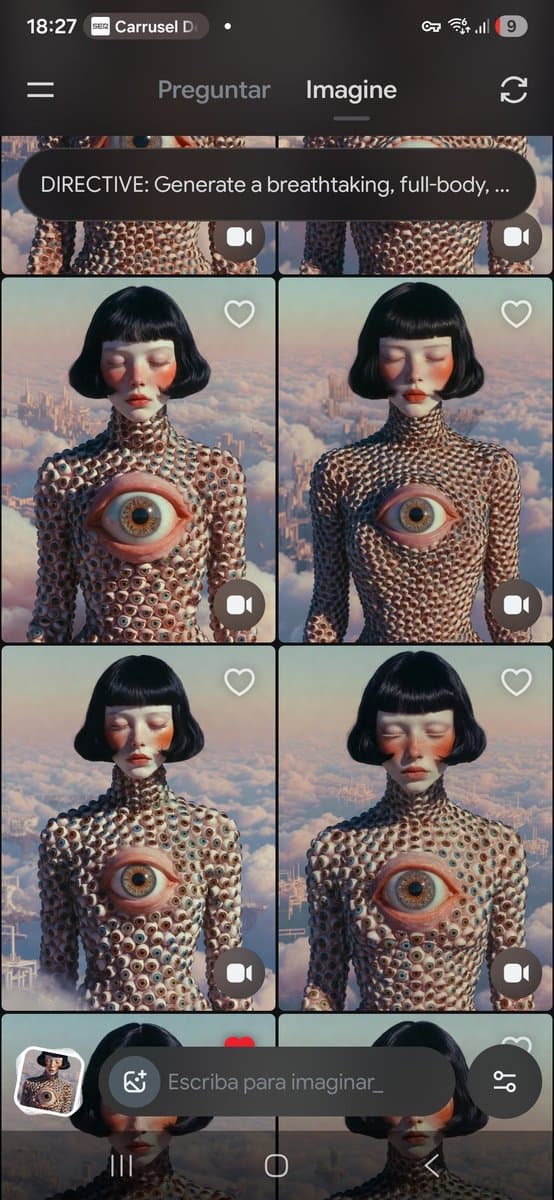
The clearest demo starts with a text prompt typed on a phone for a futuristic cyberpunk street, then shows Grok Imagine generating the still directly in the mobile interface city demo. In the follow-up, animate controls shows the next step: pick from many image variations, save the ones you like, then tap the animate icon to create motion with no extra prompt required.
That same thread adds the most concrete production detail in the evidence: a 10-second clip at 720p in less than a minute, then an Extend control that can either take fresh prompt input or let Grok continue automatically extend option. The practical shift is that image selection, animation, and clip extension now read like one continuous mobile session rather than a desktop handoff.
What creators are making with it
The outputs in the evidence lean toward quick concept-driven social videos instead of long-form cinematic pieces. drawing trick turns a minimal paper sketch into a 3D object that jumps toward camera, which suggests Grok Imagine is already being used for transformation gags and motion reveals rather than just static art.
A separate example from style mashup mixes Midjourney cartoon styling with Grok Imagine animation, producing rapid-fire colorful character shots. Combined with the grotesque fashion-style variations visible in result grid, the pattern is clear: creators are treating Grok Imagine as a fast aesthetic prototyping tool for reels, shorts, and visual tests where variation count and one-tap animation matter more than fine-grained shot control.