
Codex releases Python SDK with thread control, session resume, and sandbox access
OpenAI shipped a Python SDK and app-server support for Codex with thread creation, streamed turns, session resume, image inputs, and sandbox controls. That gives teams a supported way to embed Codex inside internal tools and automation instead of driving it only through the CLI or desktop app.
TL;DR
- OpenAI shipped an official Codex Python SDK that, according to reach_vb's launch post, can start threads, run turns, stream progress, resume sessions, pass images, and control sandbox access.
- The new Codex SDK docs position the SDK as the supported way to embed Codex in CI pipelines, custom agents, internal tools, and applications, instead of driving everything through the CLI, IDE extension, or web app.
- Under the hood, the Python package talks to a local
codex app-serverover JSON-RPC, and the docs say published builds require Python 3.10+ and ship with a pinned Codex CLI runtime dependency, per the SDK page and Python README. - The same release train also added app-server resume support and a
codex app-server --stdiomode, which the v0.136.0 release notes describe alongside refreshed Python SDK docs and packaging.
You can jump straight to the official SDK docs, inspect the app-server transport docs, and read the v0.136.0 release notes. The useful weird bit is that koltregaskes' post and daniel_mac8's demo point to Codex managing threads and sessions across worktrees, which makes the Python SDK look less like a thin wrapper and more like a programmable front door into the same orchestration system.
Python SDK
OpenAI framed this as a direct embedding surface for Codex. reach_vb's launch post listed the first supported actions in one shot: start threads, run turns, stream progress, resume sessions, pass images, and set sandbox access.
The official SDK docs make the target use cases explicit:
- CI/CD pipelines
- custom agents
- internal tools and workflows
- application embeds
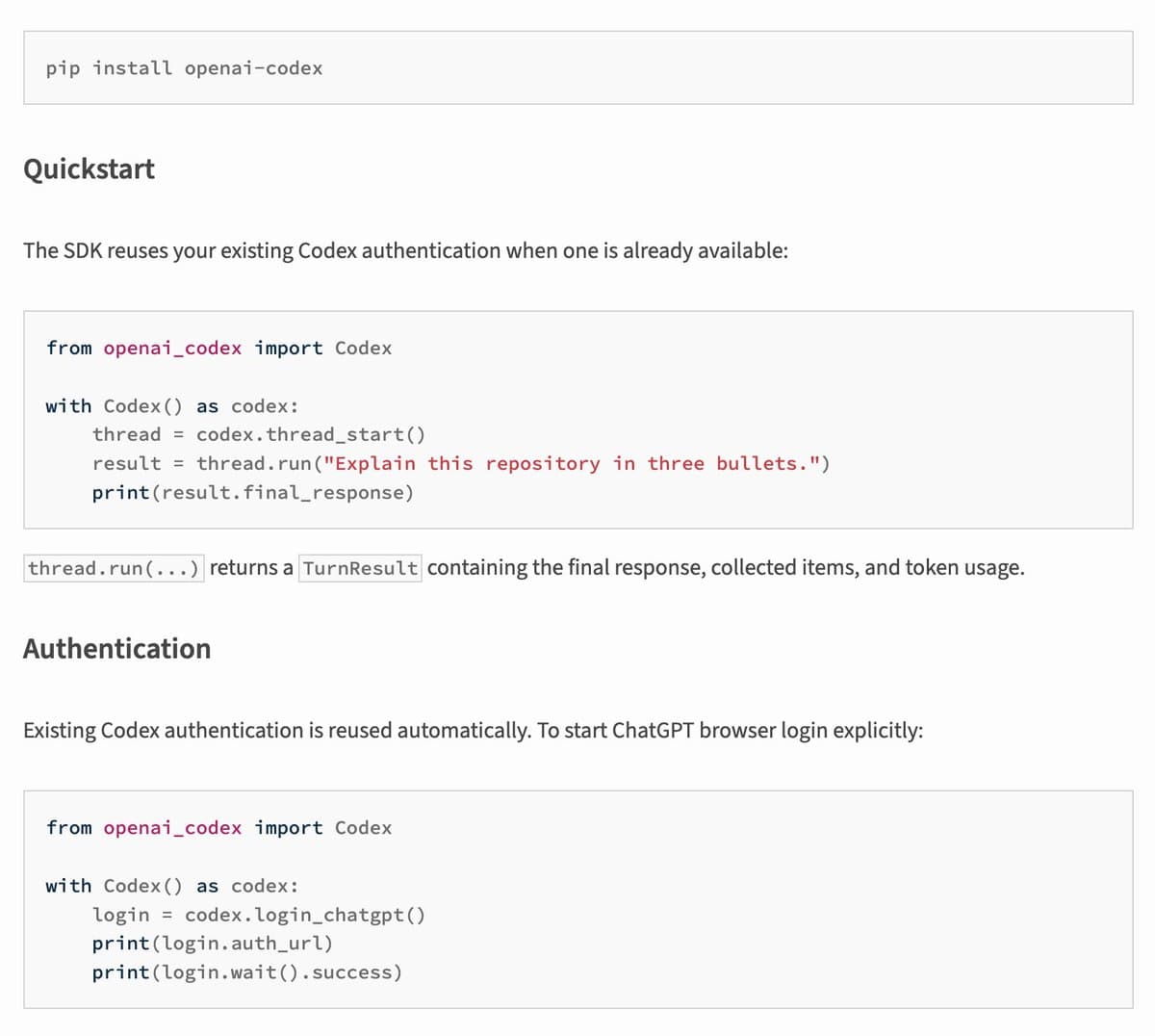
The Python README shows the basic shape: with Codex() as codex, thread_start(), then thread.run(...). It also says the SDK reuses existing Codex authentication when available, which removes one of the usual integration annoyances for teams already using Codex elsewhere.
App-server transport
The Python package is not calling a hosted API directly. The SDK docs say the library controls a local Codex app-server over JSON-RPC, while the app-server docs spell out the transports: stdio by default, plus experimental WebSocket and Unix socket modes.
That split matters because it keeps the SDK aligned with Codex's local runtime and sandbox model. The docs also note Python 3.10+ and a pinned CLI runtime dependency, and the repository README describes the Python layer as a small surface over codex app-server JSON-RPC v2 over stdio.
Session orchestration
The more interesting story is what the SDK is exposing. According to koltregaskes' post, Codex can now create, rename, edit, delete, and archive its own sessions, and daniel_mac8's demo shows thread coordination across local projects and worktrees, including background threads.
That lines up with the SDK's thread-first design. A supported thread_start plus resume support gives Python apps a way to hold onto long-lived Codex contexts instead of treating every call like a one-off prompt.
Archive, resume, and stdio mode
The surrounding Codex release filled in the operational details. The v0.136.0 release notes say sessions can now be archived from the TUI with /archive or from the CLI with codex archive and codex unarchive, and that archived sessions cannot be resumed or forked until restored.
The same notes added three app-server changes that are easy to miss in the social posts:
- resume a thread with its initial turns page
- launch the app-server with
codex app-server --stdio - use short-lived server tokens for remote-control websockets instead of ChatGPT access tokens
Together with the Python SDK docs refresh in that same release, this looks like OpenAI hardening Codex's programmable surface at the same time it made it easier to script from Python.