
Gemini Omni Flash launches video-to-video edits and Google Flow rollout
Google launched Gemini Omni Flash as its first shipping any-input-to-video model, with character consistency, physics-aware scenes, and conversational video editing. Use it in Gemini, Flow, and YouTube surfaces first, and wait for API access if you need programmatic integration.
TL;DR
- Google shipped Gemini Omni Flash availability as the first model in its new Omni family, with rollout starting in Gemini, Flow, YouTube Shorts, and YouTube Create before API access arrives in the coming weeks.
- According to GoogleDeepMind's launch thread, Omni is Google's first step toward "create anything from anything," combining text, images, audio, video, and sketches as inputs for video generation and editing, while Google's input examples showed sketch-to-video as a launch use case.
- Multi-turn editing is the core product shape: Google's editing demo said scenes should preserve character consistency, physics, and prior context across turns, and altryne's feature list broke that into background swaps, zooms, action edits, object additions, and iterative refinement.
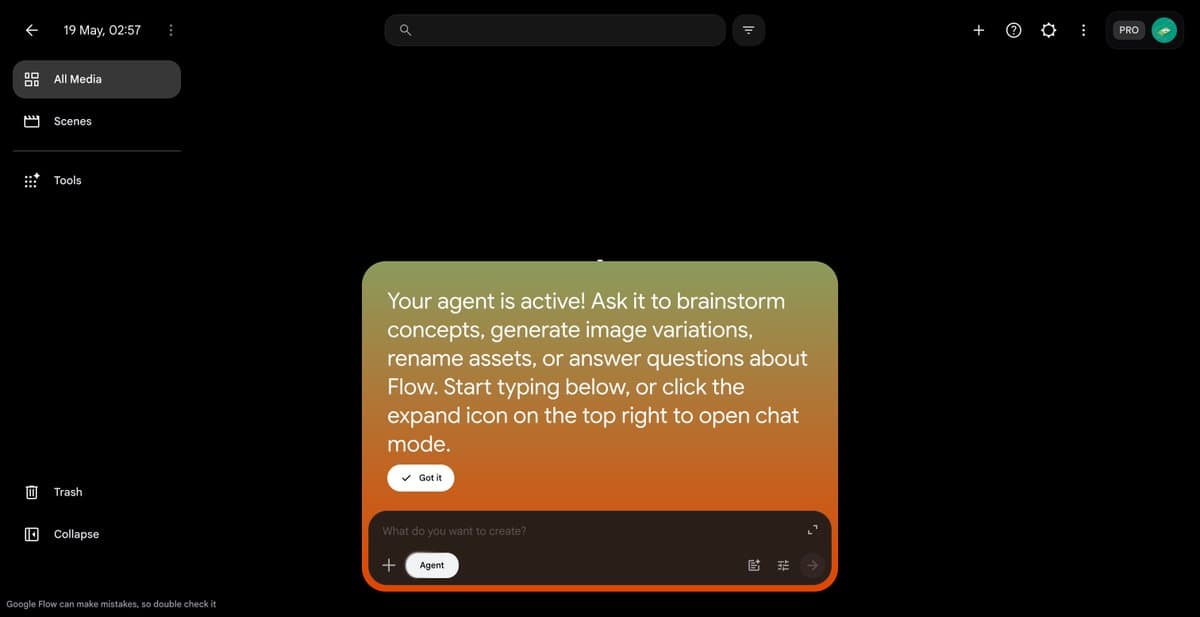
- Flow is not just getting the model. Google's Flow update bundled Gemini Omni Flash with Flow Agent and Flow Tools, while Google's Flow feature post added character insertion and custom voices directly inside scenes.
You can read the official launch post, browse Google's Flow rollout post, and check the Gemini app rollout card. The weirdly useful bits showed up fast: fofrAI's mirror-wall edit pushed camera reflections into the generated scene, emollick's early-access demo stress-tested instruction following with a ludicrous multi-character prompt, and GeminiApp's avatar post quietly added voice-and-likeness avatars on top of the editing stack.
Inputs and world model
Google is pitching Omni less as a text-to-video box and more as a video-native editor with a larger world model attached. In Google's blog post, Demis Hassabis called it a step toward handling any input and any output, starting with video.
The launch claims cluster into three concrete behaviors:
- Mixed inputs: text, images, audio, video, and drawings can all condition a video, per Google's input examples.
- World consistency: actions are supposed to have consequences and environments are supposed to respond logically, per GoogleDeepMind's launch thread.
- Character persistence: define a character once, then keep them stable across locations, lighting, and actions, per GoogleDeepMind's character-consistency post.
That is a much more ambitious promise than photorealism. Google is explicitly selling reasoning about scenes, not just prettier clips.
Conversational edits
Google's strongest demos were edits to existing footage, not blank-sheet generations. In the Gemini app, users can attach a clip from the camera roll and then steer it with follow-up prompts, according to GeminiApp's rollout thread.
The shipped edit verbs already look like a useful reference list:
- Change backgrounds
- Reimagine the action
- Adjust lighting
- Change point of view
- Add objects or characters
- Apply cinematic zooms
- Refine across multiple turns without losing scene context
That list comes straight from Google's editing demo, altryne's feature summary, and Google's Gemini app promo.
Practitioner posts quickly found the same thing. fofrAI's New Year's Eve edit and fofrAI's cat-on-head follow-up both treated Omni like an iterative compositor, not a one-shot generator.
Flow surfaces
Flow got a broader package than the Gemini app. According to Google's Flow rollout, today's three shipping pieces are:
- Gemini Omni Flash
- Google Flow Agent
- Google Flow Tools
testingcatalog's Flow Agent post described Flow Agent as a chat surface for brainstorming concepts, generating image variations, renaming assets, and answering questions about a project. testingcatalog's character screenshot added reusable characters, selectable voices, and scene memory, while Google's Flow feature post said new characters with custom voices can be inserted directly into a scene.
That makes Flow the more opinionated product surface. Gemini is the general chat app entry point, but Flow is where Google is assembling a full creative harness around the model.
Rollout map
The rollout is split by surface and pricing tier:
- Available now for Google AI Plus, Pro, and Ultra subscribers in Gemini and Flow, per Google's availability post.
- Rolling out this week at no cost to YouTube Shorts and YouTube Create, also per Google's availability post.
- Coming to developers and enterprise customers via APIs in the coming weeks, per GoogleDeepMind's API timing post.
Google also teased a larger Omni family. GoogleDeepMind's rollout note calls Flash the first model in that family, and testingcatalog's stage photo claimed Omni Pro is coming soon.
Avatars and provenance
Late in the rollout, Google added two details that were mostly absent from the main stage framing. First, GeminiApp's avatar post says users can create an AI avatar with their own voice and likeness, then reuse it without uploading reference media each time.
Second, Google tied Omni outputs to its provenance stack. GeminiApp's watermark note says all Gemini Omni videos include SynthID watermarks, while GeminiApp's C2PA post says the Gemini app is also getting C2PA Content Credentials checks for original versus modified media. That turns verification into part of the product surface, not just a policy footnote.