
Manus launches My Computer for local macOS and Windows control
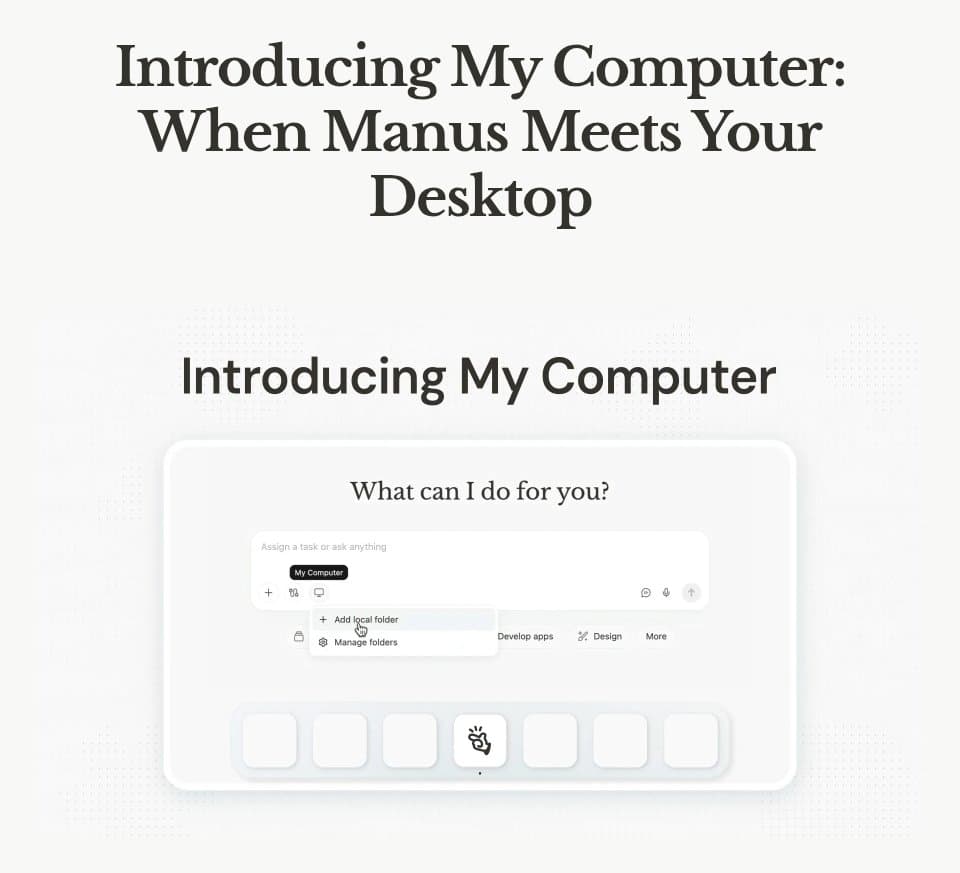
Manus moved from a cloud sandbox onto local machines with My Computer, a desktop app that can organize files, run commands, and build apps on macOS and Windows. Use it if you want agent workflows over private local data and hardware instead of a remote browser sandbox.
TL;DR
- Manus moved its agent from a browser-based cloud sandbox onto the desktop with My Computer, a new macOS and Windows app that gives the agent access to local files, apps, and hardware according to Manus's launch thread.
- The shipped demos focus on concrete desktop automation: the launch thread says it can sort “thousands of unsorted photos,” rename “hundreds of invoices,” and build Swift desktop apps “entirely on your computer.”
- Local control is gated rather than fully autonomous: a launch summary says the agent needs user approval for each command, while a demo thread adds explicit authorization for folder access and per-command execution.
- The launch lands in a broader shift toward on-device agents; one practitioner reaction called it a convergence around “the agent lives on your machine,” alongside tools like Claude Code, Codex, and OpenClaw.
What shipped with My Computer
Manus says My Computer is “the core feature” of its new desktop app and is available now for all macOS and Windows users Launch thread. The company frames it as taking Manus “out of the cloud” and putting it “on your local machine,” with access to “every resource on your computer.”
The product pitch is less about chat and more about desktop execution. In the announcement, Manus lists organizing large photo libraries, bulk-renaming invoices, building Swift desktop apps with “no code written manually,” and combining local execution with existing connectors for automated workflows. The companion desktop app demo shows the My Computer interface labeled “Your local AI agent” and “Available Now.”
Manus also ties the desktop agent to its existing automation concepts. The same thread says users can create “local routines” with Projects, Agents, and Scheduled Tasks, which suggests this is not just ad hoc remote control but a way to run recurring workflows against local state.
How local execution and permissions appear to work
The strongest implementation detail in the evidence is that Manus is driving the local machine through command execution. In Wes Roth's demo thread, the video shows manus --help, a directory listing command, and a compile step for a C++ file, backing the claim that the agent can work through a local CLI rather than only through GUI automation.
Security controls appear to be explicit but granular. According to the launch summary, My Computer requires user approval for each command, and the demo thread says folder access and per-command execution both require authorization. That matters for engineers evaluating whether the desktop agent is a fully delegated local runtime or a supervised execution layer over a local shell.
The launch messaging also points to hybrid execution rather than a purely offline agent. That same summary describes “cloud-based AI” executing terminal commands on local machines, while Manus's announcement emphasizes combining local resources with existing connectors. In practice, that reads like remote reasoning plus local actuation, with private files and idle hardware staying on the user’s machine.
Why this matters for agent tooling
This release fits a clear product pattern: more agent systems are moving from remote sandboxes into local operating systems. Cedric Chee's reaction grouped Manus with Claude Code, Cowork, OpenClaw, and Codex and argued they are converging on the idea that “the agent lives on your machine.”
For engineers, the differentiator is not just that Manus can click around locally, but that it appears to bridge local execution with service integrations. The
shows cards for Manus API, Zapier, Slack, Telegram, and WhatsApp Business, matching the launch thread's claim that My Computer can be combined with existing connectors for “seamless automated workflows.” That makes the release look less like a standalone desktop assistant and more like a local execution endpoint for broader agent pipelines.
The operational upside is straightforward in the launch framing: tasks involving private files, native builds, and always-on local hardware no longer need to be staged through a browser sandbox. The demo thread explicitly points to using idle local hardware such as an always-on Mac mini, while Manus's own examples center on file operations and local app generation.