
Codex app adds Automations GA with worktree controls and terminal read access
OpenAI made Automations generally available in the Codex app with per-run model selection, reasoning controls, worktree or branch targeting, reusable templates, themes, and terminal visibility. Use it for unattended repo maintenance instead of limiting Codex to one-off interactive tasks.
TL;DR
- OpenAI’s Codex update says the Codex app now has Automations in general availability, with per-run model selection, reasoning controls, branch or worktree targeting, and reusable templates.
- Practitioner summaries from the rollout thread frame the key operational change as background runs in a dedicated Git worktree, so scheduled agent jobs can execute without touching the main checkout.
- A real example in Jason Liu’s demo shows Automations handling repo housekeeping: Codex removed 49 detached worktrees, ran
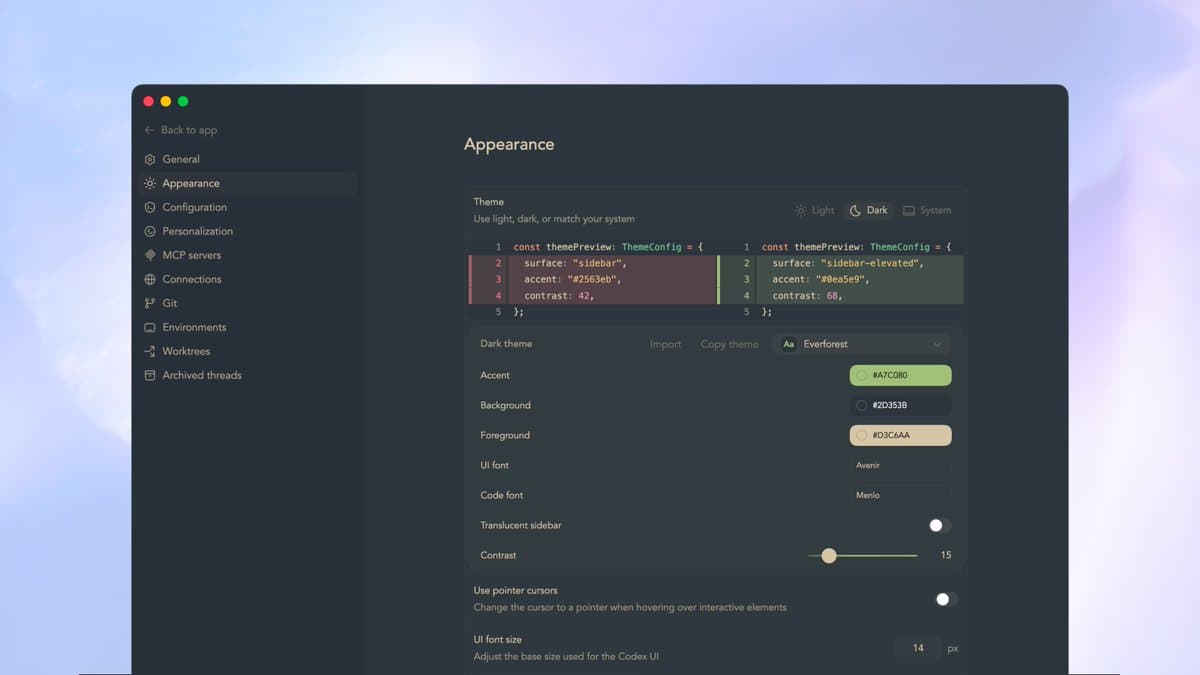
git worktree prune, and proposed a weekly Friday cleanup job. - Separate app updates in the terminal post and the launch note add terminal read access and theme import/sharing, pushing Codex beyond one-off chat tasks toward a more persistent desktop workflow.
What shipped in Automations GA?
OpenAI’s Codex update says Automations are now generally available in the app, and the new controls are the technically important part: users can choose the model and reasoning level for each run, decide whether execution happens in “a worktree or an existing branch,” and save workflows as templates for reuse. That turns Automations from a simple scheduler into a configurable execution layer for recurring repo tasks.
The rollout details in the rollout thread add the intended use cases: “auto-triage issues, PRs, and daily repo briefings.” The same thread says each automation can run unattended after you “define the task once, set a schedule,” which is the clearest signal that OpenAI wants Codex handling background maintenance and reporting work rather than only interactive coding sessions.
How does the worktree model behave in practice?
The most concrete implementation detail comes from the rollout thread, which says “each automation spins up a dedicated Git worktree in the background.” That matters operationally because it isolates agent work from the main branch while still letting the app act on a real repository state.
A practitioner demo in worktree cleanup demo shows the pattern on a live repo. Codex reported it had “removed 49 detached vault worktrees,” ran git worktree prune, and verified that “dirty changes in the main vault repo were not touched.” In the same flow, the user asked for a recurring cleanup job and Codex drafted a “Weekly worktree cleanup” automation scheduled for Fridays at 9:00 AM, with the repo path and cleanup scope spelled out in the generated description. That is a stronger proof point than the launch copy: the app is not just scheduling prompts, but composing repo-specific maintenance jobs around Git worktrees.
What else changed in the app workflow?
Codex can now “read the integrated terminal,” according to the terminal post. The example shown there has the user ask, “What’s in the terminal?” and Codex replies with the current shell, working directory, branch, and the last visible command output, including the cowsay "Hello Codex" result. That closes a common context gap for desktop coding agents: the model can inspect terminal state without the user pasting it into chat.
The other visible change is theming. OpenAI’s Codex update says users can import themes they like, share their own, and personalize fonts, colors, and contrast; screenshots in the Claude theme and the Sublime theme show community-made presets already circulating. OpenAI is also actively soliciting shared themes in the theme contest, which suggests the theme system is not a hidden preference panel but a supported part of the app’s workflow surface. A smaller but practical workflow tweak appears in the Raycast tip, where a user maps a Raycast deeplink to open Codex with selected text, cutting down on copy-paste when turning an error message or plan into a new task.