
OpenAI describes Dot coordinating Codex tasks across apps
OpenAI says Dot retains context across apps, coordinates Codex tasks, and flags work needing attention. Practitioner reports describe using it to reduce the overhead of managing coding agents.
TL;DR
- Dot keeps context across apps, coordinates Codex tasks, and flags work needing attention, according to OpenAIDevs.
- Execution can span Dot’s own computer, Codex Cloud VMs, and a connected personal computer, as dkundel explained.
- Existing-session access remains uneven: koltregaskes reported missing local Work sessions and ChatGPT conversations.
- Dot usage is measured separately, while delegated Codex threads consume Codex allowance, pvncher said.
One Dot flagged an on-call incident before a DevDay demo; production had gone down five minutes before the presentation. Another required its owner’s confirmation before accepting standing instructions from Claude.
Codex coordination
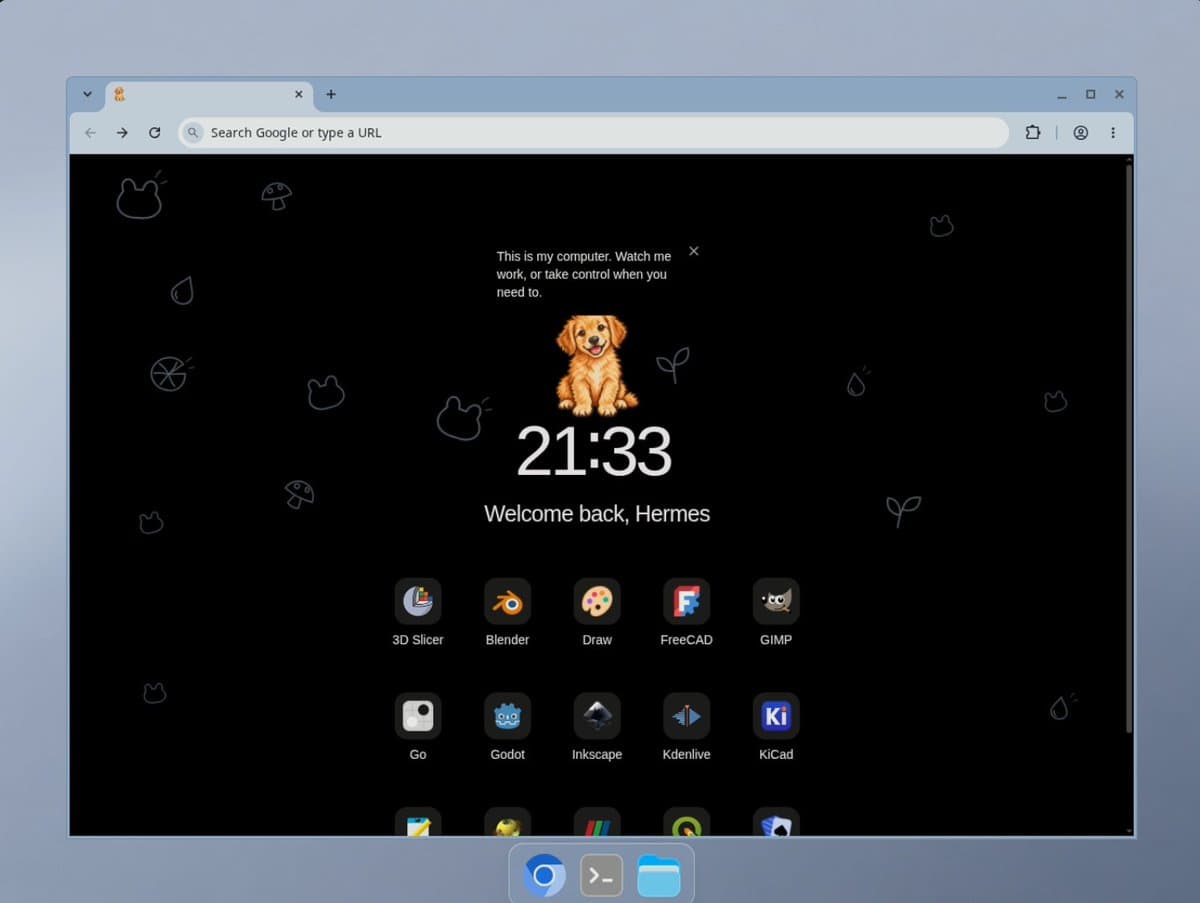
Dot takes over the unglamorous bookkeeping between coding runs. OpenAI describes it as learning a user’s workflow, retaining context across apps, coordinating Codex tasks, and surfacing decisions.
Under the hood, Dot uses an Astra configuration tuned for interactive, persistent work, pvncher explained. Dot and Codex run on the same Codex harness, according to dkundel.
Early reports describe several uses:
- Managing Codex through Dot reduced mental overload for dkundel, who called it his favorite way to use Codex.
- Early-access tester nicdunz reported background work on multiple tasks using Dot’s cloud computer.
- Sam Altman, OpenAI’s CEO, said Dot increasingly learned his workflow and handled chores in a follow-up. He also described using it to manage OpenAI and reduce screen time in an interview.
Cloud and local execution
Dot can dispatch work to several kinds of computers:
- Its own cloud computer: the persistent desktop supplied with Dot, described in OpenAI’s setup guide.
- Codex Cloud environments: environments must be created before Dot can use them. Their published setup packages repositories, dependencies, tools, and access settings for reuse, according to the Codex Cloud documentation.
- A personal computer: local access starts disabled. Only one separate computer running Codex can be connected at a time, dkundel clarified.
The one-personal-computer limit coexists with delegation to multiple Codex Cloud VMs, according to dkundel’s explanation.
The cloud desktop also exposes generated files for inspection. In one example, thsottiaux opened a portrait generated after asking Dot to find a recent photo online.
Proactive alerts
A Slack message can become an ongoing responsibility: embirico described forwarding it to Dot with the instruction “Stay on top of this”.
Operational alerts can combine connected discussions with work already underway. Dot flagged potential demo failures after comparing a talk script with incident-channel chatter, dkundel reported.
Context gaps
OpenAI’s privacy FAQ says Dot can receive ChatGPT memories and recent conversation context. In an early report, dkundel said a newly configured Dot recalled prior discussions and had access to ChatGPT and Codex context.
Session-level access has produced different results. Among the gaps reported by koltregaskes:
- Existing ChatGPT schedules were separate from Dot’s tasks.
- Local Work sessions were inaccessible.
- Connecting a computer did not expose its ChatGPT sessions.
- Local drives were visible, but network drives were not.
Plugin gaps
Missing connectors can turn a quick retrieval task into browser work. In a daily-use report, cedric_chee said WhatsApp lacked an official plugin and computer control was too slow; a requested month-long catch-up reached only September 24 through October 1 after older history required phone access.
Account identity can break connectors even when they exist. While migrating 11 years of family Trello history to Todoist with Grok Bot, davidgomes encountered a connection problem: separate Atlassian and Trello accounts shared the same email, he explained in a reply.
Activity and latency
After extensive use, davis7 reported six problems:
- Everything accumulated in one conversation.
- Responses were very slow, sometimes taking five to ten minutes.
- Intermediate work was difficult to inspect.
- Mobile and desktop apps had performance and input-focus problems.
- Unexpected Codex threads appeared to loop without useful progress.
- Parallel work felt restricted, conflicting with pvncher’s account of monitoring and using multiple apps concurrently.
OpenAI’s safety FAQ describes an Activity View with ongoing and delegated tasks, statuses, and reviewable steps. Managing that activity remains a separate UX complaint: willdepue requested an inbox or Kanban-like view for agent questions and tasks instead of navigating project chats.
The team solicited general Dot feedback, coding feedback, and requests for the next two weeks. Thsottiaux said Dots were improving daily and learning from user feedback.
Agent handoffs and permissions
OpenAI’s safety FAQ lists five protection layers:
- Astra’s model safeguards.
- Plugin permissions, shared across Dot, ChatGPT, ChatGPT Work, and Codex.
- Custom Rules for supported actions.
- Auto-review of certain planned actions against instructions and safety requirements.
- Safety monitoring during execution.
Action rules also apply to delegated and background work. Proactive research can read permitted connected sources and save private notes, but its tools cannot directly:
- Send messages to other people.
- Change content through plugins.
- Control a browser or computer.
Follow-up actions pass through the ordinary action rules and safety checks. OpenAI says prompt-injection protections reduce risk without eliminating it.
Access and usage
The setup guide specifies:
- Pro: rollout excludes the EEA, Switzerland, and the UK.
- Business Premium: availability across supported ChatGPT regions.
- Enterprise, Edu, and Healthcare: an administrator-enabled beta, initially disabled.
- Setup: desktop web or the desktop app; mobile cannot currently create a Dot.
A first Dot is included with Pro or Business Premium. Deeper work has an allowance, with extended limits during the first month after launch.
Delegation has separate accounting: Dot usage is measured separately, while Codex threads it starts consume Codex usage, according to pvncher.
Memory retention
Persistent context has deletion boundaries that the privacy FAQ makes explicit:
- Turning off ChatGPT Memory stops sharing with Dot, but preserves information Dot already received.
- Disconnecting a plugin stops new access, but preserves information already incorporated into Dot’s context.
- Individual Dot memories cannot currently be viewed, deleted, or directly edited. Deleting Dot removes its own context.
- Files, Codex threads, and ChatGPT conversations Dot created remain stored separately after Dot is deleted.