
Astra builds 3D sites from visual plans
Tutorials show Astra workflows moving from DiffUI concepts or wireframes into Codex and three.js, with transparent layers, animation, and reusable 3D skills.
TL;DR
- The design pass now precedes the build: shannholmberg's workflow has Codex generate and revise an image mockup before implementation.
- MengTo's 41-minute tutorial moves from DiffUI concepts to Codex, where transparent layers, animation, and three.js skills finish the site.
- 3D asset work is splitting into procedural environments and detailed meshes, according to MengTo's asset workflow.
- A property walkthrough used 20 listing photographs, Google Maps panoramas, and Unreal Engine 5.8, as AmirMushich's demo documents.
- A separate agent handoff has Astra write a feature specification in Markdown before Muse implements it, according to AIandDesign's experiment.
DiffUI says it can generate nine visual directions in about 50 seconds and learn colors, fonts, spacing, and components from screenshots. OpenAI's guidance for Astra skills says older piles of AGENTS.md, skills, and task instructions should be revisited as the model gets more capable.
Seven steps from brief to browser
A visual plan has become the handoff contract between a creative brief and working frontend code.
- Brief and context: define the audience, purpose, message, action, copy, assets, references, and existing functionality.
- Generate the mockup: ask Codex to create an image showing layout, typography, imagery, and calls to action.
- Review the image: check hierarchy, readability, brand fit, generic sections, and invented details.
- Save the reference and plan: record components, navigation, form behavior, loading states, and mobile decisions.
- Select UI skills: shortlist skills for frontend patterns, accessibility, responsive layouts, animation, and review.
- Build from the approved design: implement the page in the existing stack with real interactions and separate visual assets.
- Compare in the browser: check screenshots against the mockup, then test spacing, wrapping, links, forms, and keyboard navigation.
The workflow's skill layer now has two useful public sources: MengTo's reusable agent skills for Codex, Claude, Cursor, and other agents, and the UI Skills catalog for frontend design, audits, motion, accessibility, and responsive work.
DiffUI, Codex, and three.js
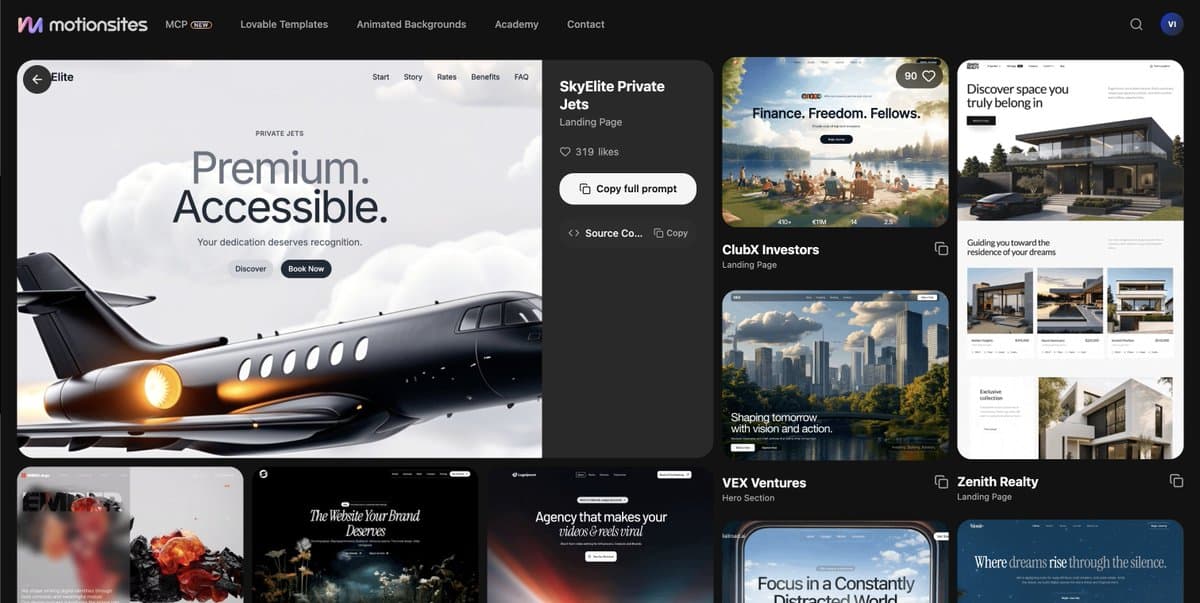
MengTo starts with UI exploration rather than a coded first draft. His tutorial branches ideas, sections, logos, and components in DiffUI, then sends the selected direction into Codex with “Copy for agent.”
The Codex pass adds transparent PNG layers, animations, and three.js skills. Viktoroddy's 10-minute 3D Jet walkthrough shows the same kind of site-building work in a shorter format, while viktoroddy's complete Astra design guide packages the workflow as a larger tutorial.
A smaller three.js example from lucchaissac is a Bordeaux bridge scene with a slider that raises the bridge and changes the daylight, documented in lucchaissac's bridge scene. The examples move between visual reference, generated assets, and interactive behavior instead of treating 3D as a final decoration layer.
Procedural environments and detailed meshes
The asset pipeline is becoming modular. MengTo's workflow uses procedural three.js for environments, then Blender and Hyper3D for high-detail models, as MengTo's asset workflow describes. He later clarified that Hyper3D is for models procedural techniques cannot reproduce easily, because it is fast, in MengTo's reply.
Meshy shows the plugin version of the same split:
- Generate: describe a furniture piece and have Astra call Meshy.
- Split: use the Part Segmentation API to separate the frame, seat, backrest, and rails.
- Ship: let Astra build a browsable site where each part can be dragged and rotated.
That produces a catalog-like interaction from one prompt, with the mesh divided into components that the website can expose directly.
Framer Agent 3D transforms
Framer's 3D Agent announcement describes an editable alternative to the Codex and three.js route. Its agent works with Perspective, Rotate X/Y/Z, Depth, Origin, and Backface while keeping the result as selectable Frames and Effects on the canvas.
tranmautritam's full 3D prompt makes the control scheme unusually explicit:
- Build wireframe cubes and spheres from existing frames, with fixed perspective, depth, rotation, and proportions.
- Animate only the requested property, such as vertical position or uniform scale.
- Loop the motion without adding spinning, flipping, shearing, or unrelated changes.
The model handles the dense multi-layer edit, while the designer retains canvas-level control over springs, masks, origins, and timing.
20 photos and Google Maps
AmirMushich turned 20 photos from an OLX property listing into a walkable interior in Unreal Engine 5.8, then used Google Maps panoramas and matching coordinates for the exterior.
He described the result as a rough demo that had not been polished with professional 3D help, and acknowledged performance improvements were still possible in a follow-up. In another reply, he said the same process could start from phone photos and be repeated with Codex or Claude Code, with iterations along the way.
Astra drafts, Muse builds
The workflow also separates architecture from implementation. AIandDesign had Astra produce a complex game feature as an extensive Markdown document using 2% of the quota, then handed it to Muse, as AIandDesign's experiment shows.
Muse returned remarks, Astra clarified the specification, and the build began, according to AIandDesign's follow-up. The same visual-to-code pattern is appearing in game work as well as landing pages: one agent defines the system, another turns the agreed structure into a running artifact.