
Kling 4.0 sequence uses Three.js camera studies to guide five shots
MengTo translated Three.js camera studies into still references and timed prompts for five Kling 4.0 shots. The studies guided camera moves, but precise paths did not transfer automatically.
TL;DR
- Five Kling 4.0 shots became a 25-second anime sequence in MengTo's camera-planning demo.
- Codex built the 3D rehearsal: MengTo could scrub camera paths and change the lens and bank angle before generating video.
- Kling received a still reference and text for each shot, according to MengTo's workflow breakdown.
- A planned dolly zoom became more of a pullback in MengTo's test; precise 3D paths did not transfer automatically.
Codex's cleverest contribution was a camera rehearsal MengTo could inspect from outside the shot. The finished edit reorders scenes 2, 3, 4, 6 and 1 from a larger 12-scene storyboard.
Five shots from 12 scenes
MengTo's finished 25-second Kling 4.0 sequence
MengTo prepared the storyboard with:
- Keyframes: realistic 3D-anime images created with Codex.
- Scene prompts: also written with Codex.
- Character references: shared across shots to guide the look.
Three.js camera studies
Before generating video, MengTo used Codex to build low-poly scenes in Three.js. He could manipulate the rehearsal through:
- Camera-path scrubbing.
- Lens adjustments.
- Bank-angle changes.
- An external view of moving ribbons, panels and characters.
The external view let him inspect how the camera moved through the scene, alongside the view it would capture.
Timed prompts and one PNG
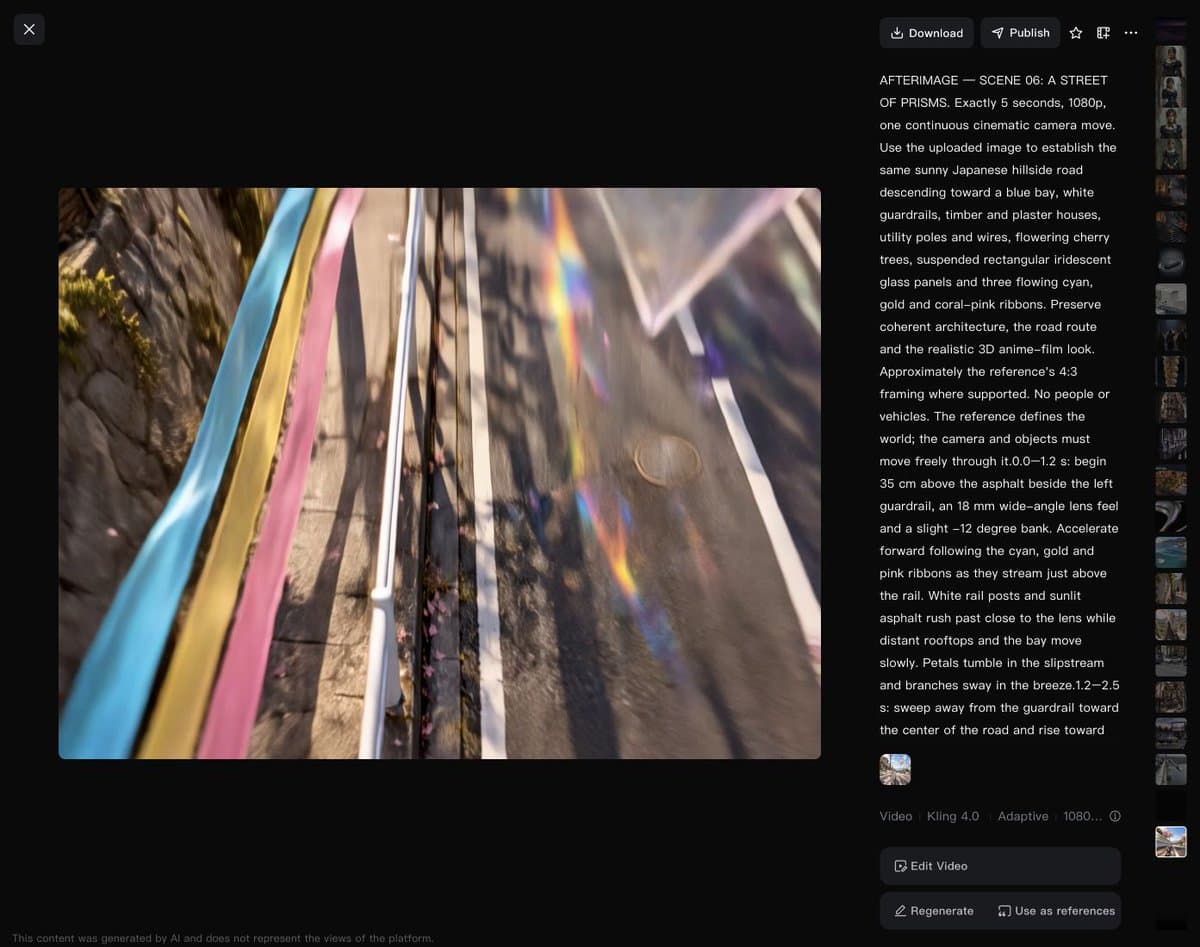
The Three.js previews stayed in pre-production. MengTo translated each study into timed text describing:
- Where the camera starts.
- What it passes.
- Where it ends.
- How the scene moves around it.
Each shot then went into Kling 4.0's Omni Reference with these settings:
- Reference: one PNG per shot.
- Resolution: 1080p.
- Duration: five seconds.
- Aspect ratio: Auto.
Six shots were generated separately, and five were used in the cut. MengTo said all AI-generated video footage in the edit came from Kling 4.0.
Kling also documents short video references as guides for camera movement, an additional input option beyond the still-based setup used here.
Three motion tests
MengTo described three motion tests, giving the camera something to pass to make depth and speed visible:
- Emblem orbit: circling a luminous emblem.
- Water-to-portrait rise: skimming the water before rising to a portrait.
- Ribbon chase: following ribbons through a prism burst.
A dolly zoom became a pullback
The generated moves varied from the camera studies. MengTo said he would simplify the dolly zoom and test it separately next time, after the prompt produced more of a pullback.
Claude-assisted Blender scenes
In a separate experiment, DavizCF7777 described working in Blender through Claude to control cameras and characters, particularly for complex long takes that were difficult to achieve through prompting alone.
He still relied on prompts for elements outside Blender and on references to establish the final look.
Fil and FFmpeg
MengTo kept the production assets together in Fil:
- Images.
- Prompts.
- Scene HTML.
- Camera previews.
- Generated clips.
He built an editable timeline, then used FFmpeg to:
- Assemble five original exports.
- Soften the audio boundaries.
- Add the small official corner logo.
Separately, MengTo posted a 38-minute walkthrough of his broader workflow, which he described as made for designers.