
Seedance 2.5 uses depth maps to preserve actors’ motion in scene edits
Curious Refuge demonstrates changing a filmed scene while retaining an actor’s performance. The workflow combines an edited starting frame, a depth map and live-action footage in Seedance 2.5.
TL;DR
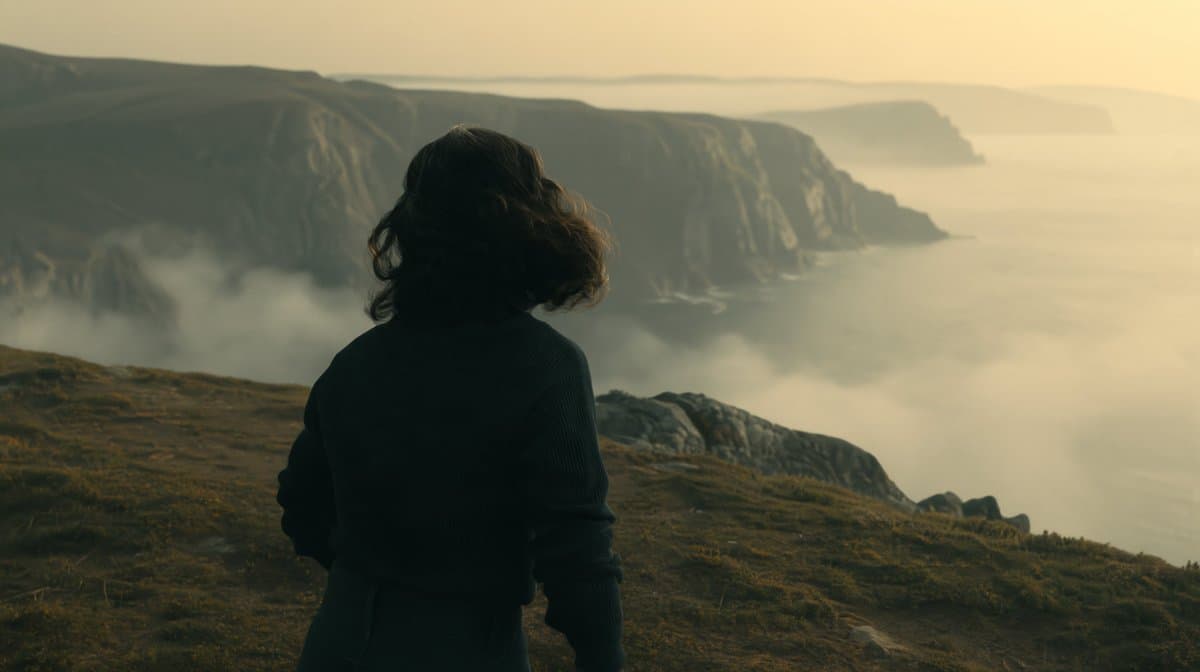
- Filmed performances supply the action: CuriousRefuge’s cliff test transforms a simple greybox shoot at Promise into a cinematic cliffside scene.
- Look and motion get separate references: the cliff prompt assigns an edited still to the first frame and a depth video to motion in Seedance 2.5.
- Faces and costumes get additional inputs: the cave workflow includes the original footage for facial details and a separate outfit image.
The full tutorial also transforms a two-person studio conversation into a fancy bar scene. The depth processor on fal costs $0.04 per second of footage, making a ten-second depth pass $0.40 before image or video generation.
An Irish cliff from a greybox shoot
Curious Refuge filmed an actress running in a plain studio environment at Promise, then generated the cliffside setting around her performance.
For the still-image edit, Curious Refuge names GPT Image 2.0 in its cliff walkthrough. Two images establish the shot:
@img1: the starting frame from the greybox footage.@img2: a reference for color grading, lighting and style.
The image-editing prompt was:
Depth video from the original take
The clever input is a black-and-white depth video of the original take. Curious Refuge generated it with fal’s Depth Anything Video, the tool linked in both threads.
The service runs Video Depth Anything, a CVPR 2025 model, and produces per-frame depth estimates with temporal consistency across frames.
Three inputs for Seedance
The cliff generation uses three assets, according to the tutorial:
- Edited starting image: establishes the first frame and visual treatment.
- Depth video: supplies the motion reference.
- Original live-action footage: carries the performer’s likeness.
Curious Refuge assigns the depth clip to @Video 2 in the published cliff prompt:
The demonstrated Seedance interface runs through Magnific, with these settings described in the tutorial:
- Resolution: up to 1080p.
- Duration: up to 30 seconds, with the output duration set to match the source clip.
A screwdriver becomes a scroll
A second studio take starts with an actress picking up a screwdriver. The generated scene replaces it with an ancient scroll and moves the action into a cave.
For this starting-frame edit, Curious Refuge names GPT Image 2.5. Its prompt specifies the prop replacement, dirt ground and torchlight:
Facial detail and an outfit reference
Curious Refuge supplies four assets in the cave generation step:
- Edited starting frame: establishes the cave and scroll.
- Depth video: comes from a depth pass on the original cave take.
- Original greybox footage: fills in facial details.
- Outfit image: supplies the character’s new clothing reference.
The cave prompt uses a different video slot from the cliff example:
Performance drift and a missing hat
Curious Refuge also documents departures from the source performances and references in its full tutorial:
- Depth is optional: the presenter says a depth map can sometimes make the result worse.
- Foot contact: the cliff version using only the original video and edited image has slightly unrealistic contact between the runner’s feet and the ground.
- Dialogue performance: the bar conversation contains subtle differences from the actors’ original performances.
- Hand movement: another bar generation extends the actress’s reach farther than the source footage.
- Costume fidelity: the cave result omits the hat from the outfit reference.
- Lighting: a flat-lit source take produces a bar result the presenter also finds too flat; the tutorial’s image-model comparisons show different amounts of relighting.