
OpenAI releases ChatGPT Images 2.0 with stronger text rendering
OpenAI released ChatGPT Images 2.0, and Firefly Boards, Figma, Freepik, fal and Lovart added access within hours. The rollout matters because text-heavy image generation is now moving into the design tools creators already use.
TL;DR
- OpenAI shipped ChatGPT Images 2.0's rollout post as partners started lighting up access the same day, with icreatelife's Firefly Boards post, figma's rollout post, freepik's launch thread, and fal's day-0 repost all landing within hours.
- The big visible jump is text and layout: freepik's keynote mockup, freepik's magazine spread, and egeberkina's recipe infographic all lean on readable small copy instead of the usual mush.
- Creators immediately pushed it into design-adjacent formats, from icreatelife's CV experiment and venturetwins' brand-kit mockup to AllaAisling's retro poster tests and GlennHasABeard's hidden-objects scene.
- The model also looks unusually strong at dense structured outputs, according to ProperPrompter's 100-item grid, hckmstrrahul's 10x10 information grid, and goodside's solved maze worksheet.
- The rollout was not perfectly clean: icreatelife's rollout note said some users were still seeing an older model, petergyang's question said brand-style infographics were hard to steer, and petergyang's web bug report showed ChatGPT sometimes returning diagram-like outputs instead of invoking the image tool.
You can read the official announcement, skim the big Hacker News thread, and then jump straight into the day-zero surfaces: Adobe Firefly Boards, Figma and Figma Weave, Freepik Pikaso, and fal. The weird bits surfaced fast too: there is a VS Code screenshot that appears to contain working HTML, a Google Ads screenshot annotated with click-by-click guidance, and even an 11-fold crochet symmetry test.
What shipped into creator tools
Day-one distribution was half the story. OpenAI shipped the model, but creators mostly met it inside tools they were already using.
The same-day surface list from the evidence set includes:
- Adobe Firefly Boards, per icreatelife's Firefly Boards post
- Figma and Figma Weave, per figma's rollout post and figmaweave's workflow post
- Freepik Pikaso, per freepik's launch thread and Freepik's generator page
- fal, per fal's day-0 repost
- Lovart, per AllaAisling's Lovart test
- PhotoAI, per levelsio's PhotoAI post
That makes the launch feel less like a single model drop and more like a fast plug-in across existing creative workflows.
Typography and editorial layouts
The early examples that actually changed the mood were not fantasy portraits. They were layouts that used to break.
Freepik's launch thread turned that into a mini stress test for editorial design. The thread showed:
- multi-block keynote slides with readable hierarchy, per freepik's keynote mockup
- fake Slack conversations with line-by-line layout control, per freepik's Slack mockup
- magazine spreads with small body copy that still holds together, per freepik's magazine spread
- presentation-room slides that keep headline and supporting text separated, per freepik's pitch-room mockup
- billboard-style comps with layered type, per freepik's billboard mockup
The same pattern showed up elsewhere. egeberkina's recipe infographic produced an actually legible cooking card, while ozansihay's Adana kebab recipe pushed the same trick into a long Turkish poster.
Dense grids and structured images
One-shot structure is where the model got showy fast.
The standout examples all shared the same trait: lots of small elements that had to stay distinct.
- A 10 by 10 RPG inventory sheet with 100 unique items and labels, per ProperPrompter's 100-item grid
- A 10 by 10 technology taxonomy image, per hckmstrrahul's 10x10 information grid
- A 32 by 48 numbered maze worksheet with a blue-pen solution, per goodside's solved maze worksheet
- A World Cup knockout bracket that mostly holds the broadcast graphic look, even if some match logic slips, per egeberkina's bracket test
Hacker News users were testing the same territory from the API side. According to the HN discussion summary, Simon Willison pushed higher-resolution generations, while other commenters compared failure cases around structured prompts and layout-heavy tasks in the main HN thread.
UI mockups and interface fiction
A lot of the first-day use cases were basically interface forgery, or interface prototyping, depending on your mood.
The evidence pool includes several flavors:
- fake social feeds with near-real UI chrome, per omooretweets' X feed recreation
- mobile fintech screens with tabs, charts, and nav bars, per hckmstrrahul's mobile UI mockups
- a 1990s Photoshop screenshot, per icreatelife's retro Photoshop test
- a Google Ads screenshot re-rendered with step annotations in Chinese, per underwoodxie96's annotated dashboard
That last one is the most useful oddity in the set. underwoodxie96's annotated dashboard shows the model taking a real UI screenshot and returning a visual answer, with arrows and instructions placed directly onto the interface.
Creator workflows that emerged on day one
The fun part of this rollout was how quickly people stopped demoing the model and started slotting it into repeatable formats.
The evidence suggests a few immediate workflow buckets:
- Brand kits and swag: venturetwins' brand-kit mockup used a URL or brand guide to generate palette, typography, and merch concepts.
- Posters and campaigns: AllaAisling's retro poster tests and AllaAisling's multilingual visor campaign both treat the model like an art director with decent type handling.
- Search-and-find scenes: icreatelife's Where is Kris prompt and GlennHasABeard's hidden-objects scene turn dense composition into a reusable prompt format.
- Infographics and explainers: egeberkina's recipe infographic, DavidmComfort's protein infographic, and DavidmComfort's cell diagram repost all use the model for high-information visuals.
- Personalized documents: icreatelife's CV experiment turned public-web context into a resume-style graphic.
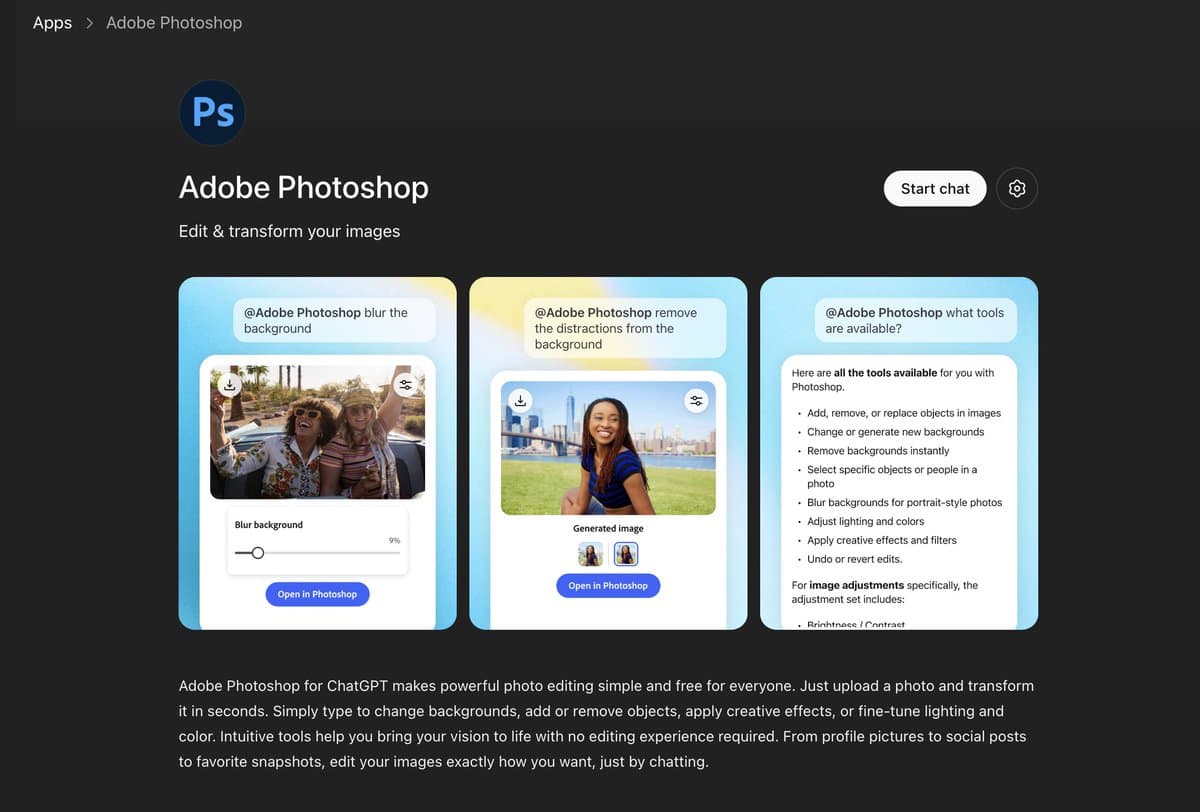
A sponsored Adobe workflow thread added one more practical detail. egeberkina's Photoshop-in-ChatGPT walkthrough showed Photoshop connected inside ChatGPT, and egeberkina's iteration note said short sequential edits worked better than trying to stuff the whole transformation into one prompt.
Strange capability tests
Some of the strongest first-day posts were not useful in any normal sense. They were pure capability probes.
The list got weird fast:
- VS Code screenshots containing apparently complete HTML for Conway's Game of Life, per LLMJunky's VS Code test and the posted prompt
- additional code-window generations for boids, Matrix rain, a wireframe cube, and a Lorenz attractor, per the boids example, the Matrix example, the cube example, and the Lorenz example
- an 11-petal crocheted doily generated after multiple internal attempts, per goodside's crochet symmetry test
- a single grain of rice with readable microtext, per hckmstrrahul's rice-grain test and gokayfem's rice-grain repost
These tests are less about taste than about constraint following. If the model can keep 11-way symmetry or preserve a plausible code editor, it can probably survive ordinary poster and slide work.
Rough edges in the rollout
The first-day evidence also includes a useful reality check.
Three caveats showed up right away:
- some users were still hitting an older model during rollout, per icreatelife's rollout note
- infographic and brand-style steering was still hit-or-miss, per petergyang's question
- ChatGPT web could sometimes forget to invoke the image tool and instead output diagram-like content, per petergyang's web bug report
The community discussion added a fourth caveat. According to the main HN thread, prompt following and fidelity improved, but text and layout were still not perfect in every case, and commenters were already comparing failure modes against other image models rather than treating this as solved.