
Adobe Research introduces Object-WIPER and LightMover for CVPR 2026
Adobe highlighted Object-WIPER and LightMover in its CVPR 2026 slate, while Firefly ambassadors showed AI Assistant retouch, mockup, and Boards workflows. Use this as a cue to expect Adobe to keep pushing edit-first control over existing photos and assets.
TL;DR
- Adobe Research used its CVPR 2026 roundup to surface two edit-first projects, while icreatelife's CVPR post singled out Object-WIPER and LightMover as tools for controlling existing images and video rather than just generating new ones.
- Object-WIPER's Adobe Research page says the system removes a target object plus attached artifacts like shadows, reflections, and translucent traces, and icreatelife's demo post points to the same effect in motion.
- LightMover's project page describes single-image relighting controls for light position, color, and intensity, and icreatelife's post frames it as another control layer for editing finished content.
- Adobe's Firefly AI Assistant beta post says Creative Skills already cover retouching portraits, building mood boards, and product mockups, which lines up with the retouch-and-merch workflow in AllaAisling's sponsored demo.
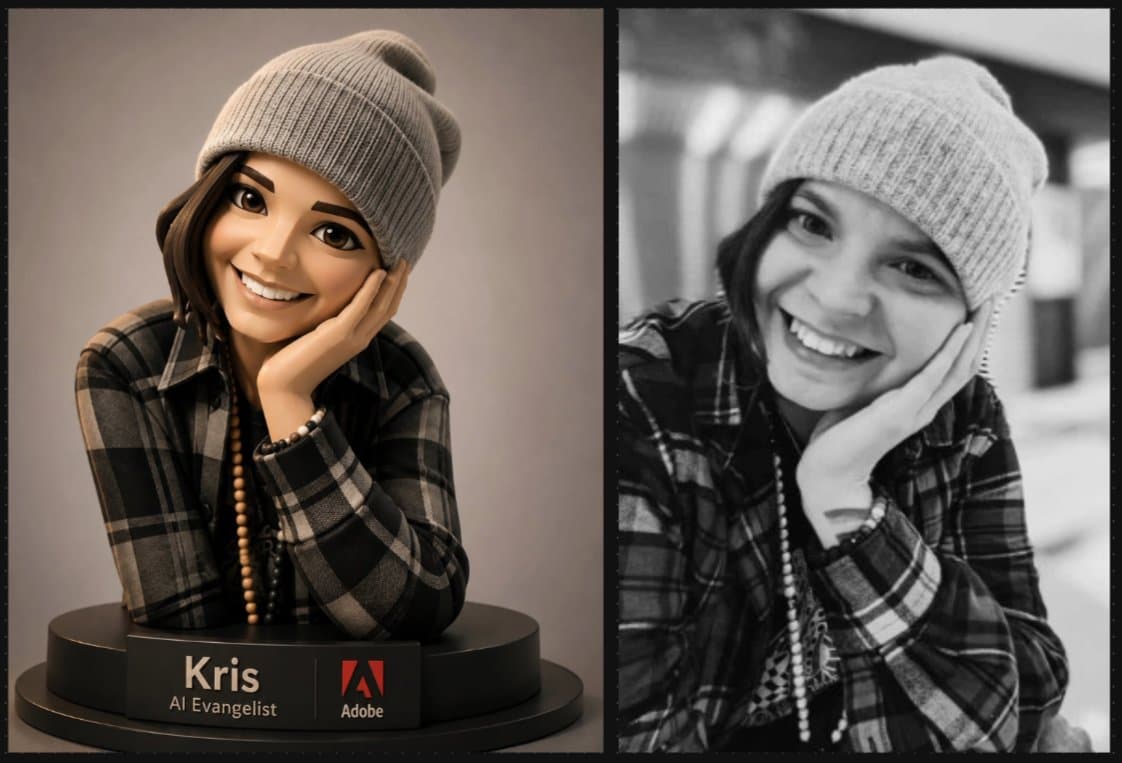
- icreatelife's Firefly Boards post and Adobe's GPT Image 2 page for Firefly show Boards becoming a practical front end for mood boards, portrait stylization, and prompt-driven visual ideation.
You can skim Adobe's Object-WIPER research note, browse the LightMover project page, check the Firefly AI Assistant beta announcement, and see how Adobe positions Firefly Boards as an ideation workspace. The throughline is unusually consistent: remove the thing, move the light, restyle the portrait, then turn the result into a mockup without leaving the same chat or board.
Object-WIPER
Adobe Research says Object-WIPER's research note is an academic CVPR 2026 project, not a product feature. The interesting bit is the scope of the erase.
According to Adobe Research's note and the paper abstract, Object-WIPER is built to remove:
- the object itself
- shadows
- reflections
- translucent traces
The paper says the method is training-free and uses a pre-trained text-to-video diffusion transformer plus a user mask and query tokens to localize the object and its effects before inpainting with temporally coherent content. That is a much more specific target than the usual "remove this thing from video" pitch.
LightMover
LightMover and Object-WIPER demo reel
LightMover's project page pitches relighting as an editing problem, not a re-rendering pass. The model takes a single image and control tokens, then changes the light while updating the resulting shadows, reflections, and falloff.
The controls called out on the project page are simple and concrete:
- light position
- light color
- light intensity
The page says the system uses video diffusion priors for physically plausible illumination changes. Paired with Object-WIPER, it makes Adobe's CVPR slate look less like "more generation" and more like a grab bag of post-production controls.
Firefly AI Assistant skills
AllaAisling's walkthrough is basically the consumer version of Adobe's agent story: upload a sci-fi character, ask for portrait retouching, redirect with one sentence, then ask for a poster, t-shirt, and hoodie mockup. The useful detail is that she names the exact skills she used, Retouch Portraits and Create Mockups.
Adobe's beta announcement says Firefly AI Assistant ships with pre-built Creative Skills for:
- batch photo editing
- mood boards
- portrait retouching
- social variations
- product mockups
The official overview describes the assistant as a conversational layer across Photoshop, Lightroom, Illustrator, Premiere, Firefly, and more. Mr_AllenT's repost of jerrod_lew uses the same framing, calling it a creative partner that moves from idea to creation by chat.
Firefly Boards and GPT Image 2
In Adobe's current stack, Boards looks like the lightweight place where prompt experiments actually start. icreatelife's post says the 3D character portrait example was made with GPT Image 2 inside Firefly Boards, and Adobe's GPT Image 2 page says that model is available in both Firefly and Firefly Boards.
Adobe's Boards help page positions the product for mood boards, storyboards, and pitch materials. The mood board feature page adds the more practical detail: upload or generate images, remix them, and use style references inside one board.
That matters for this week's evidence because the ambassador posts split neatly across two interfaces: AI Assistant for orchestrated multi-step jobs, Boards for fast visual exploration and prompt remixing.
Firefly's ambassador layer
The rollout around these tools is not just product marketing, it is a distribution system. icreatelife's ambassador-program post says he brought 60 people from X into the Adobe Firefly Ambassadors program, while MayorKingAI's reply shows creators publicly asking why they still had not heard back.
The posts in this sample are also explicit about sponsorship. AllaAisling's sponsored demo discloses a paid partnership and ambassador status, and the retweets in carolletta's repost and carolletta's repost of barbbowman show the same creator network pushing Firefly AI Assistant and Boards workflows at the same moment Adobe Research is promoting its CVPR edit-control papers.