
Dreamina Octo launches Vibe Create in a single-canvas storyboard flow
Dreamina Octo introduced Vibe Create, a single-canvas workflow where creators chat ideas into storyboards and then turn them into video with Dreamina Seedance 2.0. Creator demos show the handoff working, but some shots still need iterative revisions.
TL;DR
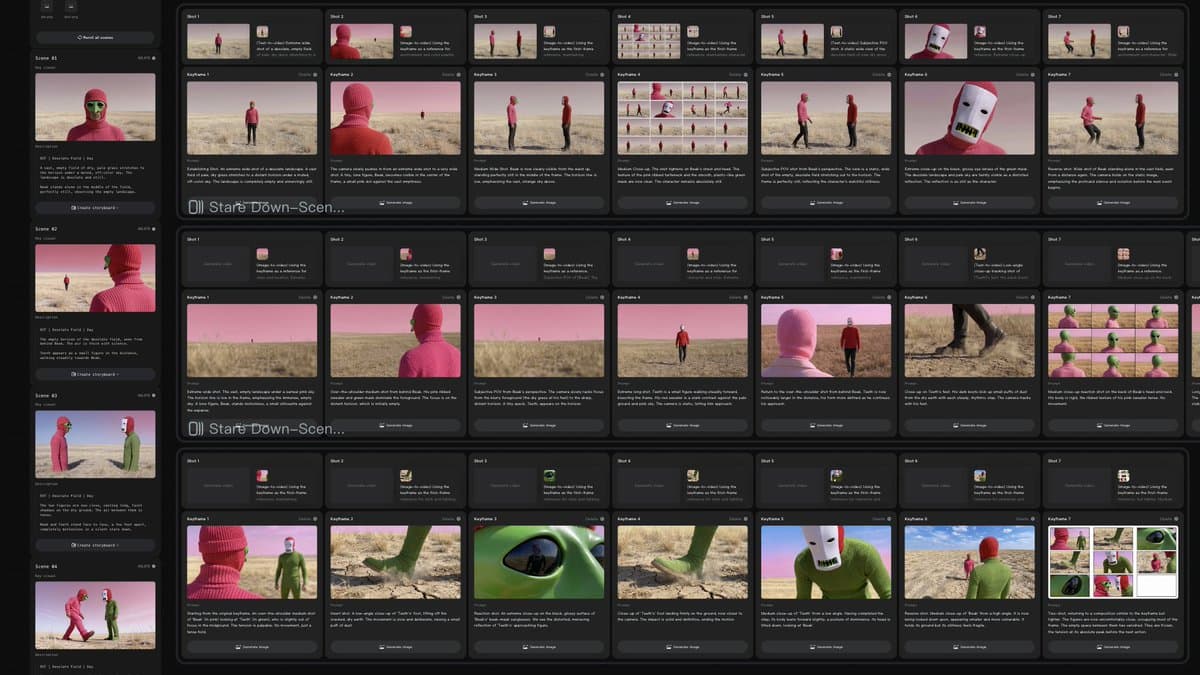
- Dreamina Octo launched in beta alongside Seedance 2.0, and egeberkina's demo frames the pitch clearly: describe an idea, chat with the agent, refine it on one canvas, then turn it into finished video.
- The strongest creator walkthrough came from egeberkina's thread, where a vague character idea became scene-by-scene storyboards and then a 30-second film in Seedance 2.0.
- The handoff looks real in practice. minchoi's music-video demo used Octo plus Seedance 2.0 for the full sequence, while egeberkina's clip shows the idea evolving inside the canvas instead of across separate tools.
- The workflow still leans on retries. According to egeberkina's thread, some shots took multiple rounds of revisions before they felt right.
- Access is already live through Dreamina links. egeberkina's try-it link points straight to Dreamina, while the official Seedance 2.0 page says the model supports multimodal inputs and 1080p output.
You can watch egeberkina's canvas demo turn chat into boards, then compare it with minchoi's finished music video. Dreamina's own site is already leaning into the same all-in-one pitch on pages about AI Agent sessions and multi-scene storytelling. The official Seedance 2.0 tool page adds a more concrete spec sheet than the tweets do.
Single canvas
The launch pitch is narrower than a generic "AI agent for creativity" claim. egeberkina's demo says the user can describe an idea, chat naturally with the agent, refine it in place, and keep everything inside a single canvas.
That lines up with how Dreamina has been describing the product on its own site. Its official guide to consistent design work says Dreamina combines image generation, video generation, reference-based creation, canvas editing, character control, style transfer, and multi-scene storytelling in one workspace, rather than as separate hops across apps (official guide).
Storyboards
The clearest workflow reveal is the storyboard step. Once a direction was locked, egeberkina's thread says Octo generated storyboards for every scene, then Seedance 2.0 turned those boards into video.
That gives the flow a simple structure:
- Start with a loose concept in Octo.
- Narrow the direction through chat on the canvas.
- Generate scene-by-scene storyboards.
- Push those boards into Seedance 2.0 for motion.
- Keep revising until the shots land.
minchoi's finished clip is the best proof that the chain can hold together over a full sequence, not just a single pretty shot.
Iteration loop
The polish is not automatic. egeberkina's thread says some shots needed multiple iterations and revisions before they felt right, which is the most useful line in the whole evidence pool.
That makes this look less like one-prompt generation and more like a storyboard-and-rewrite loop. egeberkina's earlier post even says her favorite part was watching the idea evolve along the way, which fits the product's "vibe create" framing better than the finished export does.
Access
Dreamina is already pointing people to a live entry point. egeberkina's post links directly to the product, and the official Seedance 2.0 page says users need a Dreamina account and get free trial credits.
That page also adds concrete production limits missing from the tweet demos:
- multimodal inputs across text, images, video, and audio
- up to 12 clips per project, with 9 images, 3 videos, and 3 audio clips
- video and audio clips up to 15 seconds each
- 1080p output on Seedance 2.0
A separate official Dreamina page about AI Agent mode says one session can process up to 6 photos and generate up to 40 outputs while refining prompts for a consistent look. That is not Octo-specific, but it does show the broader product direction: bigger, guided sessions instead of one-shot generations.