
Adobe Firefly AI Assistant turns storyboards into generated clips
Adobe's AI Assistant is being demoed as a storyboard-to-video pipeline inside Firefly. The flow creates character sheets, shot lists, frames, soundtrack, clips, and a rendered board; Firefly Boards also has free daily generations.
TL;DR
- Adobe Firefly AI Assistant is being demoed as a mini production pipeline in Mr_AllenT's walkthrough, starting with Create Storyboard and ending with generated video.
- The storyboard pass creates a character sheet, environment description, style description, shot list, style test, and eight storyboard images, according to Mr_AllenT's storyboard step.
- The animation pass uses
/storyboard-to-videoto generate scenes, dialogue, music, video, and editing in Mr_AllenT's slash-command step. - Firefly Boards has a real access caveat: icreatelife's Firefly Boards note says it is free with daily generations, while Adobe's docs say non-premium users are capped at three boards and generative AI features use credits.
Adobe's Firefly AI Assistant overview calls it a beta conversational creative agent that plans, creates, and edits from natural language. The AI storyboard generator page says Firefly Boards can export individual frames or full sequences as JPEG, PNG, or MP4. Mr_AllenT's demo adds the fun bit: /storyboard-to-video becomes a one-line handoff from panels to scenes, dialogue, music, clips, and a rendered Firefly Board.
Create Storyboard
The flow starts by selecting Create Storyboard in Firefly AI Assistant, then answering three story or objective questions. Mr_AllenT says the user can give detailed answers, provide almost nothing, or ask the agent to invent its own story direction.
Adobe describes the broader agent pattern in its AI Assistant docs: choose a goal, let the assistant interpret it, break the request into steps, and select the needed tools and actions.
Style pass and shot list
Mr_AllenT's sample prompt was a 30-second, multi-shot buddy comedy about a polar bear and an elder man traveling in the 1800s. He also provided a reference image.
The agent produced the pre-production packet as separate pieces:
- character sheet
- environment description
- style description
- shot list
- 4-panel storyboard test for style approval
- 8 final storyboard images after approval
Adobe's storyboard generator page frames that consistency as the core job: recurring characters, lighting, backgrounds, tone, and shot sequences inside Firefly Boards.
Storyboard-to-video
The demo then switches from board planning to generation through a slash command. Mr_AllenT types /storyboard-to-video in the agent window, and the assistant starts building scenes, dialogue, and music.
For the polar-bear test, the agent created eight scenes and generated frontier music based on the concept image. Adobe's Firefly product page describes the assistant as choosing the right tool for the task without app switching, which matches the handoff shown here.
Rendered board
After the soundtrack step, the assistant moves into video generation and editing. Mr_AllenT says the final render pieces the generated clips together and applies the generated music.
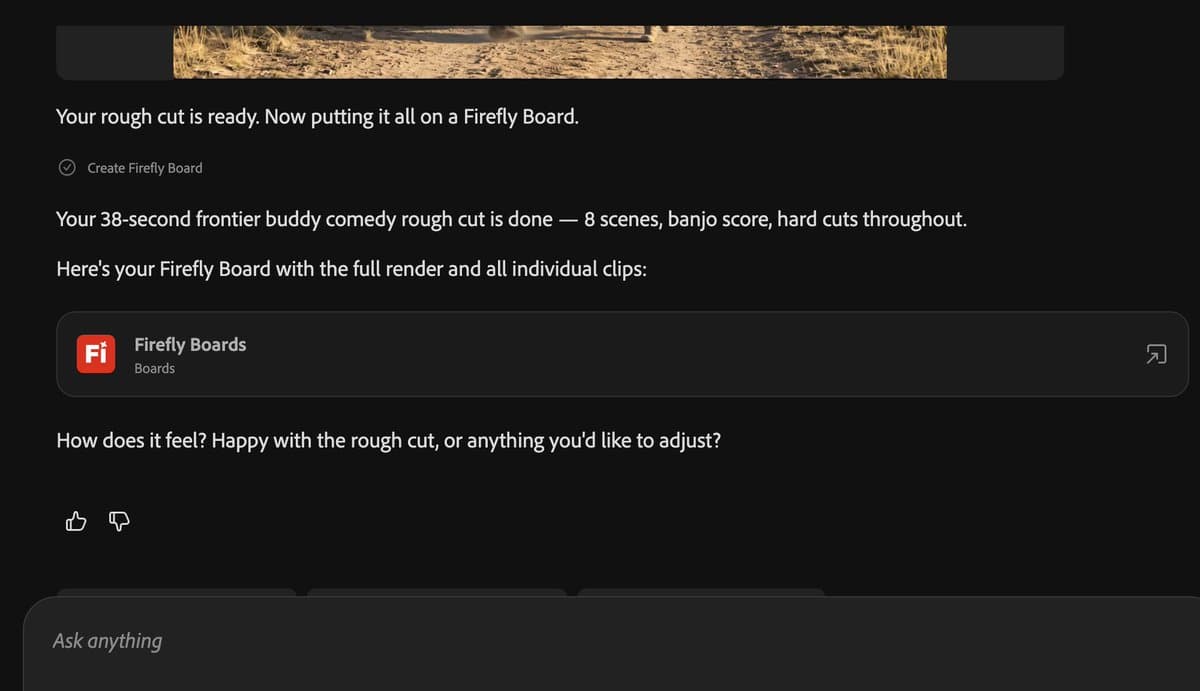
The output is not just a single file. The assistant returns a Firefly Board link containing the rendered video and each individual clip.
Access and credits
icreatelife, who says they spent two years helping build Firefly Boards, called the tutorial useful for animators and said Boards is free to use with free daily generations.
Adobe's Boards documentation gives the product limits: anyone with an Adobe account can access Firefly Boards, premium users get unlimited boards, and other plans are limited to three boards. Adobe's generative credits FAQ says free-plan credits are allocated on first Firefly feature use and expire one month later.
Mr_AllenT's final post links both Adobe Firefly and the Firefly affiliate program.
Creator stacks around Boards
GlennHasABeard described one working stack around Boards: Firefly Boards for workspace, Krea 2 for image, Seedance 2.0 for video, and Claude for everything else.
He also said Boards is the best model he has found for creating a style and locking it across generations. His use case is moodboards and reference images for creature and wizard animations.