
Gemini Omni tests map-based reshoots with on-video label overlays
Creators used Gemini Omni to re-shoot a Waymo POV into new map-based locations and add handwritten callout labels while keeping the source footage intact. The demos extend Omni from generation into geography-aware edits and simple editorial annotation passes.
TL;DR
- venturetwins' Waymo reshoot test pushed Gemini Omni beyond text-to-video into edit mode: the model took a Menlo Park Waymo clip and re-shot it into different map-based locations while keeping the in-car POV and transition flow intact.
- Prompt wording mattered. In venturetwins' follow-up, the strongest result came from a simple edit instruction: move the car into the mapped area, keep the inside-the-car perspective, and keep everything else the same.
- Geography grounding held up under a harder test, according to chrisfirst's stripped-map experiment, which removed some landmark information and still got a plausible route-matched drive.
- Gemini Omni also handled lightweight editorial graphics. ai_artworkgen's overlay demo added white handwritten labels, arrows, and trait callouts directly onto moving footage.
- The same edit stack appears useful for restyling and variant generation, because ai_artworkgen's Flow test changed time of day, render style, and weather, while another ai_artworkgen clip set claimed multiple outputs came from one source video.
You can trace the creator workflow straight from chrisfirst's Google Maps route test to venturetwins' Waymo reshoot and then to ai_artworkgen's annotation pass. The official product surface looks to be Google Flow, with Gemini as the underlying model layer at Gemini. The interesting part is not raw generation, it's how quickly these demos turned into controlled edits, route-following shots, and post-style overlays.
Map-based reshoots
A small cluster of tests landed on the same trick: give Gemini Omni a map or route reference, then ask for a first-person driving shot that follows it.
The sequence of evidence matters:
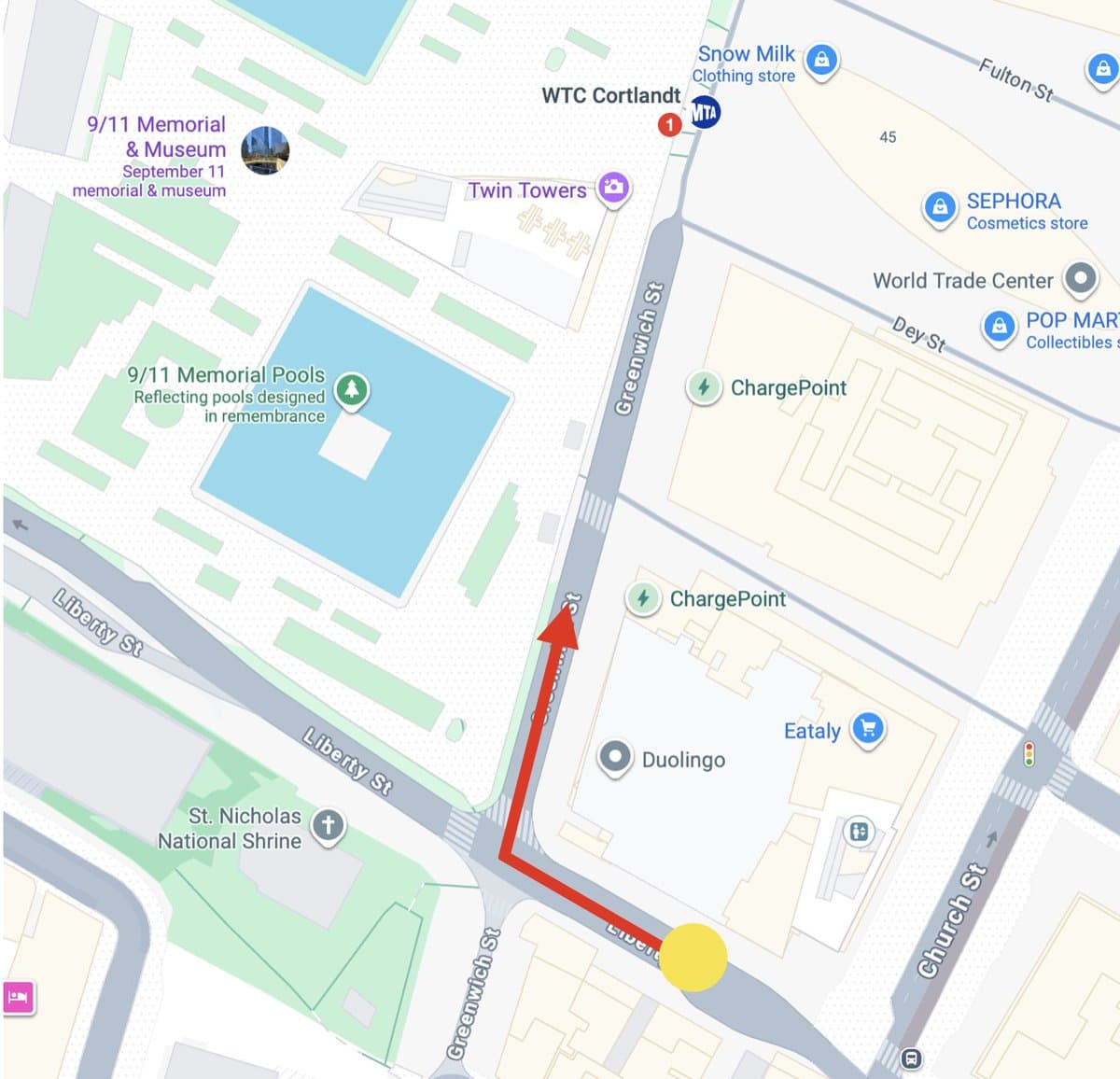
- chrisfirst used a Google Maps screenshot with a route drawn on it and asked for a taxi-cab POV along that path.
- chrisfirst's follow-up then removed some map information to see whether the model was just reading landmark labels.
- venturetwins moved from generation into editing, taking an existing Waymo interior clip and asking Omni to re-shoot the drive in new mapped locations.
That last step is the jump. The model is not only inventing a driving scene, it is preserving camera placement and clip continuity while swapping geography.
Prompt shape
The best prompt in the evidence pool is short and literal, not cinematic.
The wording from venturetwins' prompt follow-up was: “edit this video so that the car is driving in the area shown in the map instead. keep the pov from inside the car driving around and everything else the same”. That breaks the task into three constraints:
- change the location
- keep the POV
- preserve everything else
minchoi's roundup and bennash's taxi-cab prompt post show the same pattern in public examples: one reference image, one route instruction, one camera instruction. The results look less like prompt poetry and more like structured video direction.
Label overlays
Gemini Omni also looks comfortable doing simple motion-aware annotation passes on top of existing footage.
In ai_artworkgen's label-overlay demo, the instruction was to keep the clip unchanged and add animated labels for physical traits and fashion details, using white squiggles, arrowheads, and white text. minchoi's moving-text example pushed the same idea toward title graphics and object labeling, with a serif “Flow” title plus logos placed onto moving tennis balls.
The common capability is not just text rendering. It is text rendering that stays attached to motion and scene edits closely enough to pass as an annotation layer instead of a pasted-on effect.
Single-clip restyling
Another useful reveal is how much variation creators pulled from one source asset.
According to ai_artworkgen's Flow style-change test, one scene was reworked into nighttime, animated, and snowscape versions while keeping character integrity. ai_artworkgen's follow-up said the larger montage of clips came from a single original video clip.
That makes Omni look less like a one-shot generator and more like a lightweight post-production tool: swap environment, swap rendering style, then spin multiple variants from the same base footage.