
GPT Image 2 supports Firefly Boards portrait-asset packs from one reference
Creators used GPT Image 2 across Firefly Boards, SocialSight, and other hosts to turn one portrait into name collages, collectible avatars, and storyboard-ready frames. That matters because the model is extending from layout demos into reusable branding assets, although creators still report weak shot-to-shot consistency.
TL;DR
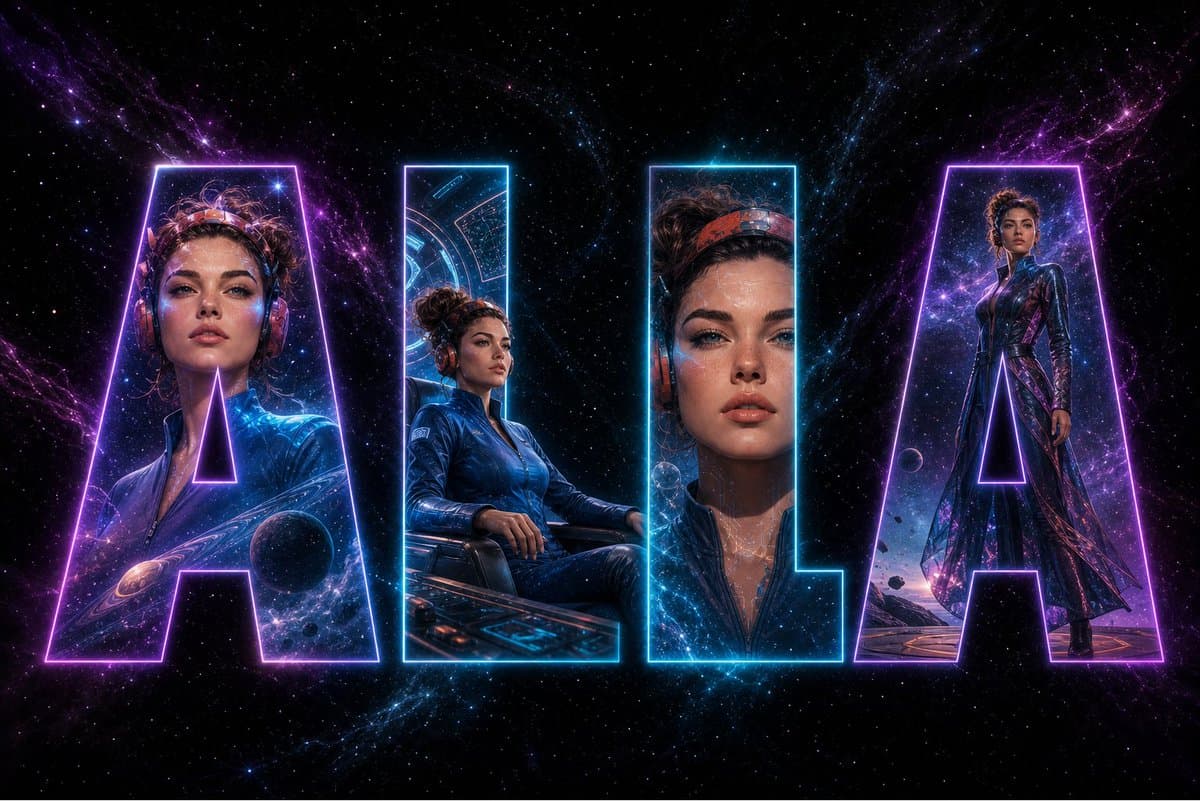
- AllaAisling's Firefly Boards example and icreatelife's name collage post show GPT Image 2 getting used less for one-off pretty images and more for reusable personal-brand assets built from a single reference portrait.
- In AIwithSynthia's caricature prompt, egeberkina's collectible avatar post, and AIwithSynthia's hairstyle collage, creators kept the same face while swapping format, material, or styling, which is the core trick behind portrait asset packs.
- AllaAisling's Firefly workflow thread pushed that portrait-first approach into production, using GPT Image 2 images as reference frames before moving into Kling inside Adobe Firefly; Adobe also published a GPT Image quick guide and a Kling quick guide.
- The ceiling is still visible: kaigani's Burst Frame note says they still fall back to another method for style consistency, while CuriousRefuge's comparison thread ranks GPT Image 2 high on realism but not as the best moodboard tool.
AllaAisling's Firefly workflow thread turns a rocket liner, a lounge, and a flight attendant into a five-clip ad inside Firefly, then points straight to Adobe's image generator and video surface. AllaAisling's Firefly Boards example uses the same model for a name collage, AIwithSynthia's caricature prompt bends one portrait into a big-head CGI likeness, and MayorKingAI's steampunk sequence uses character sheets as pre-production inputs for animation.
Firefly Boards
The cleanest shift in this batch is where the model shows up. AllaAisling's Firefly Boards example explicitly runs GPT Image 2 inside Firefly Boards, while AllaAisling's Firefly workflow thread uses Firefly's partner-model stack to move from stills to video.
According to AllaAisling's Firefly workflow thread, the workflow is simple enough to summarize as a production chain:
- Generate reference stills with GPT Image 2.
- Drop those stills into Kling shots inside Firefly.
- Reuse the same character and location cues across multiple angles.
- Finish a short ad without leaving the Firefly toolchain.
That is a much more useful demo than another style test, because it treats the image model as pre-production infrastructure.
Portrait asset packs
The strongest creator pattern here is one-photo expansion. icreatelife's name collage post, AIwithSynthia's caricature prompt, egeberkina's collectible avatar post, and AIwithSynthia's hairstyle collage all start from the same premise: keep identity locked, then fan out into a set of branded variations.
Across those prompts, the reusable ingredients are remarkably consistent:
- One reference image as the likeness anchor.
- Explicit instructions to preserve face shape, skin tone, hair, age cues, and signature features.
- A format template, such as collage letters, collectible figurine, caricature, or hairstyle grid.
- Editorial or studio-lighting language so the outputs read like assets, not random generations.
The result is closer to a creator starter pack than a single hero image.
Storyboard inputs
Some of the more interesting examples treat GPT Image 2 as an upstream design tool for animation. MayorKingAI's steampunk sequence builds character sheets and scene visuals first, then animates in Seedance 2.0 inside Leonardo; AIwithSynthia's anime storyboard video pairs GPT Image 2 boards with Seedance for a sports sequence.
The useful structure comes from the sheets themselves. In MayorKingAI's character sheet prompt and MayorKingAI's sentinel sheet prompt, the prompts specify front, back, and side views, prop callouts, info cards, and material details. That is exactly the kind of scaffolding video tools can inherit.
Consistency ceiling
The enthusiasm comes with a visible caveat. kaigani's Burst Frame note says GPT Image 2 still loses on full-shot style coverage, and kaigani's modular environment guide post argues for environment guides alongside the now-common character sheet habit.
In CuriousRefuge's comparison thread, GPT Image 2 and Nano Banana 2 came out ahead of Krea 2 and Midjourney 8 on realism, detail, and cinematic quality, while Krea felt better suited to fast style exploration and moodboarding. kaigani's modular environment guide post adds a second constraint, GPT Image 2 can overdo text on layout-style images. So the current sweet spot looks narrow but useful: portrait-derived packs, pre-production sheets, and reference frames, not dependable shot-to-shot continuity by themselves.