The day after its public release, creators showed Illustrator Turntable rotating 2D characters into full turnarounds and pairing the output with Firefly Boards for a tortoise game concept. The follow-up examples make the feature more concrete for sprite sheets, concept art, and animation planning.
Turntable's practical shift is angle generation. Adobe's launch post says you can place all frames on the canvas and rotate 2D vector art in 3D by dragging a slider, which makes the feature read less like a novelty effect and more like a turnaround tool for animation and game design. The attached demo shows a flat house illustration rotating through perspective views as the slider moves, without the artist rebuilding each frame house rotation demo.
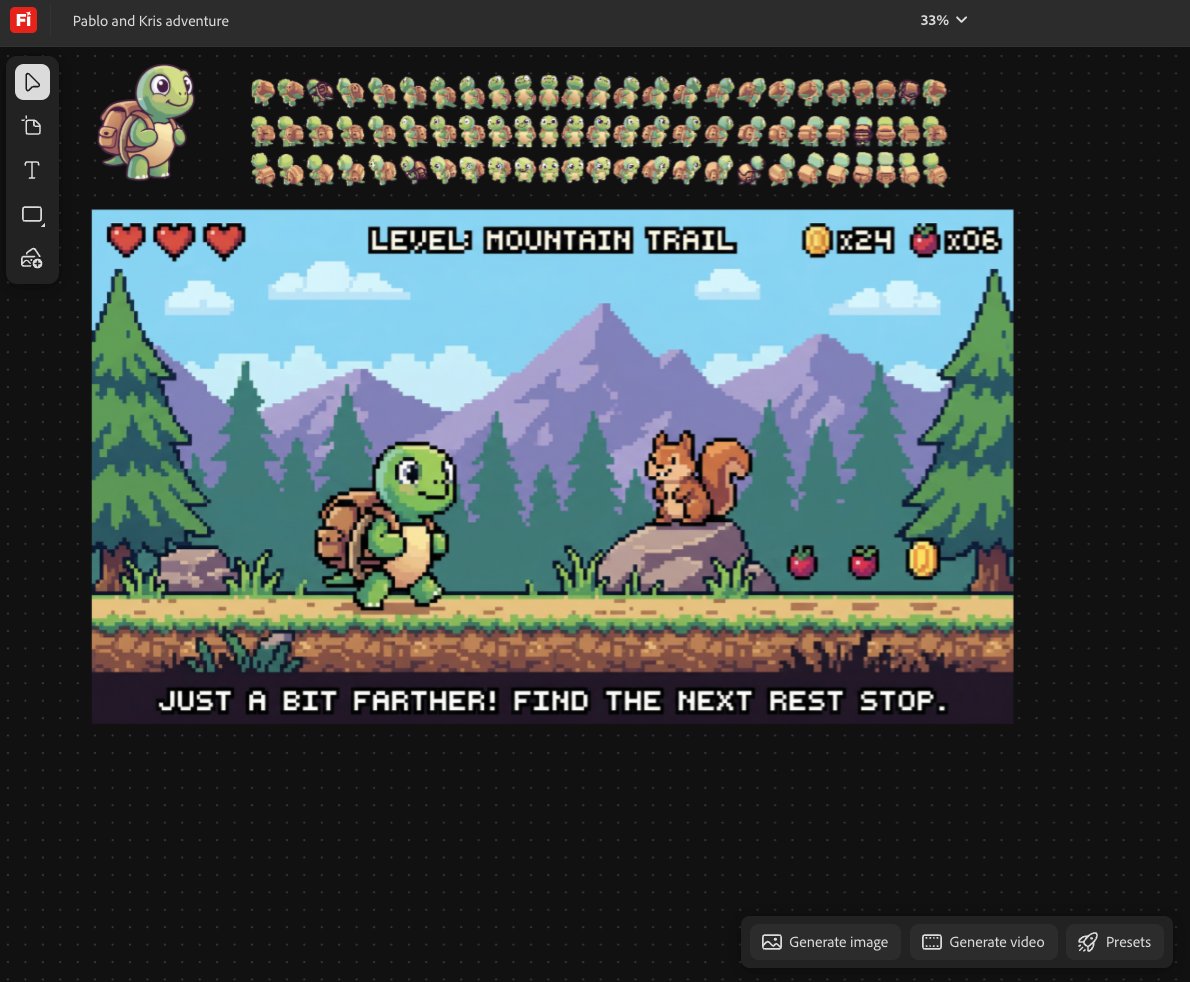
The most concrete workflow example comes from a creator building a tortoise hiking game concept. Their post combines Turntable in Illustrator with Firefly Boards, and the shared image shows both sprite-style character art and a finished level mockup with HUD elements, collectibles, and scene layout
. A separate reposted demo in official Illustrator demo shows Turntable handling a denser vector graphic inside Illustrator itself, while game-dev claim makes the production implication explicit: full character rotations from a single illustration, without redraw or rigging.
I’m curious, where would this save you the most time?
Working on this video game concept about my pet tortoise Pablo going on a hike. Some cozy game and nostalgia. Experimenting with Turntable in Illustrator and Firefly Boards.


We just released Turntable in Illustrator for everyone 🎉 You can rotate 2D vector art in 3D. Place all frames on canvas. Great for animations and game design. No Redrawing, just drag the slider and done!
