
Magnific Move adds action-timed overlays to Seedance video
Magnific's walkthrough uses a Seedance base clip in Move to add graphics that respond to actions. It demonstrates overlay placement, subject visibility and timing revisions.
TL;DR
- Magnific Move adds action-timed graphics to a Seedance base clip, including music controls, plant stats and delivery updates in Magnific's walkthrough.
- Overlay prompts specify text, appearance and placement while protecting the subject's face and hands, as detailed in the watering-scene instructions.
- Timing changes can target a paused moment, including how long a message stays visible, according to Magnific's editing instructions.
The sharpest detail in Magnific's base-video prompt is a ban on readable text, leaving the lettering for the overlay pass. Move writes its graphics as editable code, keeping individual elements available for revision.
Seedance base clip
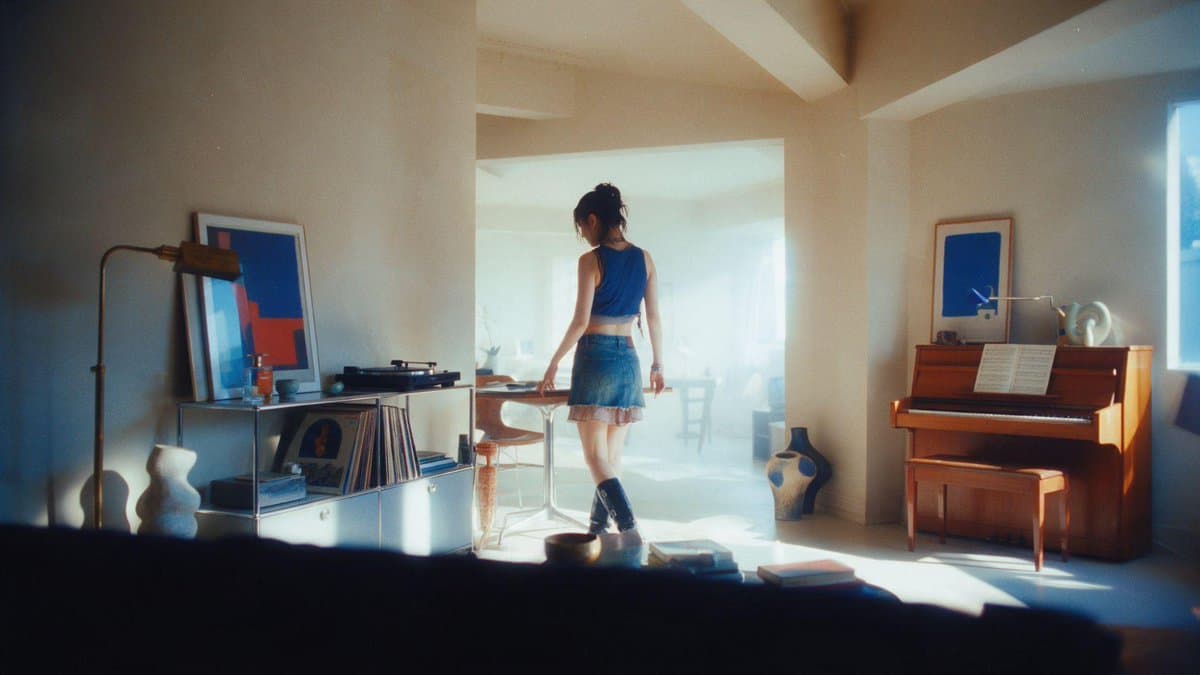
Magnific begins with a still image that leaves space for graphics, then uses it as the starting frame in Seedance 2.5, as described in the first step.
The intended 30-second continuous take is scripted in Magnific's full prompt as five six-second beats:
- 0–6 seconds: Pick a vinyl record, place it on the turntable and lower the needle. Lo-fi music begins.
- 6–12 seconds: Water the plants beside the window.
- 12–18 seconds: Vacuum the room while dancing to the music.
- 18–24 seconds: Answer the door and open a delivery containing cat food.
- 24–30 seconds: Feed Mochi, the orange cat, as the camera pushes in.
The prompt calls for a floating handheld-gimbal feel and continuous music, with room sounds including water pouring, the vacuum, the doorbell and falling kibble.
Action-timed overlays
After attaching the clip in Move, Magnific asks for a music player to appear when the record starts. The watering-scene brief specifies:
- A translucent glass weather card reading “23°.”
- A soil-moisture meter rising from “32%” to “78%.”
- “hydrate the babies” beside the plants.
- An unobstructed face, hands and stream of water.
- Graphics that clear as she moves on.
Frame comments and versions
Magnific's timing pass pauses on a moment, then requests a longer-held message or a delivery tracker that completes as Mochi gets his food.
Move creates a new version for each generated edit. Users can compare versions side by side or edit an earlier version into a branch, according to the editing documentation.
The same documentation asks users to inspect elements they intended to preserve after an edit. Targeted requests still come with a review step.
Monster-game teaser
In a separate demonstration, Magnific says it built a Halloween virtual-pet game through its MCP, then asked Move to animate a teaser in the same chat.
For the 22-second, 16:9 teaser, Move reconstructs the game's interface as motion graphics. The team supplies these references in its animation brief:
- Interface: The game's UI screenshot and code as the exact design reference.
- Character states: Transparent cutouts for neutral, tapped, hungry, eating, sleeping, low-life and fainted poses.
- Rotation: A 360-degree spin sprite sheet.
- Supporting assets: Background scenes, candy, cursor images, the other five monsters and the brand font.
Each cursor click is paired with a matching character state. The feeding sequence switches the head to its eating pose and displays “+20”; the lights-off action puts the monster to sleep.
MP4 exports and credits
Move is accessible through Motion graphics → Move in Magnific. Its download documentation lists these limits and costs:
- Output: MP4, with motions up to 180 seconds and downloads at 24, 30 or 60 fps.
- Resolution: Available options depend on the composition's canvas size. Some canvases do not support 4K.
- Credits: Each version displays its cost. Generating images, video or audio consumes substantially more credits than editing a motion.