
Seedance 2 supports storyboard-to-short workflows in Leonardo demos
Creators used GPT Image 2 storyboards, character sheets, Nano Banana reference frames, and BeatBandit scripts to drive Seedance 2 renders in Leonardo and API pipelines. Keep continuity, timing, and reference strength explicit in prompts, since the workflow still depends on those controls.
TL;DR
- In Leonardo demos, MayorKingAI's 3D short and MayorKingAI's 2D short both use the same pattern: GPT Image 2 generates a storyboard sheet with timecodes, shot types, camera moves, character references, and palette, then Seedance 2.0 turns that sheet into a 15-second animation.
- The strongest prompt pattern in the evidence is explicit continuity control. MayorKingAI's storyboard prompt locks left-right screen direction, while MayorKingAI's Seedance prompt carries that continuity into the animation timeline shot by shot.
- Several creators are getting better results by simplifying the board instead of over-specifying it. ProperPrompter's workflow says low-detail boards give Seedance more usable outputs, and rainisto's note says blurred storyboards preserve blocking and luminosity without pinning the model to too much detail.
- Reference strength matters as much as script quality. techhalla's tutorial extracts a frame, converts it into a new reference image, then feeds both back into Seedance for a seamless transition, while AIwithSynthia's GRMW prompt treats the uploaded reference image as the "strongest identity anchor."
- The workflow is already expanding beyond manual prompting. rainisto's BeatBandit prompt note says shot prompts were auto-created by BeatBandit, and rainisto's Scene 10 test says a screenplay went through BeatBandit MCP and the Seedance API with AI writing the generation prompts.
You can try Leonardo, browse GPT Image 2 as a partner model in Adobe Firefly, and even read Adobe's quick guide. The interesting part is how quickly creators have settled on a shared grammar: low-detail boards, hard continuity rules, reference images for identity, and external layers like BeatBandit and Dreamcut wrapped around the model.
Storyboards
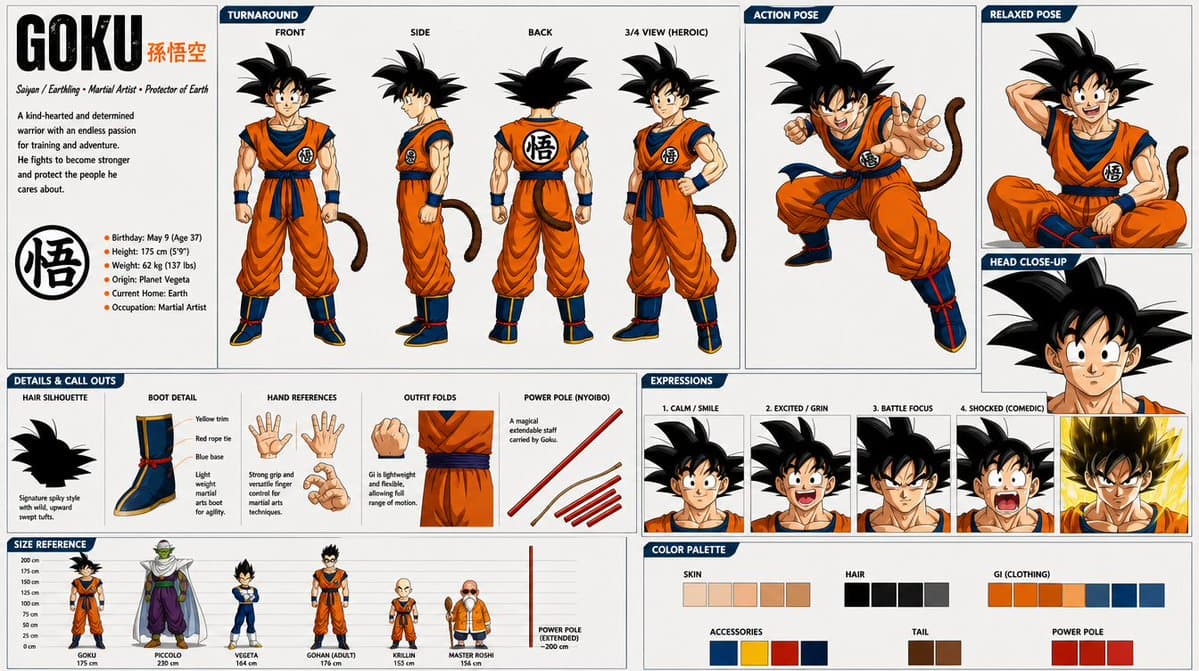
The evidence is unusually consistent on what the storyboard is doing. It is not just visual inspiration. It is the shot list, timing map, camera plan, character sheet, and palette handoff in one artifact.
Across the 2D and 3D Leonardo demos, the storyboard prompt repeats the same fields:
- title and runtime
- 9 panels with explicit timecodes
- shot type per panel
- camera move per panel
- short action note per panel
- character definitions
- palette and environment notes
- a continuity rule that fixes screen direction
MayorKingAI's 3D storyboard prompt pins the squirrel to screen left-to-right motion, and MayorKingAI's 2D storyboard prompt does the same for the dog charging the alien. That kind of rule looks small, but it is doing real work, because the later Seedance prompts inherit it instead of reinventing scene logic from scratch.
Continuity
The animation prompts are basically storyboard transcriptions with stricter wording. Both Leonardo examples move from a board into a Seedance timeline with the same beat structure, then restate continuity in plain language before listing the shots.
The repeated controls are easy to scan:
- keep left-right continuity explicit
- define characters separately from the timeline
- map every beat to a time range
- restate the intended camera move
- restate the intended action
- end with style and quality constraints
That is the clearest workflow reveal in the set. Seedance is being treated less like a single text-to-video prompt box, more like a renderer for a pre-decided sequence.
Low-detail boards
Two creators land on the same idea from different directions: give the video model structure, not too much surface detail.
According to ProperPrompter's thread, less detailed storyboards produce fewer inconsistencies and more usable outputs in Seedance. The board in that workflow is reduced to movement, camera choreography, and momentum trails, then Claude expands it into shot-by-shot prose for the final generation.
According to rainisto's note, blurred storyboard images also travel well because they preserve blocking and luminosity without tying the generation down too tightly. rainisto's follow-up adds that the usable BeatBandit settings were "Storyboard Image - Blurred Blocking style" for shot lists and "Use multi-panel drawn reference style" for recurring image generation.
Reference images
The other emerging rule is to make the reference hierarchy explicit.
In techhalla's walkthrough, the process is:
- Start with an existing video clip.
- Extract one frame.
- Use Nano Banana Pro to turn that frame into the transformed target image.
- Feed Seedance the original clip and the new image reference together.
- Write the motion prompt as a second-by-second transition.
AIwithSynthia's lifestyle video prompt uses the same logic in a different genre, opening with "Use the uploaded reference image as the strongest identity anchor" before describing the reel. For character-heavy work, the model seems to behave better when identity, not style, is named as the top priority.
Agent layers
The workflow is already getting split across tools. In rainisto's Scene 10 test, the screenplay went through BeatBandit over MCP, Seedance ran through the API, and the AI wrote the generation prompts before the final manual edit. Rainisto said that produced five minutes in under one day.
The BeatBandit thread breaks the stack into separate artifacts:
- storyboard images
- character references
- auto-created shot prompts
- final Seedance renders
That separation matters because it turns the prompt into a derived asset instead of the starting point. rainisto's prompt note makes that explicit by saying the shot prompts were generated automatically by BeatBandit.
Failure modes
The rough edges in the evidence are specific enough to be useful.
Across the threads, the recurring failure modes are:
- multi-shot sequences get unstable when too many cuts are packed into one generation, according to DavidmComfort's follow-up
- identity can drift into stray anatomy or extra features, as in DavidmComfort's dog test where another animal's ears appeared
- text handling is still shaky, since rainisto's Scene 10 automation test says Seedance did not like words in Finnish
- voice consistency, shot-to-shot color consistency, and background details through car windows were still open problems in rainisto's workflow notes
DavidmComfort's fix is concrete. his follow-up argues for a middle path: 3-second, 2-panel shot pairs for reveal beats, and 5-to-7-second flow generations where camera continuity matters more than exact cut timing.
Other wrappers
Leonardo is where the cleanest storyboard-to-short demos surfaced, but the model is already being wrapped by other creator products.
MengTo's post says his Mac editor Dreamcut uses Images 2.0, Grok Imagine, and Seedance 2.0 for UGC-style editing tasks like auto-zoom, audio cleanup, captions, and generated inserts. ai_artworkgen's post also routes Seedance 2.0 through Runway for fashion-heavy motion studies.
On the prompt-lab side, AllaAisling's Hailuo example uses Seedance 2.0 for a continuous FPV sci-fi shot, while her OpenArt comparison directly pits a Seedance 2.0 render against HappyHorse on the same cliff-trail action brief. That is a different signal from the Leonardo demos: storyboard control is only one layer, and Seedance is already becoming the motion engine inside broader editing, routing, and comparison workflows.