
Seedance 2.0 supports low-detail storyboard pipelines in Firefly, BeatBandit, and Leonardo
Creators documented low-detail storyboard pipelines for Seedance 2.0 across Firefly, BeatBandit, Leonardo, and InVideo. The guidance improves multi-shot continuity, but long generations still show cut and character errors.
TL;DR
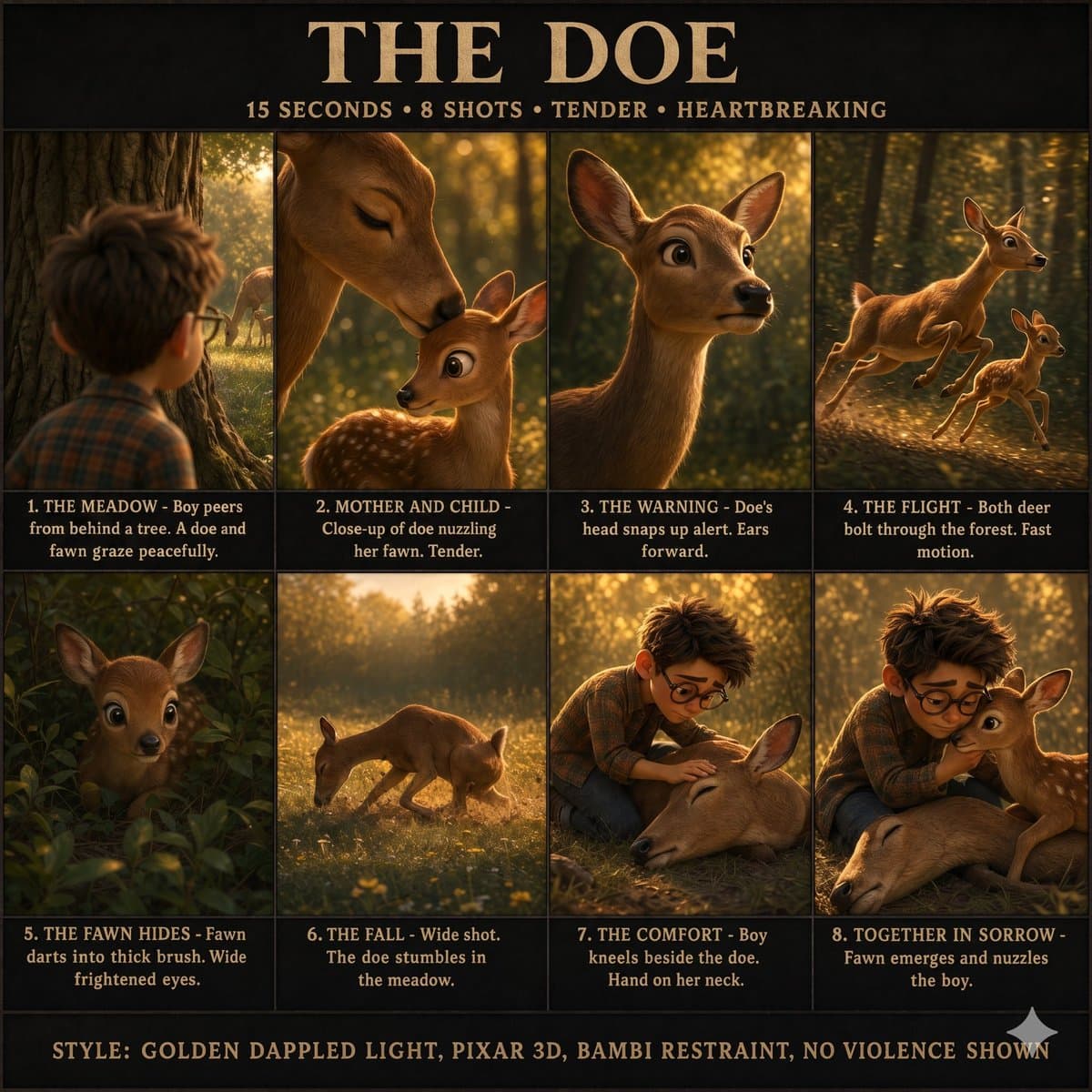
- Creators are converging on the same Seedance 2.0 pattern: use GPT Image 2 or another image model to make a loose storyboard first, then turn that board into a timed animation prompt, as ProperPrompter's Firefly workflow, MayorKingAI's Leonardo short, and rainisto's BeatBandit pipeline each show.
- The useful trick is not more detail but less, because ProperPrompter's thread says minimal stick-figure boards produce fewer inconsistencies, while rainisto's storyboard note says blurred blocking preserves framing and light without overconstraining the video model.
- The workflow is already spreading across products: Adobe Firefly exposes GPT Image 2 as a partner model in the flow shown by ProperPrompter, Leonardo is where MayorKingAI's post ran both GPT Image 2 and Seedance 2.0, and DavidmComfort's Agent One post shows InVideo wrapping storyboard generation around Seedance.
- The gains are real but narrow. DavidmComfort's follow-up says whole multi-shot generations are too much for Seedance to hold together, DavidmComfort's dog clip caught stray animal ears in-frame, and AllarHaltsonen's complaint claims recent prompt adherence is worse.
You can browse the Firefly image workspace, check Adobe's community GPT Image guide, see Leonardo's generative platform, and watch InVideo users treat Agent One like a storyboard-to-Seedance wrapper. The weirdly consistent finding across all four is that rough boards beat polished ones: ProperPrompter uses stick figures, rainisto blurs the boards on purpose, and DavidmComfort's next-pass note breaks longer scenes into shot pairs and flow generations instead of asking for one perfect cut sequence.
Low-detail boards
The strongest shared lesson is that storyboard fidelity should stay low until the video step. ProperPrompter keeps a reusable turnaround sheet for character identity, then generates a minimal eight-frame previs board and hands both images to Claude for a shot-by-shot Seedance prompt. Rainisto describes the same idea more bluntly: blur passes the filters and keeps blocking and luminosity, without pinning the model to details it will later break.
Across the examples, the low-detail board is doing four jobs:
- locking shot order
- locking screen direction
- carrying rough camera motion
- carrying light and color intent
What it is not doing is final art direction. In ProperPrompter's storyboard prompt, the board bans realistic anatomy and clothing. In MayorKingAI's storyboard prompt, the image step still specifies timing, panel count, camera moves, and left-right continuity before Seedance ever sees the animation brief.
Prompt expansion
Once the board exists, creators are expanding it into structured timelines rather than one poetic paragraph. That is the part that feels repeatable.
Three versions showed up in the evidence:
- ProperPrompter fed the storyboard and character sheet into Claude, which returned a six-shot Seedance script with duration, purpose, framing, motion, environment, and sound cues.
- rainisto used BeatBandit to auto-create shot prompts from storyboard images for a dialogue scene inside a car.
- MayorKingAI turned a nine-panel GPT Image board into a Seedance timeline with explicit second ranges, shot types, continuity rules, and style notes.
The useful pattern is that the image model handles pre-production structure, while the text prompt handles temporal structure. That split shows up again in MayorKingAI's production-plan sheet, which adds palette, floor plan, camera positions, and lighting notes before the animation step.
Where the workflow already lives
This is already less a single model trick than a cross-product pipeline.
- In ProperPrompter's thread, GPT Image 2 runs inside Adobe Firefly as a partner model, then Seedance handles the animation pass.
- In MayorKingAI's Leonardo post, both stages happen inside Leonardo: storyboard first, Seedance second.
- In DavidmComfort's Agent One test, InVideo's Agent One builds the storyboard and uses Seedance 2.0 as the renderer.
- In rainisto's one-prompt short, BeatBandit MCP generates story, shots, and reference images, while Higgsfield MCP and Seedance 2.0 Fast render the clips, with only five minutes of final editing in Premiere.
The InVideo examples add one extra wrinkle. According to techhalla's walkthrough, Agent One is not just making clips, it is also generating supporting assets like title cards, host references, and reaction shots, then extending some of those assets with Seedance to keep a show package visually coherent.
Continuity rules
The best examples all over-specify continuity in plain language.
MayorKingAI's storyboard prompt in the GPT Image board hard-codes left-to-right movement and even warns that panel 05 must aim the ray pistol toward the incoming dog, not away from it. The follow-on Seedance prompt in the animation timeline repeats that same continuity rule at the top.
ProperPrompter's approach in the Firefly thread does the same thing in a more cinematic register. Each shot block includes duration, framing, camera move, action intent, and the environmental details Seedance is allowed to invent around the loose board.
That redundancy looks like the current cost of reliability. Creators are writing continuity twice, once in the board spec and once in the animation spec, because the board alone is not enough.
Failure modes
The workflows are improving multi-shot control, but the error pattern is pretty clear.
- DavidmComfort got a usable storyboard-driven clip with a visible artifact, another animal's ears appearing in scene.
- DavidmComfort's follow-up says a full multi-shot sequence in one generation is still too much, and proposes a split workflow: 3-second, 2-panel shot pairs for precise cuts, plus 5 to 7-second, 3-panel flow generations where continuity matters more than edit accuracy.
- rainisto's thread close lists three unresolved production problems in a simple dialogue scene: consistent character voices, stable color across shots, and believable backgrounds through the car window.
- DavizCF7777's queue-time post says Seedance 2.0 in Runway's unlimited mode was hitting roughly 40-minute waits.
The broad takeaway from the evidence is not that storyboard-first video is solved. It is that creators now have a workable pre-production layer for it, and the best results come from breaking scenes into smaller controlled units instead of betting on one long perfect generation.