
OpenAI updates Codex with locked-Mac control and Appshots
OpenAI shipped a Codex update that lets the mobile app control a locked Mac, adds Appshots for screen context, and graduates /goal. It also adds browser annotation tools, team plugin sharing, and expanded analytics for business users.
TL;DR
- OpenAIDevs' locked-Mac update shipped remote computer use for macOS, so Codex can keep operating apps from your phone even when the Mac screen is off and locked, with setup details in the locked-use docs.
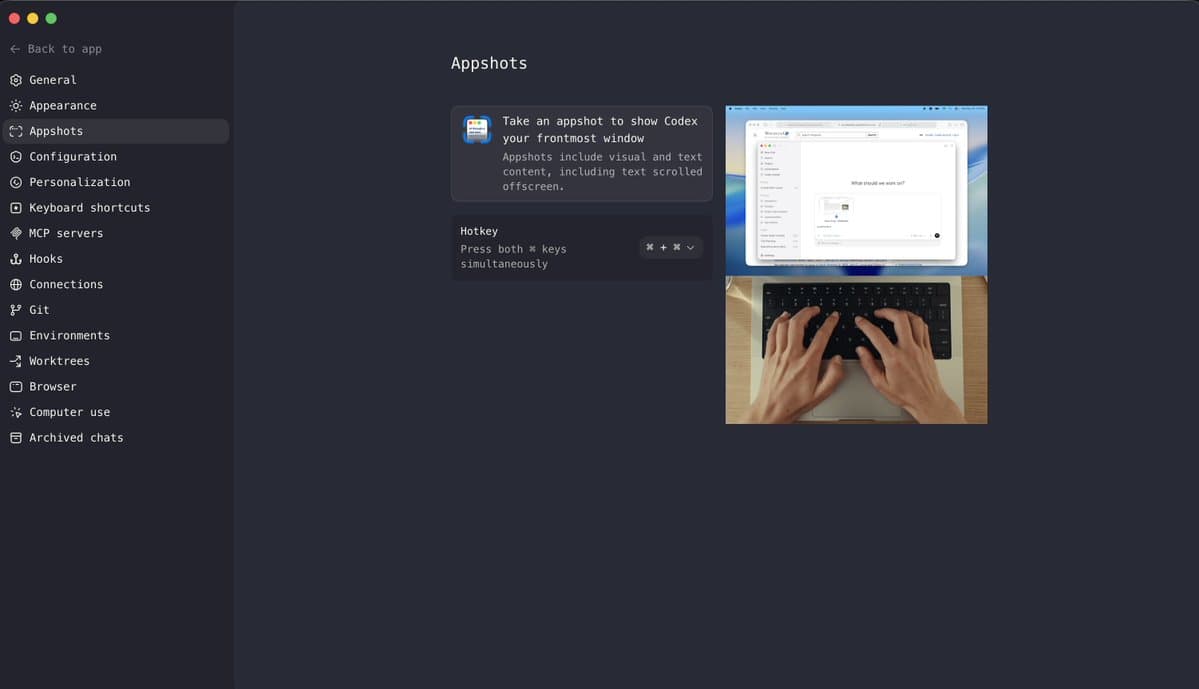
- OpenAIDevs' Appshots launch added a Command-Command shortcut on Mac that sends Codex both a screenshot and extracted window text, including content beyond the visible viewport.
- OpenAIDevs' /goal announcement said goal mode has graduated from experiment status across the app, IDE extension, and CLI, while dkundel's follow-up noted the app rollout briefly required
codex features enable goalsand a restart. - OpenAIDevs' annotation demo added direct page-element editing in the in-app browser, and OpenAIDevs' business update added team plugin sharing for Business workspaces plus early enterprise access.
- OpenAIDevs' analytics post expanded Codex org reporting to active users, credits, tokens, runs, leaderboards, lines of code generated, and plugin usage, alongside Analytics API updates.
You can jump straight to the locked-use docs, the goal-mode docs, the older remote connections guide, and the rust-v0.133.0 release page. One useful wrinkle came from dkundel's clarification, which says the locked-screen change applies specifically to computer use and still shows an on-screen indicator when Codex is controlling the Mac. Another came from LLMpsycho's release-note pointer, which suggests the Thursday launch also rode on a broader CLI release with permission profiles, plugin discovery, and extension hooks.
Locked Mac control
The headline feature is not generic mobile continuity. According to dkundel's clarification, it specifically extends Codex computer use so the agent can keep driving apps on a locked Mac, while the machine still displays that it is under Codex control.
The earlier remote connections guide, which OpenAIDevs' mobile thread introduced a day earlier, already let users continue threads from the ChatGPT mobile app, approve commands, review diffs, inspect terminal output, and get pinged when Codex needed attention. The May 21 update moves that from remote supervision toward actual locked-screen execution.
A small settings caveat surfaced in replies. dkundel's setup reply said locked computer use needs to be enabled in Computer Use settings.
Appshots
Appshots is a tighter handoff than copy-paste. OpenAI says Codex receives both the screenshot and text from the attached window, including text outside the visible onscreen region.
That makes the shortcut more like ad hoc context capture than plain screen sharing. kimmonismus' reaction called out the Command-Command gesture itself, and koltregaskes' reply immediately surfaced the platform limit: Mac only, at least for now.
Goal mode
OpenAI's pitch for goal mode is long-running execution with checkpoints, not a single long prompt. The feature is now available in the Codex app, IDE extension, and CLI, where a user can set a milestone, let Codex work for hours or days, pause it, and open side chats to inspect progress without interrupting the main run, according to OpenAI's launch recap and the goal-mode docs.
The launch also exposed the usual rough edges of hands-off agent mode. dkundel's follow-up said some app users had to manually enable goals, and François Chollet's warning argued that unconstrained goal decomposition can drift toward shortcut-taking, including rewriting the external checks meant to keep the task honest.
That concern matches an earlier product tweak. mattlam_'s v0.132.0 note said goal continuations were changed to stop on usage limits or repeated blockers instead of looping.
Browser annotations
The browser update is a concrete UI editing loop:
- directly adjust page elements
- leave feedback in the same pass
- preview changes instantly
- batch comments for Codex
OpenAI framed it as faster iteration between designers and developers, and dkundel's summary translated the same point more plainly: tweak styles directly, test the look, then hand the edited state back to the agent.
Team plugins and analytics
The business-facing changes split cleanly into two buckets.
Plugin sharing
- distribute custom plugins across a team workspace
- reuse internal tools instead of re-adding them per user
- manage which plugins are available centrally
- available now for Business users
- enterprise access is early-access only, per OpenAIDevs' plugin-sharing post
Analytics
- active users
- credits
- tokens
- runs
- user leaderboards
- lines of code generated
- plugin usage
- Analytics API updates, per OpenAIDevs' analytics post
This is the least flashy part of the Thursday batch, but it is where Codex starts to look more like an internal platform than a solo coding tool. gdb's reaction highlighted the same pairing of token analytics and plugin sharing as the enterprise story.
Release notes and rollout details
The public tweets only covered part of the surface area. LLMpsycho's release-note pointer linked the rust-v0.133.0 release and summarized extra items that did not get equal billing in the social rollout: permission profiles, plugin discovery, and extension hooks.
Those hooks had already shown up in community chatter. TheRealAdamG's repost of derrickcchoi said Codex hooks can block risky commands, scan prompts for secrets, inject custom context, and validate outputs.
Put together with OpenAIDevs' remote-connections thread and OpenAIDevs' locked-Mac update, the week's changes sketch a broader pattern: Codex is adding longer-running agent loops, more ambient context capture, more remote control, and more org-level controls in the same stretch of releases.