
Codex users report iPhone simulator bug-bashes, Appshots form fills, and locked-Mac runs
Two days after Codex added locked-Mac control and Appshots, users posted end-to-end iPhone simulator debugging, Safari form-filling, and remote-control workflows. That matters because the feature is moving from launch copy into concrete computer-use tasks that can replace manual QA and repetitive UI work.
TL;DR
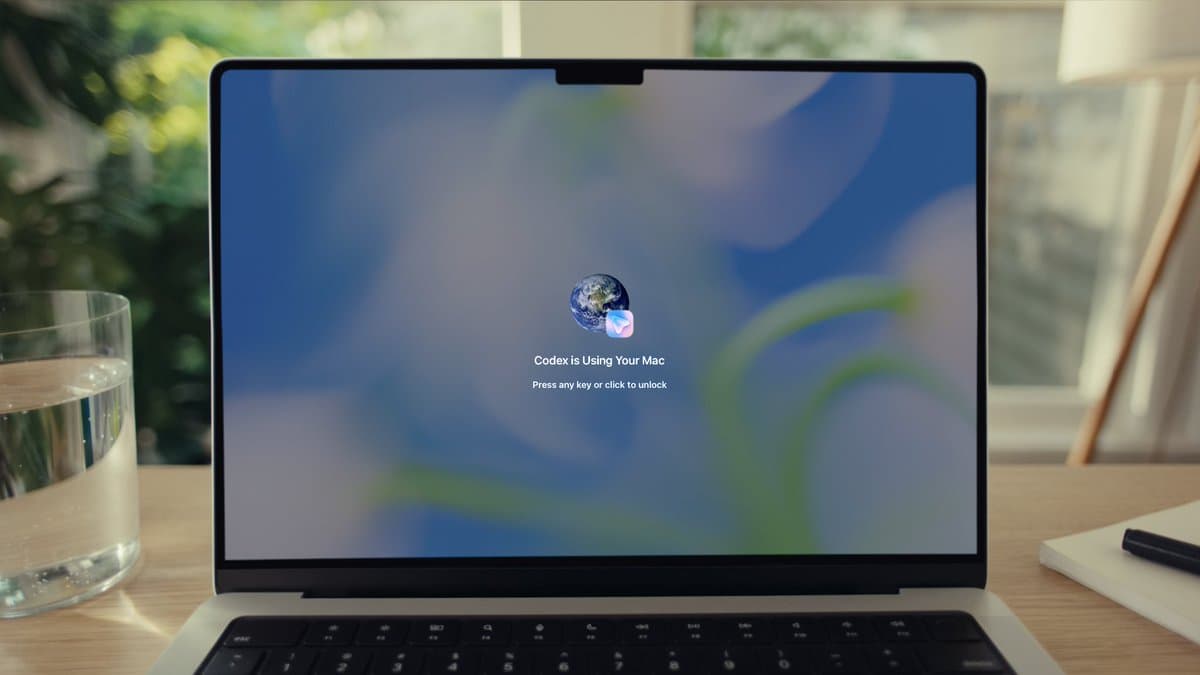
- Two days after the rollout, gdb's iPhone simulator demo and JustinBleuel's reposted video showed Codex building a feature, driving the iPhone simulator, and bug bashing the result end to end.
- OpenAIDevs' launch thread says Appshots captures both a screenshot and text from the frontmost Mac window, including offscreen content, and jxnlco's form-filling post is already using it to hand Codex a Safari form without app switching.
- OpenAIDevs' locked-Mac announcement added remote computer use while the Mac is locked, and dkundel's clarification says the feature is specific to computer use and shows on-screen when Codex is in control.
- OpenAIDevs on /goal says goal mode now runs across the app, IDE extension, and CLI for hours or days, while dkundel's tip shows users steering that goal mid-conversation instead of restarting the task.
- The same Thursday drop also bundled OpenAIDevs on team plugin sharing and OpenAIDevs on analytics with richer admin surfaces, which makes the release look as much like workspace plumbing as a flashy computer-use demo.
You can jump from the locked-Mac docs to the goal-mode docs, then straight into user demos: gdb's iPhone simulator thread, jxnlco's Safari Appshots example, and petergostev's tax-return workflow. One of the more useful buried details came from dkundel's reply, which says locked-Mac control has to be enabled inside Computer Use settings.
Appshots
OpenAI says Appshots is triggered with Command-Command on Mac, then sends Codex both a screenshot and extracted text from the frontmost window, including content beyond what is visible onscreen.
That landed fast in actual UI work. In jxnlco's Appshots tip, he says he was staring at a Safari form, hit the shortcut, and told Codex to complete it for him instead of manually tabbing through the page.
iPhone simulator bug bashes
The strongest usage proof in the evidence pool is the simulator run. gdb's post frames it as Codex building and debugging an iPhone simulator flow end to end, and JustinBleuel's reposted video narrows that down to computer use driving the simulator to bug bash a feature it had just built.
That is a more concrete bar than launch-copy phrases like "computer use." It is QA, regression checking, and UI navigation in one loop.
Locked Mac control
OpenAI's official claim is narrow: from the phone, Codex can use apps on a Mac even when the screen is off and locked. dkundel's clarification adds two operational details missing from the top-line post: this specifically applies to computer use, and the Mac displays when Codex is controlling it.
A second reply from dkundel's settings note says the feature has to be enabled inside Computer Use settings. By the next day, diegocabezas' reposted reaction was calling locked-screen remote use life-changing, which is about as fast as a workflow feature can clear the novelty stage.
Goal mode and long-running tasks
OpenAI moved /goal out of experiment status and made it available in the app, IDE extension, and CLI. The promise in that thread is long-running work toward a specific milestone, with check-ins, pauses, and side chats that do not interrupt the main task.
The user posts around it are less polished and more interesting. dkundel's tip shows goal state being corrected mid-conversation, while petergostev's tax-return post describes a real task stitched together from Codex, Gmail search, and computer use.
There is also an early workflow tradeoff emerging around context length. In PerceptualPeak's question, a user asks whether GPT 5.5's smaller 258k window and more frequent compaction events make GPT 5.4's 1M window more practical for plan mode on long runs.
Plugin sharing and analytics
The same release added a fairly enterprise-flavored layer:
- Team plugin sharing for Business workspaces, according to OpenAIDevs on team plugin sharing
- Early enterprise access for that plugin-sharing system, again per the same post
- Expanded analytics for active users, credits, tokens, runs, leaderboards, generated lines of code, and plugin usage, according to OpenAIDevs on analytics
- Analytics API updates so teams can inspect org-wide Codex usage, per that analytics post
Those admin features barely showed up in the user chatter, but they change the shape of the rollout. Thursday's headline demos were Appshots and locked-Mac control, while the back half of the launch was about making Codex legible and reusable inside a team.