
OpenAI shows ChatGPT Work using Codex harness for Gmail cleanup
OpenAI staff described Work using the Codex harness to inspect Gmail, confirm intent, and produce cleanup lists. The rollout also added in-app code editing and a PR tab, while users questioned how Work, Chat, and Codex differ.
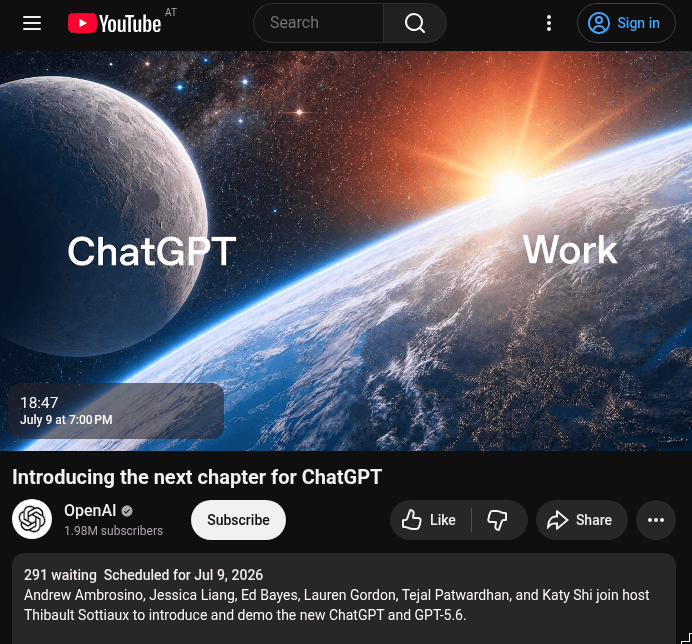
TL;DR
- ChatGPT Work shipped as a Codex-powered agent for apps, files, and hours-long tasks: OpenAI's launch thread says it can turn goals into documents, decks, analyses, sites, and reports, while reach_vb's Gmail example showed it reviewing 500 emails in 46 seconds.
- Work and Codex share the same underlying agent surface: reach_vb's reply called Work effectively the Codex tab with git, approval modes, and sandbox complexity hidden, while dkundel's UI-detail reply said the main differences are how much technical detail gets rendered.
- The platform boundary is messy: Work runs in the cloud on web and mobile, desktop Work can use local files and apps, and cloud Work conversations do not appear in desktop Work at launch, according to the OpenAI availability quote.
- The Codex loop expanded inside the rename: OpenAIDevs' developer thread says the desktop app adds inline editing, PR review, browser upgrades, a Chrome extension, and faster Computer Use.
- OpenAI patched the rollout with resets and UI changes after admitting high-compute defaults, hidden chats and projects, Codex framing confusion, multi-agent regressions, and plugin rough edges, per thsottiaux's repair note.
OpenAI's ChatGPT Work launch framed Work as a new agent, but the most concrete demo was reach_vb using it as an email janitor over Gmail. The odd boundary lives in the availability note: cloud Work and desktop Work do not share conversations at launch. The nerdy reveal is NickADobos's computer-use observation, where Sol appears to generate tiny throwaway scripts that queue clicks and hotkeys instead of stepping one UI action at a time.
Gmail cleanup on the Codex harness
OpenAI staff picked a mundane demo: unsubscribe triage.
In reach_vb's Gmail example, Work used the Codex harness, connected to Gmail, verified intent, traversed recent mail, and returned unsubscribe candidates with sender counts and reasons.
A follow-up from reach_vb put the product framing plainly: ChatGPT Work brings the Codex experience to people who find Codex intimidating, while existing Codex users see less net-new capability.
That Gmail flow was a harness demo disguised as inbox zero: connectors, managed compute, cloud browser, intent checks, and a result table.
Same agent, different chrome
OpenAI employees spent launch day clarifying one point: Work and Codex are close to UI modes over a shared agent.
The split breaks down like this:
- Work hides git, approval modes, and sandbox detail, per reach_vb's reply.
- The desktop dropdown can be toggled during a running task, according to dkundel's same-agent reply.
- Work removes diffs, PR review, and shell command names from the UI, according to dkundel's UI-detail reply.
- The same sandbox and auto-review features remain the safety boundary, dkundel's reply to emollick said.
The useful mental model for engineers: shared quota, shared toolchain, shared agent, different UI chrome.
Work cloud/local split
OpenAI's availability text created the cleanest map of where state and tools live.
According to the availability doc screenshot:
- Work on web and mobile runs in the cloud.
- Work in the desktop app can use local files and desktop apps with permission.
- Cloud Work conversations do not appear in desktop Work at launch.
- Desktop Work threads and local files remain on that computer.
- Codex is a desktop-app mode for local folders, repositories, terminals, and developer tools.
- Codex is not selectable on web or mobile, though some desktop Codex tasks can be reached from the Remote tab in mobile.
OpenAI's launch thread adds the plan boundary: Work on web and mobile started with Pro, Enterprise, and Edu, with Plus and Business following over the next few days, while Chat, Work, and Codex in the desktop app are available on every plan, including Free OpenAI's launch thread.
Codex's developer loop
The rename landed with real Codex features, not just purple paint.
The developer-facing pieces include:
- Inline Markdown and code editing inside the app, per the Codex release-note screenshot.
- GitHub PR review in the side panel with feedback alongside the diff, per OpenAIDevs' PR note.
- Multi-repository projects, listed in the Codex release-note screenshot.
- A Chrome sidebar extension with access to desktop context such as local files, projects, plugins, and skills, according to OpenAIDevs' Chrome extension note.
- Browser upgrades for authenticated sites, multiple tabs, downloads, and annotation mode, per OpenAIDevs' browser note.
- Sites beta for building interactive apps with hosting, storage, and optional auth, according to OpenAIDevs' Sites note.
Computer Use batching and throwaway scripts
Computer Use got official speed language: GPT-5.6 adds batching and parallel operations across multi-step tasks, plus picture-in-picture supervision, according to OpenAIDevs' Computer Use note.
In NickADobos's computer-use observation, Sol generated small scripts that call clicks and typing events, so the agent could queue Blender hotkeys and clicks instead of waiting for one model turn per UI action.
The PiP loop changes supervision mechanics. TheRealAdamG's PiP write-up described an always-on-top live session that lets the user keep working, watch the agent navigate, intervene at approval checkpoints, and pause or resume execution.
Thirty configurations
rasbt counted 30 possible query configurations before speed and subagent settings:
- 2 modes: Work and Codex.
- 3 GPT-5.6 models: Sol, Terra, Luna.
- 5 effort levels: Light, Medium, High, Extra High, Ultra.
yanndubs added that fast mode and subagent count are also in the mix, and said the team is working to consolidate the picker in a reply to rasbt.
The AMA summary from kimmonismus said automatic model routing does not exist today. The preferred UX is Codex inferring task difficulty while preserving a manual speed and reasoning override.
koltregaskes argued that the app now exposes too much OpenAI product structure, including Sol, Terra, Luna names in the simple selector and different model combinations across Chat, Work, and Codex koltregaskes's UI critique.
Usage limits and the same-day repair note
Work and Codex share an agentic usage bucket. Normal Chat has separate limits, but Work, Codex, ChatGPT in Excel, and ChatGPT in PowerPoint use the same agent limit, according to dkundel's usage-limit reply.
OpenAI's same-day repair note admitted four launch misses:
- Highest-compute settings were too easy to use without clear limit impact.
- The desktop reorganization made chats and projects harder to find.
- The ChatGPT Work framing made some Codex users think Codex was going away.
- Existing multi-agent workflows regressed, alongside plugin rough edges.
The immediate fixes were usage resets, model-picker/default changes, plugin submission fixes, better Codex representation, and desktop cleanup. The next-week fixes were chats and projects returning to the sidebar, clearer usage and reset timing, and clearer Work versus Codex guidance thsottiaux's repair note.
A smaller operational quirk surfaced when an active task continued after an out-of-usage warning. After altryne's usage screenshot, reach_vb's reply said that behavior was a conscious decision within fair-use limits.
The AMA roadmap
The Codex team opened a Reddit AMA the next day, putting Codex at more than 5 million weekly users, twice as many as three months earlier, with 150 features and improvements shipped over that period the Reddit AMA post.
The roadmap notes from kimmonismus's AMA summary included concrete future work:
- A Linux desktop app is in development, with no timeline.
- Better agent persistence and lower code complexity are planned.
- Slack, GitHub, and Notion connectors are viewed as a step-function change toward a productive coworker.
- GPT-5.6 was specifically trained to improve UI and frontend work.
- OpenAI made no promise on a 1M-token context window.
- Current pricing is not guaranteed to remain unchanged, though broad accessibility remains the stated goal.
- Benchmark cheating is treated as a real concern, with penalties during evals and independent vendors running benchmarks.
The longer btibor91 AMA summary added that Sol on Cerebras is planned at about 750 tokens per second, Windows parity work is underway, and extension support for the Codex browser is in progress.