
OpenClaw adds live Chrome control via Chrome DevTools MCP
OpenClaw beta added live control of a real Chrome session through Chrome DevTools MCP; the project also added native SGLang provider support and parallel tool calling work. Try it if you need self-hosted agents to handle authenticated browser flows with local inference backends.
TL;DR
- OpenClaw's new beta adds live control of a real Chrome session through Chrome DevTools MCP, so the agent can work inside an already logged-in browser instead of only using separate automation flows beta post.
- The browser feature is tied to Chrome's new session-debugging path; OpenClaw's feature note says it has "full access to your browser and all logged in websites," with an extra enablement alert for that reason.
- OpenClaw also added SGLang as a native provider, with LMSYS saying SGLang support the backend already serves "trillions of tokens/day" across "400K+ GPUs."
- Separate work is landing on tool orchestration too: OpenClaw's tool calling teaser says parallel tool calling is coming alongside the browser and provider updates.
What shipped in the beta?
The new beta exposes Chrome's live browser control inside OpenClaw. In the beta announcement, steipete says it uses "the new live browser control that Google added in latest Chrome," and that the agent can decide when to use it or be directed manually.
This is a step beyond isolated browser automation because it targets an active user session. Steipete's earlier feature note frames the distinction directly: this path has "full access to your browser and all logged in websites," unlike the project's existing automation.
How does the Chrome session integration work?
The implementation rides on Chrome DevTools MCP rather than a custom browser stack. The linked Chrome DevTools MCP post describes attaching coding agents to an existing debugging session, including live inspection state and authenticated pages, with explicit user permission before remote connection.
OpenClaw's beta ties that to a dedicated browser profile and a user-approved enablement flow. In the beta post, steipete says a new "user" profile session is included; in the security note, he adds that the broader access model requires "an extra alert to enable."
What else changed for local and self-hosted setups?
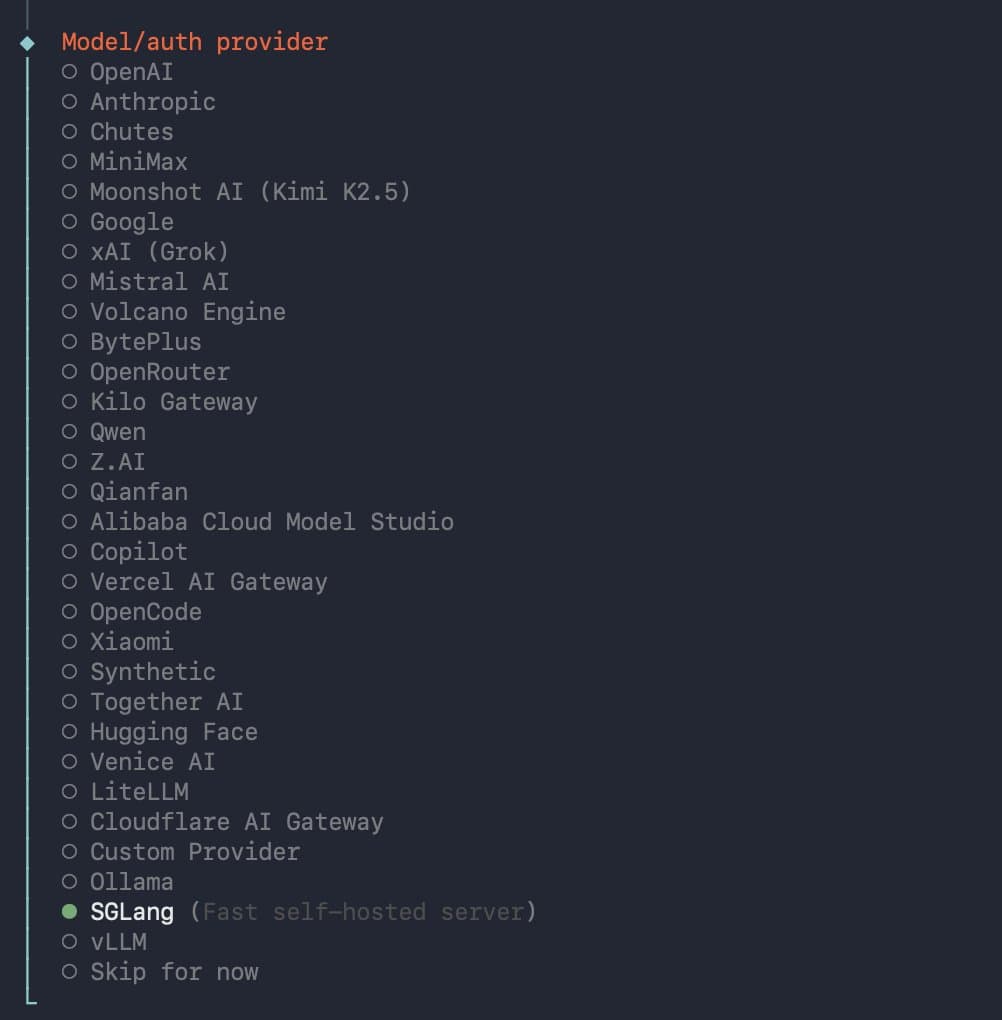
SGLang is now a first-class model provider in OpenClaw. LMSYS's announcement says the support is native, and the attached screenshots show a direct provider entry plus fields for a local base URL, API key, and model name, with an example config pointing at a localhost SGLang endpoint and a Qwen model
. A follow-up plugin refactor note says the project now uses a refactored plugin system to make that provider integration native.
Tool execution is also getting broader. Steipete's tool calling teaser says parallel tool calling is coming to OpenClaw, which matters for agents that need to combine browser work with multiple backend actions in one turn.