
TypeSafe integrates Jev with Cua Driver for browser actions
TypeSafe says jev-use generates candidate actions from browser state, has Jev select one, then validates and executes it through Cua Driver. Its CUA-S1-FORMS model scored forms locally in 7–9 ms, excluding execution.
TL;DR
- Jev-use puts a hosted decision model in a bounded browser loop: application code builds candidates from browser state, Jev selects one, then Cua Driver validates, executes, and checks the result, as trycua's public-preview recipe describes.
- CUA-S1-FORMS is a 706,000-parameter local form specialist trained independently with jevlike, rather than fine-tuned from Jev; its code, weights, and data are MIT-licensed, according to trycua's source-release details.
- Cua's 7 to 9 ms measurement covers local form scoring rather than action execution. trycua's measurement note also says a hosted Jev API comparison is not like-for-like.
- Jev and CUA-S1-FORMS consume text, while screenshot parsing remains a possible external layer that trycua's limitation note says Cua has not shipped as an integration.
The CUA-S1 model card assigns a score to each form element in parallel, while downstream code orders fills, checkbox actions, and submission. Cua's authors say in their Show HN post that the design targets local decisions, rather than tasks that require planning, exploration, or failure recovery.
Decision layer
trycua's explainer separates the hosted-Jev jev-use integration from the CUA-S1 source release. The team says a general-purpose LLM can interpret a task, plan, generate text, and call tools, while some UI steps only require a choice among actions the application already knows, in trycua's framing.
Cua's later development-preview diagram breaks the action cycle into five bounded steps:
- Cua Driver observes browser state.
- The client constructs complete action candidates.
- Jev selects a candidate ID.
- The client accepts only a known, sufficiently confident candidate.
- Driver executes the prebuilt action and verifies fresh state.
The Cua Driver README exposes the driver through MCP over stdio, a CLI, and Python or TypeScript SDKs. The decision model gets a finite choice set, while the driver retains observation, execution, and verification.
CUA-S1-FORMS
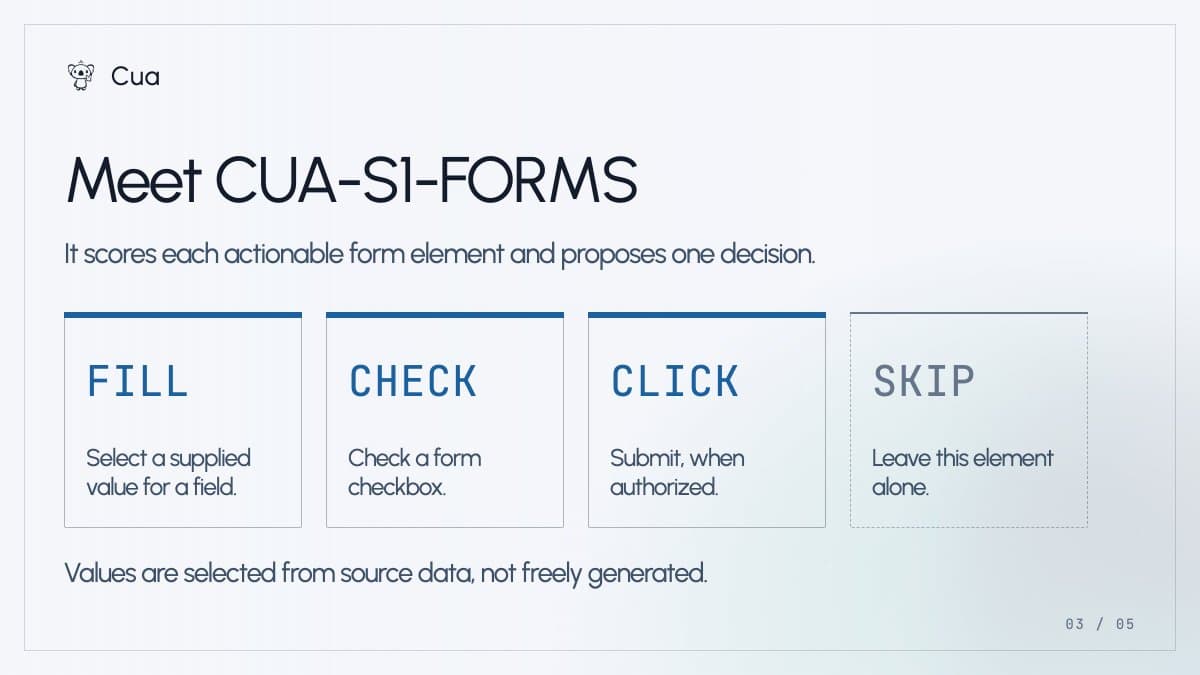
CUA-S1-FORMS takes a UI element and typed options, then returns a probability for each option in one forward pass, according to its model card. Its action vocabulary is deliberately small:
FILLCHECKCLICKSKIP
Field values come from a supplied document, and trycua's action contract says application code validates the plan and fixes the execution order: fields first, checkboxes next, then submission when authorized. The CUA-S1 source tree includes the synthetic-data generator, training code, evaluation, and Driver integration.
Latency
Cua's 7 to 9 ms result isolates local scoring, which leaves browser observation, action execution, and result verification outside the reported interval.
An earlier kylejeong's Stagehand loop sent an accessibility tree and candidate actions to Jev. In 240 real-site task runs, kylejeong's early Stagehand results reported median Act latency falling from 1.97 seconds to 0.46 seconds and success rising from 85% to 95.4%.
Stagehand's experimental path turns uncertain selections back over to an LLM, as kylejeong's fallback explanation describes. That makes its end-to-end figures a different measurement from CUA-S1-FORMS's local scorer timing.
Text-only perception
Cua says Jev and CUA-S1-FORMS are text-only. A parser such as OmniParser can translate a screenshot into regions and descriptions, but application code still has to turn those regions into bounded choices.
Cua's development preview describes Cua Perception as an opt-in path for screens where accessibility-tree or DOM structure is incomplete, with macOS, Windows, and Linux shown as Driver targets.
Narrow choice sets
Cua describes jev-use as a public-preview recipe, while usekernel's browser-loop announcement says a separate Jev browser-loop example is already live. Cua's stated next target is recurring computer work where context changes but the available choices remain narrow, per trycua's stated next target.