
Cappy launches video editing in iMessage and RCS
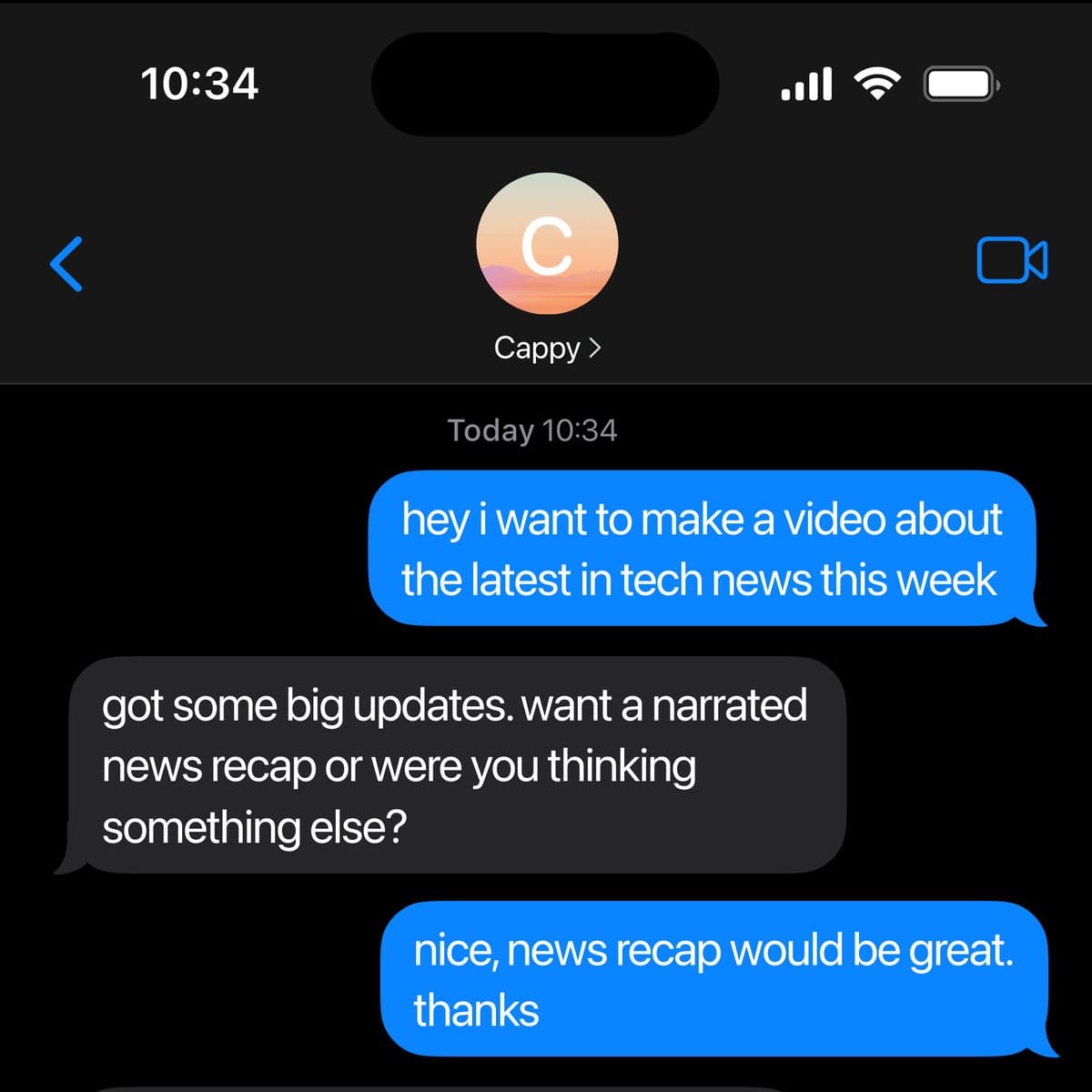
Cappy launched as a text-message video editor that plans, cuts, captions, voices, and revises clips inside iMessage or RCS threads. Creators can start from raw footage, photos, audio, or URLs without opening a conventional timeline.
TL;DR
- Cappy shipped as a text-message video editor that works through iMessage or RCS, according to hasantoxr's Cappy description and LinusEkenstam's hands-on thread.
- The pitch is that you never open a timeline: hasantoxr's launch post framed it as "no app, no timeline, no learning curve," while the official Text to Edit page presents it as editing by conversation.
- Inputs are broader than raw clips. hasantoxr's example prompts listed edits from photos and caption requests, while hasantoxr's follow-up added product-page URLs and audio recordings.
- The workflow is iterative, not one-shot: LinusEkenstam's test said Cappy returned an initial edit after a few minutes, and his follow-up showed the next round of requested changes.
- Early examples target small-business and solo-creator work, with hasantoxr's use-case post naming restaurants, salons, real estate, and solo creators as the obvious first users.
You can browse the official feature page, watch petergyang's corgi example, and step through LinusEkenstam's unboxing test. The weirdly useful part is the surface area: hasantoxr's prompt list includes restaurant specials and salon before-and-afters, while his follow-up post says Cappy can start from a URL or an audio file, not just a camera roll upload.
Text thread interface
The core product decision is brutally simple: the editor lives in your messages. hasantoxr's launch post called that the point, and LinusEkenstam's setup note described it as adding Cappy to your phone book and texting it like a person.
That removes the normal stack of timeline UI, export settings, and project setup. LinusEkenstam's direction example reduced the control layer to natural-language prompts, and his later post added that the service works regardless of green or blue bubbles.
Starting points
The most interesting part is how many ways Cappy can begin a job.
Instead of a single "upload clip, trim clip" flow, the early examples break into a few clear entry points:
- Raw footage, as in LinusEkenstam's 3:20 unboxing upload
- Photos turned into promos or before-and-after reels, per hasantoxr's prompt list
- Audio recordings turned into full videos, per hasantoxr's follow-up
- Product-page URLs turned into videos, also in hasantoxr's follow-up
- Existing footage that only needs captions or a style pass, again in hasantoxr's prompt list
petergyang's example clip adds two more pieces to the pitch: auto-generated captions and voiceovers.
Revision loop
Cappy is being sold as a conversational edit bay, not just an auto-generator.
The revision commands shown so far are short and concrete:
- "Make it shorter"
- "Add captions"
- "Make it more dramatic"
Those came from hasantoxr's follow-up, while LinusEkenstam's initial edit post and his edit-request follow-up suggest the cadence is submit footage, wait a few minutes, get a first cut, then keep pushing changes in-thread.
That is a better fit for people who already think in marketing requests or client notes, not timeline operations. hasantoxr's audience post explicitly framed the target users as restaurant owners, salon owners, real estate agents, and solo creators.
Access and output
The launch threads also slipped in two practical details that matter more than the hype.
First, the final file can be saved directly from the message thread, according to LinusEkenstam's save-from-messages post. Second, LinusEkenstam's main thread said Cappy was free to try at launch, and both the shared Captions link and the official feature page link point to the same Captions landing page for access.
That gives Cappy a surprisingly complete loop inside the inbox itself: start with footage, photos, audio, or a URL, direct the edit in plain text, receive revisions, then save the result without switching into a conventional editor.