
Charlota builds a Figma voice-controlled colour picker with vowel and pitch mapping
Charlota’s Hue Scream maps vowels, pitch and volume to colour. The remixable project documents a Figma MCP-connected prototype, canvas revisions and agent-directed motion.
TL;DR
- Hue Scream turns singing into colour: 0xCharlota built it for Figma’s Halloween challenge and shared a playable version.
- Vowels choose hue, pitch sets lightness and volume controls vividness, according to the creator’s breakdown.
- The prototype went through roughly 30 iterations, with screens returning to canvas for manual design adjustments.
- Hand-drawn creatures received shader gloss and agent-directed animation without manually placed keyframes.
Magenta requires buzzing like a fly, a delightfully cursed colour control. The sound-mapping rules lived inside the design project, while animation instructions were as short as “faster” and “fly around”.
Vowels, pitch and volume
The app’s cheatsheet spells out three vocal controls:
- Hue comes from the sound:
- Lightness comes from pitch: higher notes make lighter colours; lower notes make darker ones.
- Vividness comes from volume: loud sounds produce vivid colours; a soft hum moves towards grey.
Holding a note saves the current colour, 0xCharlota explains. Despite the voice-only premise, the live page also offers “No mic? Play with the mouse.”
Canvas layouts and Figma Specs
Before the working prototype, she developed the project through three stages:
- Sketch: a colour wheel, webcam, wobbly waveform and Halloween stickers.
- Canvas: desktop and mobile layouts, three UI directions and a map connecting creatures to colours.
- Spec: rules for matching sounds to colours and reaching black, white and grey, alongside design decisions, inspiration and feedback.
She describes Figma Specs as Markdown-style files inside Figma, keeping the interaction rules with the project.
Make prototypes and canvas revisions
She connected an AI agent through the Figma MCP server to edit the Make prototype, saying the setup let her use her token subscription efficiently.
Across roughly 30 iterations, she tested the design with a real microphone and camera. Screens repeatedly went back to canvas for adjustments to icons, spacing and other visual details.
Figma documents two relevant capabilities separately:
- Canvas editing: its MCP documentation describes giving agents design context and letting them create or modify native Figma content.
- Prototype code access: its Make resources guide describes exposing individual files or whole-project context to external coding tools.
Vector creatures and prompted motion
Game mode asks players to hit the right creature-colours with their voice. Her artwork workflow started with sketches, followed by vectors drawn with Figma’s Pen tool:
- Orange: pumpkin.
- Red: mushroom.
- Yellow: moon.
An inflate shader inspired by @pierscowburn added gloss and dimension before the artwork returned to the Make prototype for animation.
For Figma Motion, she gave the AI agent directions including:
- “Slightly enlarge and make it pop.”
- “Faster.”
- “Fly around.”
She says she placed no keyframes and also used Figma MCP to generate spooky sounds for interactive moments.
Five-colour cards and remix file
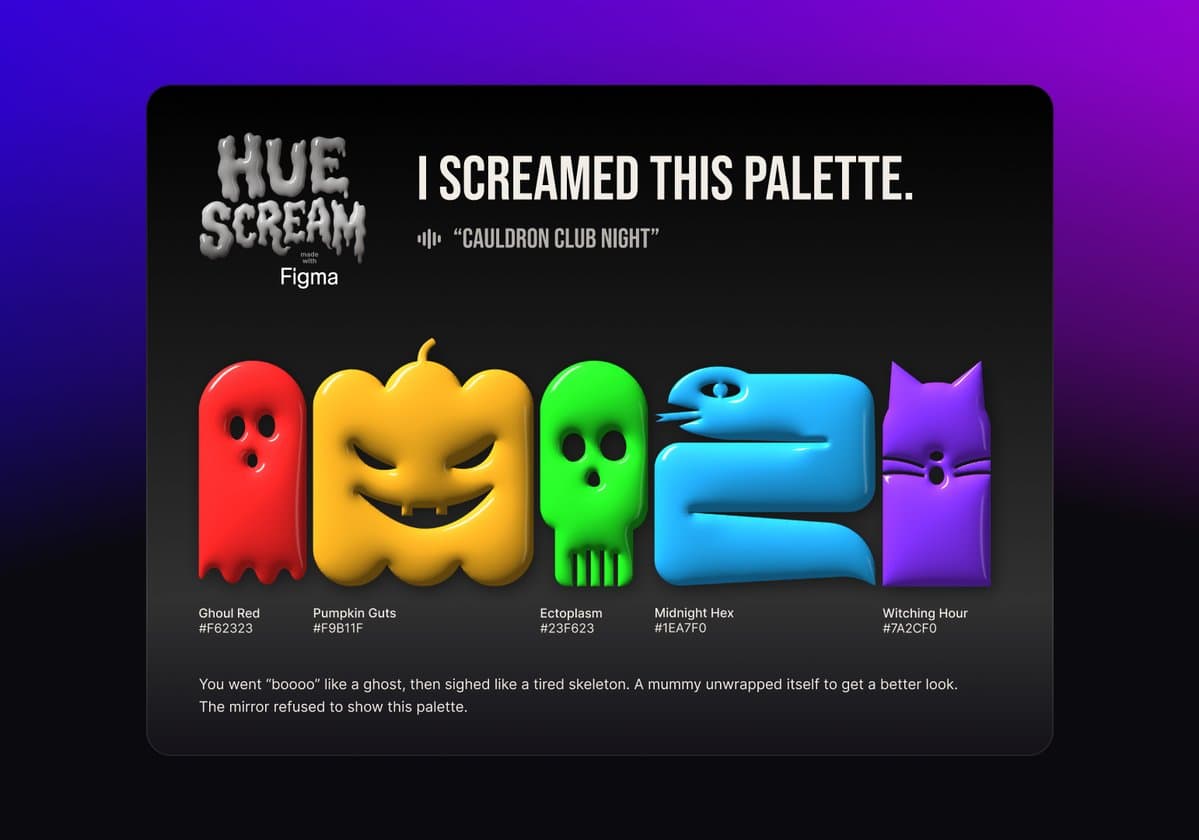
Filling five slots in the browser app produces a named palette card with HEX codes, according to 0xCharlota. The palette can then be copied straight into Figma.
She also shared a Community file with three suggested remix points:
- Add a haunted zone.
- Swap the creatures.
- Map a different sound to the wheel.