
Hailuo launches Live Frames one-click stadium-cam templates on iOS and Android
Hailuo rolled out Live Frames one-click stadium-cam templates while Kling kept publishing broadcast-view prompts and pet-screen variants around the same format. The workflow is spreading beyond sports edits into remixable creator clips, though non-human subjects still need prep or swap workarounds in third-party tools.
TL;DR
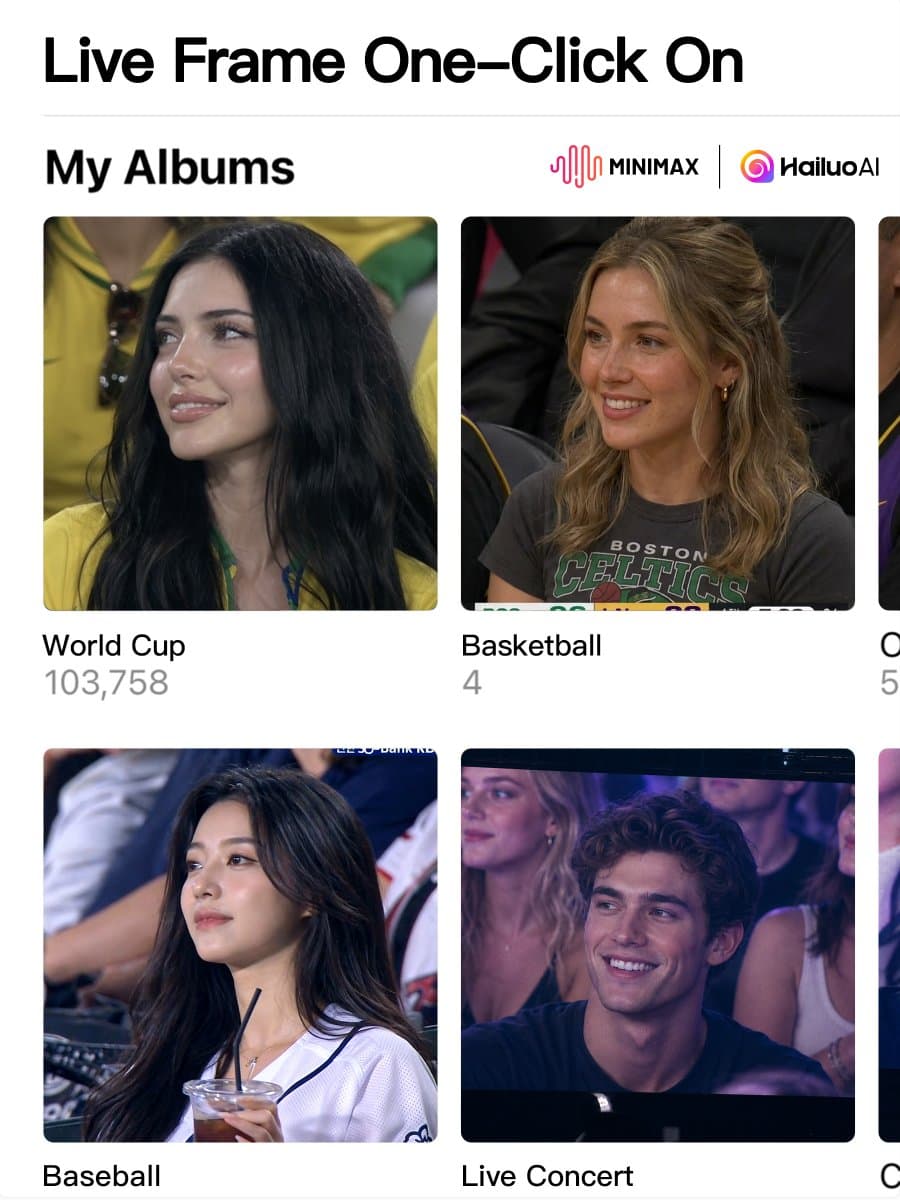
- Hailuo turned the stadium-cam meme into a packaged feature, with Hailuo_AI's Live Frames post calling it a one-click template and Hailuo_AI's follow-up pointing to iOS and Android app access.
- Kling spent the same window publishing both a Stadium Broadcast Challenge tutorial and reusable prompt examples, while Kling_ai's baseball prompt thread spelled out the reaction sequence that sells the format.
- The look is already drifting beyond baseball, because Kling_ai's football example reused the same broadcast-camera framing and Kling_ai's pet-on-the-big-screen clip pushed it into novelty pet edits.
- The workflow still has edge cases: according to venturetwins' workaround post, Kling's pet version wants a human-face reference, so creators are routing the setup through Glif before sending it back to Kling.
You can jump straight to Hailuo's iOS app or its Android app, browse Kling's challenge tutorial, and even see the format mutate into a dog-on-the-jumbotron gag. The oddest useful detail came from venturetwins' Glif note, which turns a human-only template into a pet clip by generating a base image first, then swapping the animal in before animation.
Live Frames
Hailuo's pitch is simple: "Live Frames" now wraps the stadium-broadcast look into a one-click mobile feature. Hailuo_AI's launch post frames it as ready-made templates or a custom prompt, and the app link follow-up confirms the rollout landed in both mobile stores.
That matters mostly because this trend had been living as prompt craft. Hailuo is packaging it as a tappable format inside the app instead of asking users to write the shot from scratch.
Stadium Broadcast Challenge
Kling is pushing the same visual grammar from the other direction: not a named feature family, but a repeatable challenge format across app and web. Kling_ai's tutorial post explicitly calls it the "Stadium Broadcast Challenge," while Kling_ai's baseball example publishes a full prompt recipe.
The prompt shape is consistent across the examples:
- Use a reference image as the identity anchor, as in AIwithSynthia's detailed KBO prompt.
- Stage a live broadcast catch moment, per Kling_ai's baseball prompt thread.
- Add a small reaction beat, like a smile, wave, or kiss, as Kling_ai's football example does.
- Let the crowd notice the camera too, which both the football prompt and the baseball prompt include.
- Keep the lens language close to TV coverage, with telephoto distance and candid framing in AIwithSynthia's version.
The result is less "sports video" than a reusable camera trope. Once the shot logic is stable, the subject can change without changing the meme.
Pets on the big screen
The pet variant is where the format gets messy. Kling_ai's dog clip shows the joke works, but venturetwins' post says Kling's template still expects a human-face reference.
The workaround is a two-step relay through Glif. According to venturetwins' follow-up, Glif can generate the base image in Kling's look, let the creator approve it, then hand it back for animation with the pet swapped in.
That is a useful tell about where these one-click templates are headed. The stadium-cam look is already broad enough for sports fandom, vanity clips, and pet remixes, but non-human subjects still need setup work outside the native flow.