
Higgsfield says Genjutsu transfers a video's full-frame motion into a new world
Higgsfield says Genjutsu transfers a reference video's acting, camera movement, and edit into a different visual world. The company describes it as full-frame motion control for hybrid workflows.
TL;DR
- Genjutsu turns a reference clip into a scene blueprint: Higgsfield says it preserves the acting, camera, and edit while rewriting the visual world Higgsfield's motion-control post.
- The product splits the job between Motion Transfer, which rebuilds a scene around source movement, and Object Swap, which changes one selected element, as the official product page and Higgsfield's hybrid-workflow post describe.
- A hands-on workflow uses ChatGPT to create a replacement first frame, then Genjutsu to transfer the source video's movement onto it, according to Chris First's setup.
The official product page stages a fight moved into a pastel valley, a defender replaced while her watch stays on, and two fighters recast while every move and camera stays. Higgsfield's guide says presets can drive the transformation without a full prompt. A creator's tutorial adds a practical route for putting yourself into an existing music video.
Full-frame motion
Genjutsu treats an existing clip as the performance and shot plan. Higgsfield says the tool repeats the acting, camera, and edit one to one while changing the visual world around them Higgsfield's motion-control post.
The preserved pieces are:
- Performance: the actor's movement becomes the motion source.
- Camera: framing and camera movement remain locked.
- Edit: cuts and timing carry into the new version.
That makes the workflow closer to restaging a finished shot than generating a new clip from a text prompt. The official product page describes the result as “same take, two realities,” with only the scene changing.
Motion Transfer and Object Swap
Higgsfield's product guide separates Genjutsu into two modes. Motion Transfer rebuilds the scene around the source movement, while Object Swap targets a character, outfit, product, location, or other element and leaves the surrounding shot intact.
A creator summarized the input more simply: one video and one character, with the shooting locked while the look gets rewritten carolletta's workflow description. The product page also shows a “keep only the motion” variant, where the camera and timing survive while the character and world are rebuilt from references.
The creator workflow
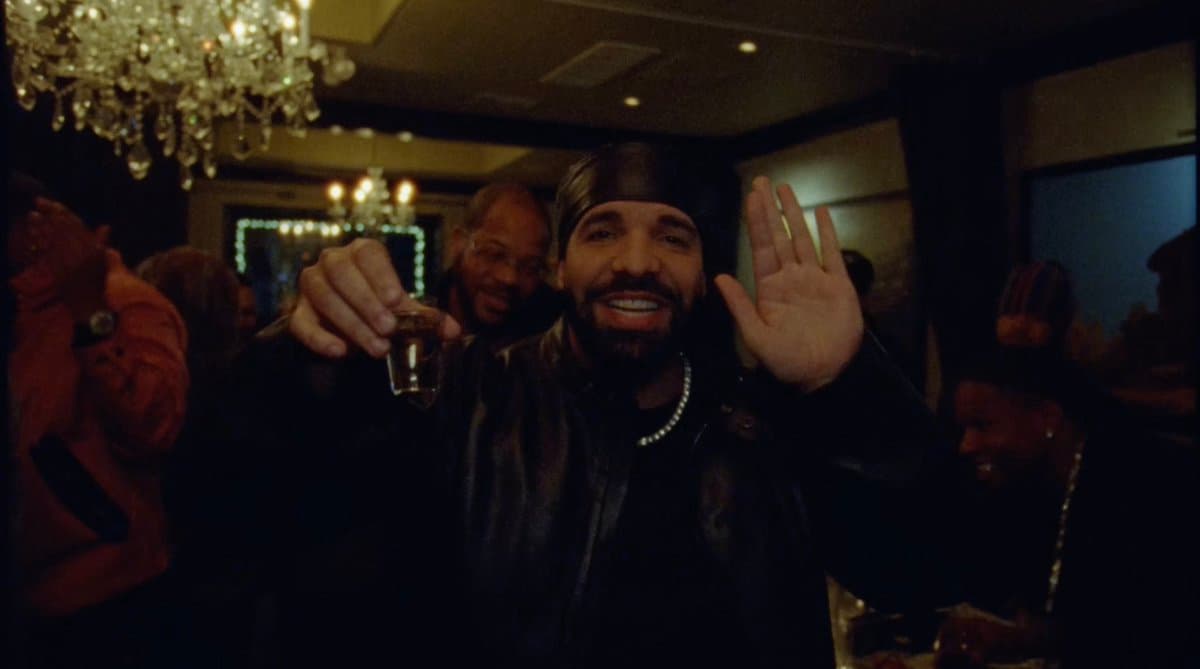
Chris First demonstrated the technique by putting himself into a Drake video Chris First's Genjutsu tutorial. The process chains image replacement with video motion transfer rather than asking Genjutsu to solve the whole identity swap in one step.
- Capture the first frame of the target video and collect a reference image of the person to insert, as Chris First's setup specifies.
- Use ChatGPT to replace the person in the first frame, preserving the scene's lighting and transferring the reference subject's outfit, according to Chris First's replacement prompt.
- Bring the generated frame and the original reference video into Genjutsu, then ask it to use the frame as the first-frame reference while transferring the motion Chris First's motion-transfer step.
- Render the swapped version, which Chris First's final result presents as the finished output.
Surreal variants
AIwithSynthia used Genjutsu for a deliberately strange transformation: a seated face multiplies into a synchronized cluster of kissing avatars as the camera moves in AIwithSynthia's Genjutsu example.
An independent September 20 test reported changing a video's decor, clothing, and person while retaining the original movement and framing. The same report flagged the tool's ability to create convincing impersonation footage as a fraud risk, especially because the workflow is designed for people without traditional editing experience.
Inputs and access
The current official materials document slightly different limits. Higgsfield's guide lists a 4 to 30 second source clip, up to 30 reference images, 30-plus presets, optional short descriptions, output up to 1080p, and these example prices:
- 15 seconds at 480p: 40 credits, about $2.
- 15 seconds at 720p: 104 credits, about $5.20.
- 15 seconds at 1080p: 144 credits, about $7.20.
The product page currently says 3 to 30 seconds and up to 40 reference images. It uses Higgsfield's standard credit system, shows the cost before rendering, and says generated work can be published on organic and paid channels subject to its terms.
A creator's one-video, one-character test carolletta's workflow description sits at the simple end of those documented inputs. The conflicting 30-image and 40-image limits are the main migration gotcha between Higgsfield's guide and its live product page.