
Luma launches Uni-1.1 API with prompt enhancement and reference gathering
Luma opened Uni-1.1 as an API with built-in prompt enhancement, research, and reference gathering, while also pointing to lower price and latency. The release moves its image model into production pipelines for fashion, interiors, storyboards, and other brand-heavy visual work.
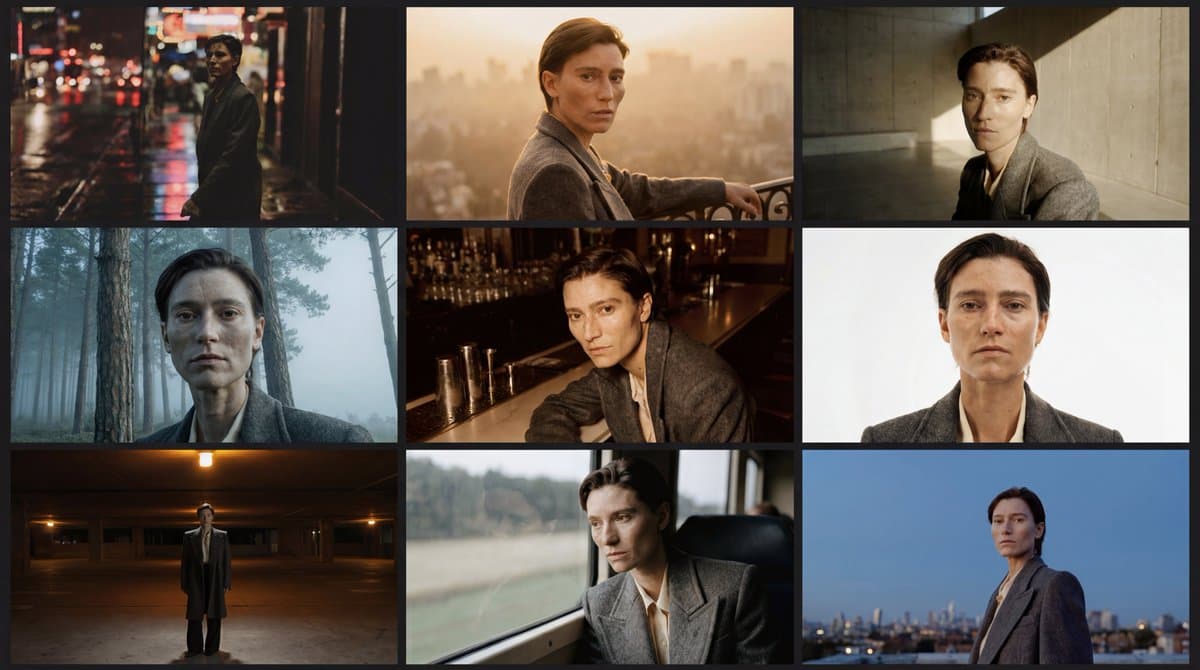
TL;DR
- LumaLabsAI's launch post opened Uni-1.1 as a REST API for image generation and natural-language editing, with built-in prompt enhancement, research, and reference gathering at the API layer.
- According to the official announcement and Luma's pricing docs, the launch splits into a cheaper
uni-1tier at $0.0404 per 2K text-to-image output and auni-1-maxtier at $0.10, with a separate provisioned-throughput plan for teams that need dedicated capacity. - LumaLabsAI's use-case reel and LumaLabsAI's API explainer both frame the pitch around production pipelines, not chatty promptcraft: fashion tools, architecture renderers, storyboard generators, and other brand-heavy visual systems.
- LumaLabsAI's Arena link points to an Image Arena leaderboard where Luma says it now sits in the top three labs across both text-to-image and image editing.
- The ComfyUI announcement adds the technical wrinkle missing from most launch posts: Uni-1 is presented as a decoder-only autoregressive transformer, not a diffusion model, and ComfyUI already exposed it through Partner Nodes on day one.
You can read Luma's full launch post, skim the pricing and model docs, check the Image Arena leaderboard, and browse ComfyUI's integration note. The docs also hide a few practical details: web search grounding, up to nine reference images per request, and output URLs that expire after one hour.
Two endpoints, one visual reasoning stack
Luma's official post says Uni-1.1 ships as two primary endpoints, Generate Image and Modify Image, wrapped around the same unified model rather than a separate planning layer glued onto an image model at inference time, in the launch post. The company says that setup is what improves multi-constraint briefs, reference grounding, and plain-language edits.
The public product page adds the workflow framing. Luma's API page describes one reasoning endpoint and one generation endpoint, plus Python, JS/TS, and Go SDKs alongside a CLI.
That same split shows up in the community framing too. lloydcreates' thread described the model as something that reads a brief, holds references, and edits in plain language without wrecking the rest of the frame, while the ComfyUI post describes Uni-1 as a decoder-only autoregressive transformer that plans composition before drawing.
Pricing and throughput
The cleanest new information is in Luma's pricing docs, not in the tweets. Pay-as-you-go pricing starts at $0.0404 for a 2K text-to-image result on uni-1, $0.0434 for image edits, and $0.10 for a 2K text-to-image result on uni-1-max.
The reference math is explicit:
uni-1text-to-image: $0.0404uni-1image edit: $0.0434uni-1-maxtext-to-image: $0.1000- Every extra reference image adds $0.0030
imagerequests support up to 9 references,image_editsupports up to 8 plus the source image
For production teams, the same pricing page also offers provisioned throughput. Luma prices that by requests per minute, where 1 unit equals 1 RPM on uni-1 or 0.4 RPM on uni-1-max, with an 8-unit minimum, a latency SLA, and a no-train guarantee.
Luma's product page and LumaLabsAI's launch post both repeat the headline claim that Uni-1.1 runs at less than half the price and latency of comparable models, but the company does not name the comparison set in the materials linked here.
References, edits, and storyboard work
Luma is very obviously selling this as a brand system API. LumaLabsAI's use-case reel lists interior studios, fashion tools, jewelry configurators, and storyboard generators as active builds, while LumaLabsAI's API explainer adds architecture renderers and manga pipelines.
The docs make the mechanics concrete:
- The models guide says Uni-1 supports text rendering, spatial reasoning, multi-panel output, cultural styles, image editing, and reference-guided generation.
- The image editing guide says
image_editpreserves the parts of the image you do not mention. - The product page says edits can be made by sentence and preserved by default.
- The launch post says the API supports native multilingual rendering in Chinese, Japanese, and Arabic.
That combination, references plus localized edits plus multi-panel consistency, is why storyboard work keeps showing up in Luma's own examples. The model docs explicitly call out multi-panel sequences, and the launch post says the same reference stack can hold identity, composition, and style across requests.
ComfyUI and other day-one surfaces
The launch post says Uni-1.1 already had production commitments across Envato, Comfy, Runware, Flora, Krea, Magnific, Fal, and LovArt, in the official announcement. Comfy was the one integration that published a concrete public note on day one.
ComfyUI's post says Uni-1 landed through Partner Nodes immediately, and frames the model as prompt to reasoning to pixels. That matters because ComfyUI is a workflow tool, not a demo site, so the first public integration already assumes people want to wire Uni-1 into larger node graphs.
A smaller but useful ecosystem tell showed up in Vercel's AI SDK release, which published an @ai-sdk/luma canary package the same day. The release note is thin, but it signals that Luma's API is already being wrapped for app developers outside Luma's own stack.
The docs add web search, model defaults, and a quiet output constraint
One of the more interesting details is missing from most of the social copy. The model docs include a web_search parameter that lets Uni-1 search the web for visual references before generating, which is the clearest productized version of the launch tweet's "research" and "reference gathering" language.
The same docs fill in a few operational details:
uni-1is the default model, anduni-1-maxis the higher-quality drop-in replacement.- If you omit
aspect_ratiooroutput_format, the model picks them for you. - Standard aspect ratios run from
3:1to1:3. - Generated images are returned as presigned URLs that expire after one hour, according to the models guide.
That last bit is the sort of small constraint that only shows up once a model stops being a showcase and starts being infrastructure.