
Stages Pro adds Replace All for character, object, and location swaps
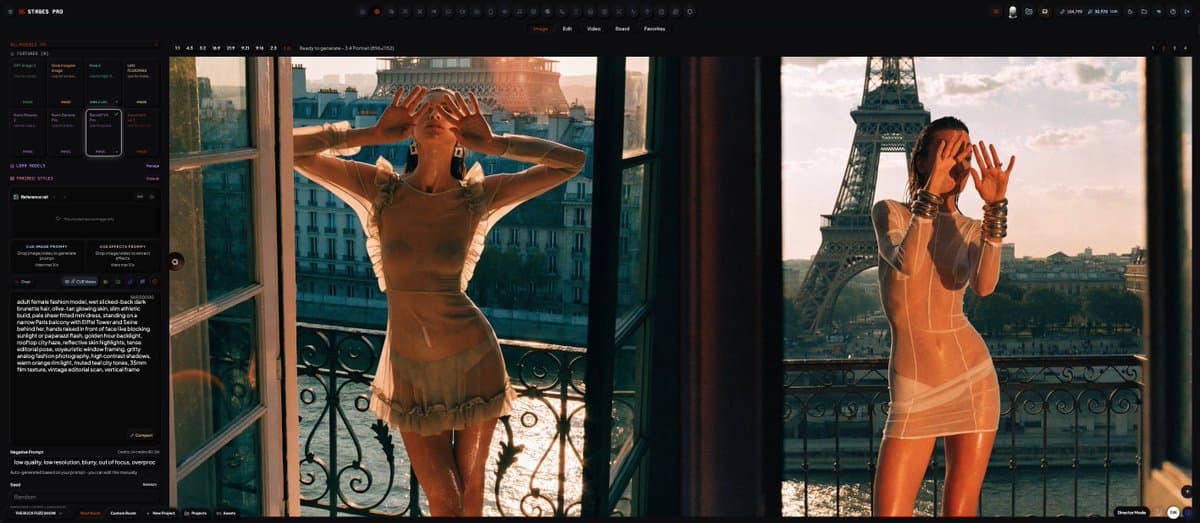
Stages Pro added Replace All, a shot-recasting tool that swaps characters, cast, objects, or locations while preserving framing, lighting, shadows, grade, and composition. Try it for recasting shots, and watch related EDITX tutorials and character-consistency workflows.
TL;DR
- The Replace All post says STAGES PRO can swap a character, the whole cast, an object, or an entire location while keeping framing, lighting, shadows, grade, and composition.
- The phone consistency demo claims a character can be made in seconds on mobile and generated through a dozen tools without the usual drift.
- The CUE tutorial thread says one full piece was made in 8 minutes, while the follow-up clip shows the fast app-to-output loop.
- The plugins note says templates, motion graphics effects, transitions, displacement, motion tracking, and fine-tuned effects models are planned for STAGES.
The STAGES Pro page pitches the product as a Creative AI-OS combining generation, editing, asset management, agents, and collaborative workflows in one surface. The About page says its command surface handles agents, generation workflows, assets, review, and delivery; NAKID's launch post frames the product for filmmakers, studios, agencies, brands, and multi-medium artists. Replace All is the practical new toy: recast the shot while keeping the setup.
Replace All
Replace All is live in STAGES PRO. The feature post names four swap targets:
- a character
- the whole cast
- an object
- the entire location
The preserved variables are the useful part:
- framing
- lighting
- shadows
- grade
- composition
In the Replace All post, the editor line is blunt: "Recast the shot. Don't rebuild it." The attached tutorial runs 4 minutes and 50 seconds.
Character consistency
The same week, the phone demo claimed character consistency was already solved inside STAGES: create a character in seconds, even on mobile, then generate that character through a dozen tools.
The official STAGES Pro page describes the broader system as one production surface for generation, editing, asset management, agents, and collaborative command workflows. That framing explains why the consistency claim is packaged as workflow infrastructure, not a one-off image trick.
CUE workflow
Before Replace All, the EDITX teaser set up an editing-workflow tutorial drop inside STAGES. The CUE tutorial thread says the entire piece took 8 minutes to make, and the follow-up clip shows the STAGES PRO interface moving from dashboard work to polished output.
The operating principle showed up in the workflow note: experiments matter when they improve workflow. The more-on-the-way reply said the tutorial did not scratch the surface.
Fall plugins and stealth work
Two roadmap hints came with the feature week. The plugins note says the effects push includes:
- templates
- motion graphics effects
- transitions
- displacement effects
- motion tracking effects
- fine-tuned models trained on the author's frame-by-frame effects work, including interpolation, variations, and mixes
The stealth teaser says another STAGES build is being handled slowly and is targeted for the end of summer. Its attached UI shows Builder, Reviewer, Designer, and Researcher panels around a shared canvas, closer to a multi-agent production desk than a single prompt box.