
Tripo supports 14-second Smart Mesh conversion from 2D art to 3D assets
Techhalla showed Tripo turning 2D art into textured 3D models in about 14 seconds, with Smart Mesh, poly-count control, and auto-rigging for A-pose or T-pose characters. The workflow compresses modeling and rigging, but source angle and flat backgrounds still matter for clean geometry.
TL;DR
- Techhalla's demo thread shows Tripo turning a single 2D design into a textured 3D asset in about 14 seconds, framing Smart Mesh as a fast path from concept art to usable game props.
- In the walkthrough, workflow details says the key generation step is simple: start from an image, switch on Smart Mesh, and adjust polygon count for cleaner or lighter topology.
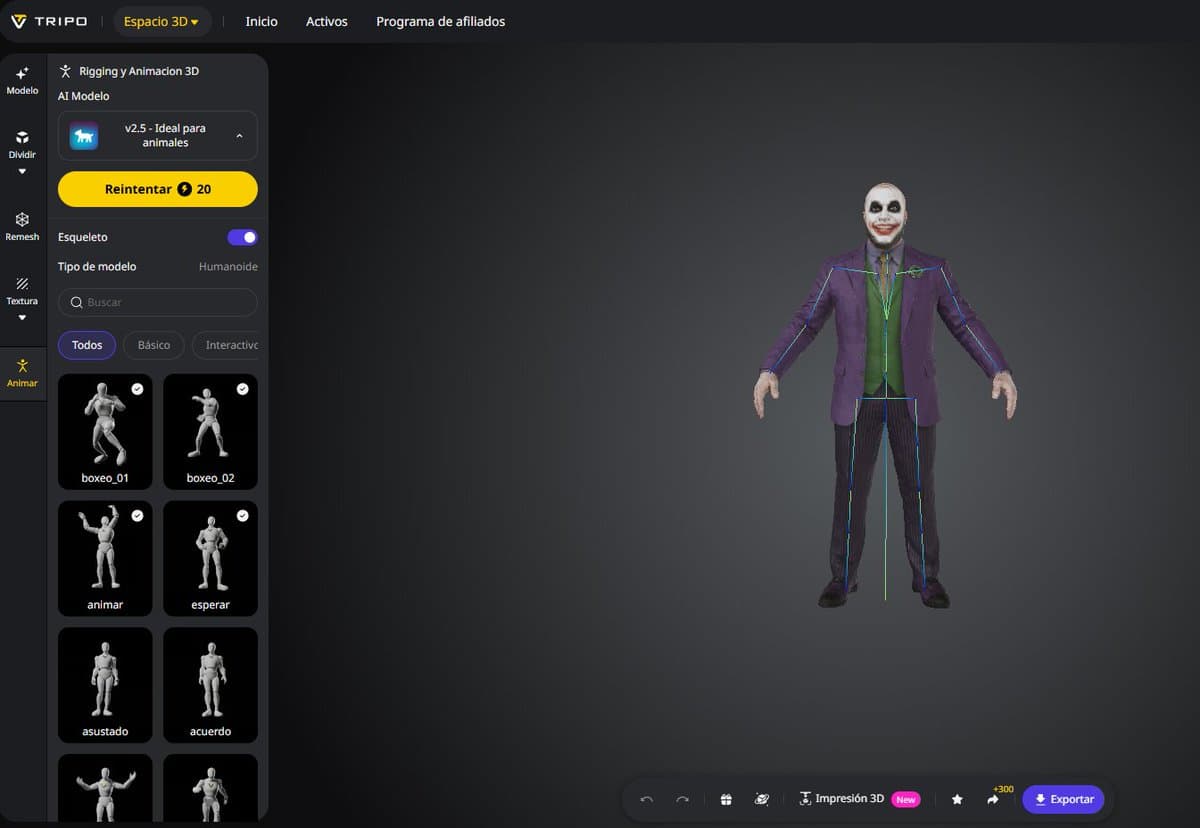
- The same workflow details also shows Tripo's auto-rigging handling standard A-pose or T-pose character references, with preset animation options visible in the interface.
- Techhalla's input tips says clean results still depend on prep: flat backgrounds and a roughly 45-degree view reduce the model's proportion guesswork.
How the workflow actually works
Techhalla's demo starts with a 2D character image and ends with a textured 3D model in seconds, with the video showing Smart Mesh enabled before export and a "clean mesh in under 10s" claim inside the interface flow 2D to 3D demo. The practical point for creators is less about one benchmark number than the compression of steps that usually live in separate tools: image-to-mesh generation, topology control, then character prep.
The thread adds the reproducible bits. Smart Mesh is the main toggle, polygon count can be dialed in, and Tripo's auto-rig tool is presented as working best from standard A-pose or T-pose references, with animation presets already attached in the shown workspace
. Techhalla also says input images work better when the subject sits on a flat background and is framed at about 45 degrees, because that gives the model less ambiguity when inferring depth and proportions.