
Nous releases Hermes Agent v0.16.0 with desktop GUI, dashboard rebuild, and remote auth
Nous shipped Hermes Agent v0.16.0 with a desktop GUI, a rebuilt browser dashboard, remote auth options, and full Simplified Chinese UI coverage. The release moves Hermes beyond a terminal-only workflow and into a broader admin and desktop control surface.
TL;DR
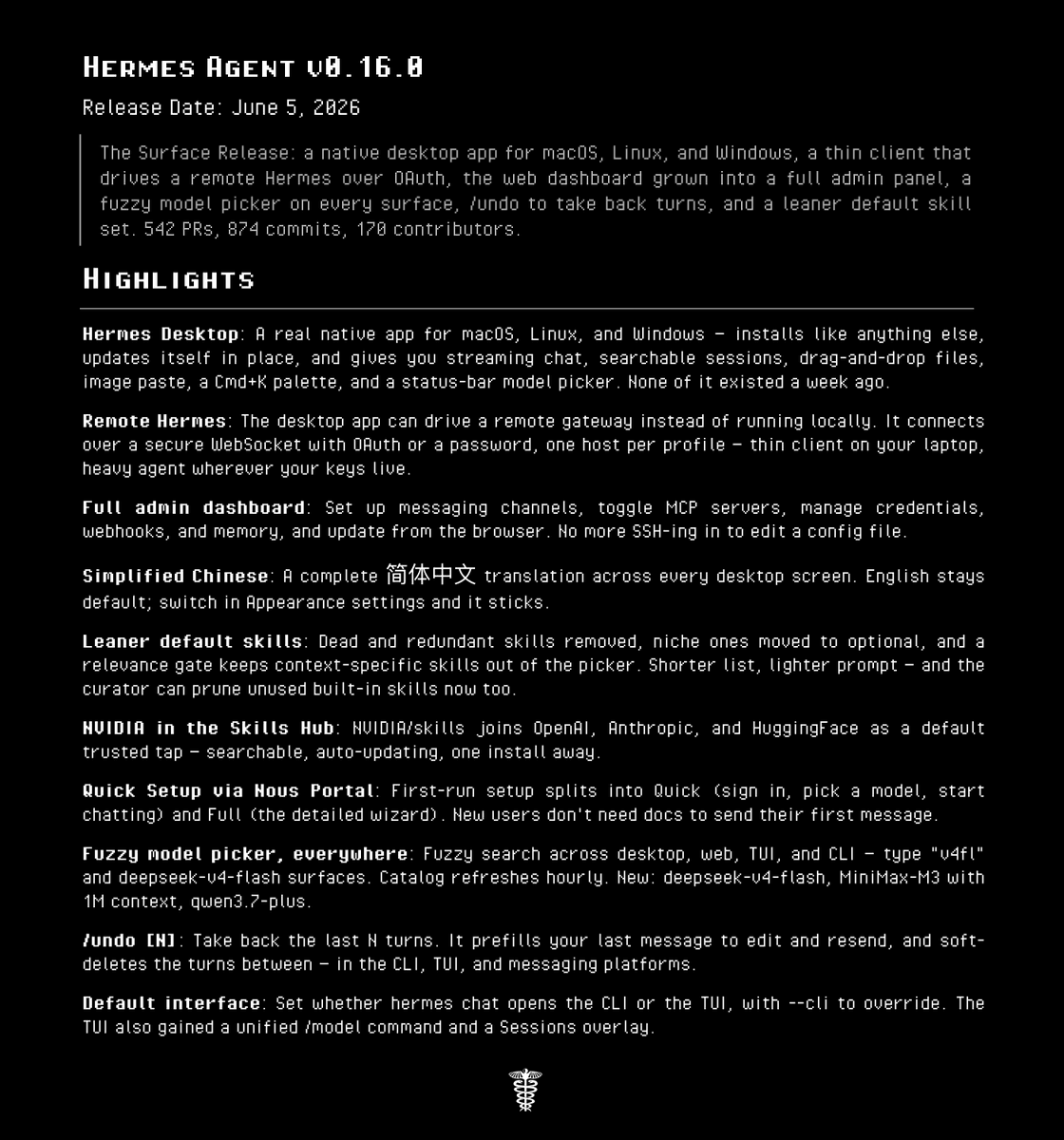
- According to NousResearch's v0.16.0 announcement and the official release notes, Hermes Agent 0.16.0 ships a native desktop app for macOS, Linux, and Windows plus a rebuilt web dashboard.
- Teknium's auth post and the desktop docs say the new remote connection flow supports simple auth, Nous-backed OAuth, and self-hosted OIDC style login for dashboard and GUI access.
- The browser dashboard now covers config editing, sessions, logs, analytics, channels, MCP management, credentials, and an embedded TUI chat pane, per NousResearch's dashboard post and the web dashboard docs.
- Teknium's plugin guide link points to a full plugin-building guide, while the release notes say the default built-in skill set was trimmed and NVIDIA/skills became a trusted hub source.
- NousResearch's Simplified Chinese post adds full 简体中文 UI coverage across Hermes Desktop, while Teknium's update warning shows the rollout still had at least one same-day rough edge around
hermes update.
You can read the full changelog, open the desktop remote-backend docs, and browse the dashboard feature map. There is also a full plugin tutorial, which matters because this release was not only about putting Hermes in windows and tabs, it also widened the surfaces you can extend from Python, config, and drop-in hooks.
Hermes Desktop
The biggest change is simple: Hermes now has an official desktop front end instead of living mostly in terminal workflows. The release notes describe an Electron app with one-click install, in-app self-update, drag-and-drop files, clipboard image paste, a command palette, a status-bar model picker, and concurrent multi-profile sessions.
The desktop docs make one architectural detail explicit: the app is only the Electron shell. On first launch it installs the Hermes runtime into HERMES_HOME, then talks to a hermes dashboard backend over the same APIs used elsewhere, which is why sessions, config, skills, and memory stay shared across desktop, CLI, TUI, and dashboard.
That shared-state model is the useful bit. Teknium's remote guide post framed the remote backend docs as a troubleshooting path, but the docs themselves describe a thin client pattern where the GUI can stay on your laptop while the actual Hermes runtime stays on a VPS, homelab box, or another machine.
Remote auth
Nous bundled a much more opinionated remote access story into this release.
The desktop docs split the flow into two halves: protect the remote hermes dashboard with an auth provider, then sign in from the desktop app. The documented options are:
- OAuth through Nous Portal for internet-reachable dashboards.
- A self-hosted OIDC provider for teams running their own identity stack.
- Username and password for trusted LAN or VPN setups.
The web dashboard docs add a detail the tweets only hinted at: Desktop's readiness probe checks GET /api/status, but live chat depends on authenticated WebSocket access to /api/ws and /api/pty. The docs even spell out failure modes, including host-header mismatches and loopback binds that pass the status check but still reject the chat socket.
Web dashboard
The dashboard overhaul looks bigger than a skin refresh. NousResearch's dashboard post called it a feature-complete admin panel, and the release notes back that up with a long list of controls that used to mean config edits or SSH.
The web dashboard docs break the browser surface into concrete pages:
- Status: version, gateway state, active sessions, recent sessions.
- Chat: the full Hermes TUI embedded in-browser over PTY and WebSocket.
- Config: a form editor for 150-plus
config.yamlfields. - Sessions: search, inspect, export, import, prune, delete.
- Logs and analytics: live tails, token and cost views, per-model breakdowns.
- Admin surfaces: channels, MCP catalog, credentials, webhooks, memory, system info.
One implementation detail is unusually explicit for a product doc: the chat tab is not a fake web rewrite. The dashboard launches the real hermes --tui behind a pseudo-terminal and renders its ANSI output through xterm.js, which explains why the docs promise parity for slash commands, tool cards, prompts, and theming.
Plugins and skill pruning
The surface expansion landed next to a quieter extensibility push.
Teknium's plugin guide link points to a full worked example that builds a calculator plugin with two tools, a lifecycle hook, shipped data files, and a bundled skill. The guide says plugin registration can expose tools, hooks, CLI commands, and in-session slash commands from a register() function, while schemas in schemas.py are what the model reads to decide when to call a tool.
The release notes pair that with a cleanup pass on the built-in skill set. Nous says redundant and stale bundled skills were removed, heavier niche skills moved to optional installs, built-in skills can now be pruned based on usage, and NVIDIA/skills joined the default trusted taps. That is a notable combination: more plugin surface, less default prompt clutter.
Chinese UI and rollout hiccups
The last bits of the release are small individually, but they change day-one usability.
According to NousResearch's Simplified Chinese post, Hermes Desktop now has complete Simplified Chinese coverage across the chat window, sidebar, settings, command center, cron, messaging, profiles, skills, and agents, with the selection persisted to display.language. The release notes say the desktop app's Chinese support is built on a typed i18n layer, which suggests this was implemented as an actual localization system, not a one-off translation pass.
The launch also needed a same-day repair. In Teknium's update warning, Teknium said deep changes to the update command could require users to run hermes update twice, with the first run erroring before the second succeeded. Teknium's preview disclaimer had already warned that the desktop app was shipping in preview form, which fit the tone of a release that pushed a lot of new UI and auth plumbing into Hermes all at once.