
Manus launches its 2.0 agent platform with cloud computers and automations
Manus 2.0 adds cloud computers for agents and event-triggered automations. It also introduces a desktop Studio workspace and Cue personal agents with their own communication and execution tools.
TL;DR
- Manus 2.0 is live across web, desktop, and mobile; Manus's launch introduces a rebuilt agent platform rather than a single new model.
- Cascade adds capabilities as a project needs them, while Automations can start from service events; testingcatalog's product map lays out the broader release.
- Manus Studio adds editable video, game development, and desktop computer use; Manus's Studio download is live, and its game-demo thread links to playable examples.
- Cue gives personal agents communication and execution tools; Manus's Cue announcement introduces the app, while a launch-day rundown describes call summaries and budget-limited payments.
Manus had already announced Cloud Computer before this launch. Game Dev now connects multiplayer hosting to a Cloud Computer purchase. A launch-day phone test also found a Cue US number that did not receive its test SMS.
Cascade
Cascade, Manus's in-house agent harness, keeps a project's brief, pages, video, and automation connected while loading specialized capabilities only when needed. Manus's 2.0 blog link points to a reported comparison with its previous system in one tested configuration:
- 23.2% fewer tokens
- 28.2% less task time
- 32% lower running cost
The Manus help article explicitly says those figures are from one configuration, not an overall average.
Cloud Computer
Manus's earlier Cloud Computer announcement describes a persistent Ubuntu machine with files and installed tools that survive between tasks. It distinguishes that machine from Manus's temporary per-task sandbox and from the desktop app, which works with local files.
The 2.0 connection is tighter: the launch post positions a purchased Cloud Computer as the always-on server for a multiplayer game or the home for an automation. The earlier documentation lists Basic, Standard, and Advanced plans, SSH and web-terminal access, and deletion of working files if payment stops; it gives no fixed price in that post.
Automations
Scheduled Tasks started work at a set time. Automations can now start when a connected service reports an event, according to Manus's launch post:
- A new email
- A change in ad performance
- A calendar event
- A Slack message
- A Notion update
The user specifies the trigger and subsequent task in a prompt; Manus sets up the workflow. The 2.0 help article says setup includes authorizing the services involved.
Manus Studio and Computer Use
Studio brings Manus into an authorized desktop workspace with access to selected local files, browser, and apps. Computer Use runs in its own visible workspace; Remote Control lets a phone user give voice commands and watch the desktop live, according to Manus's product guide.
Manus posted a Studio download link alongside the release. The app's two specialized creation environments are Video Editor and Game Dev.
Video Editor
Video Editor exposes generated clips, images, text, graphics, and audio as separate timeline elements. Users can replace a shot or music track, then hand the edited project back to Manus for another pass, rather than regenerate the entire cut, according to the launch post.
Alchemy mode combines video and code generation for creative direction. A launch video was made with Studio and some human editing, hidecloud said.
Game Dev
Game Dev combines image, video, and coding models, with a playable template and an Edit panel for assets, code, movement, and scenes. Its multiplayer setup goes through Configure → Multiplayer → Select Cloud Computer → Buy one, per the product guide.
Manus linked prompts and playable demos in its game showcase thread, including Wobble Sprint. The team also shared a clip of a platformer built in the mode.
Cue agents
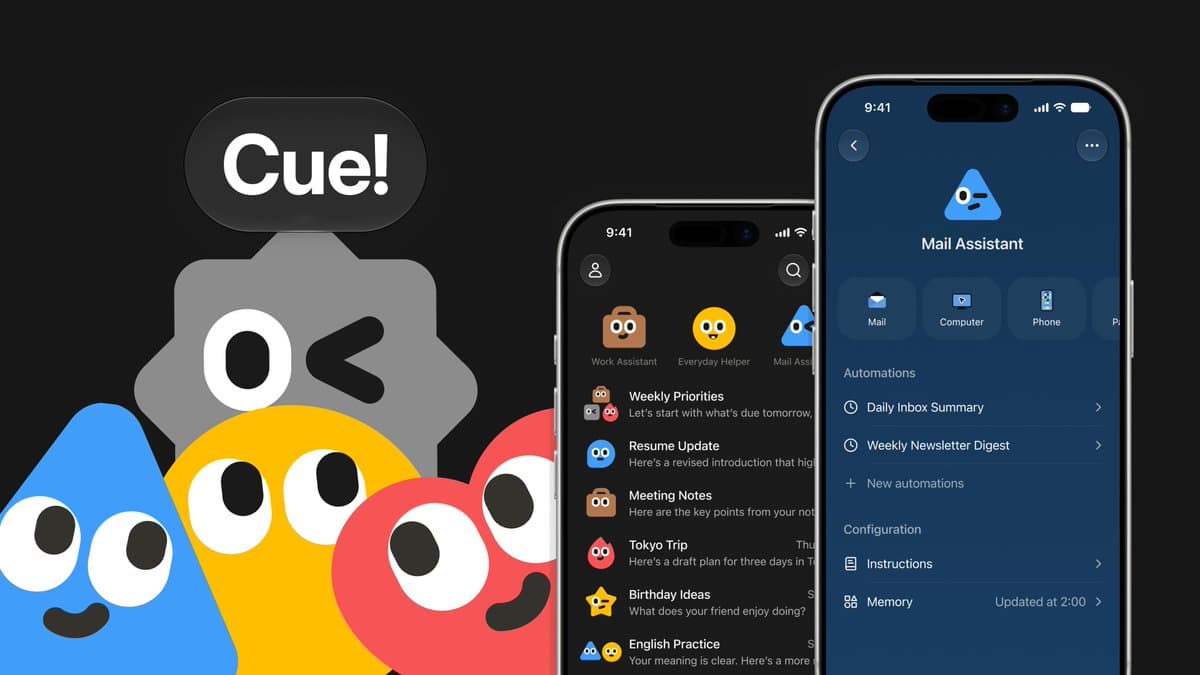
Cue is a separate app built on Manus infrastructure. Each agent can have its own email, phone number, wallet, and computer, with configurable tools, permissions, and payment controls on Cue's site. Multiple agents can collaborate in a group chat; the site lists Trip.com, Oura, Gmail, and MyFitnessPal among connected services.
Calls can be forwarded to an agent for a summary, and payments can stay within a user-set budget, as a launch-day overview notes.
Phone numbers and access
Manus says agents can make and receive calls and texts, including forwarded calls. Phone numbers are available in select countries, with voice-only support in some, according to Manus's phone announcement.
In that test, dingyi reported that an incoming SMS never appeared; the agent's chat also said the platform refused its attempt to send a test SMS to a US number. That is a single user's result, not a published country-wide delivery rule.
Cue is free during early access but requires an invite. The launch post gives the first-come, first-served code MEETCUE and says iOS is awaiting App Store review; hidecloud's availability update lists Android, Mac, and Windows as available.