
Kling 3.0 supports sci-fi, horror, and isometric office shots with simple prompt formulas
Creators shared repeatable Kling 3.0 prompts for glowing fantasy reveals, sci-fi trailers, horror ceiling shots, and slow rotations around isometric office dioramas. Use short, scene-specific prompts when you need controlled motion instead of vague cinematic phrasing.
TL;DR
- Creators are getting usable Kling 3.0 shots from short, literal scene prompts rather than broad “cinematic” language: the Excalibur demo spells out subject, location, and one camera move in a single line.
- Genre tests are converging on a few strong lanes. A sci-fi trailer test shows fast-cut space-opera imagery, while a horror shot uses a simple ceiling reveal to land a cleaner scare setup.
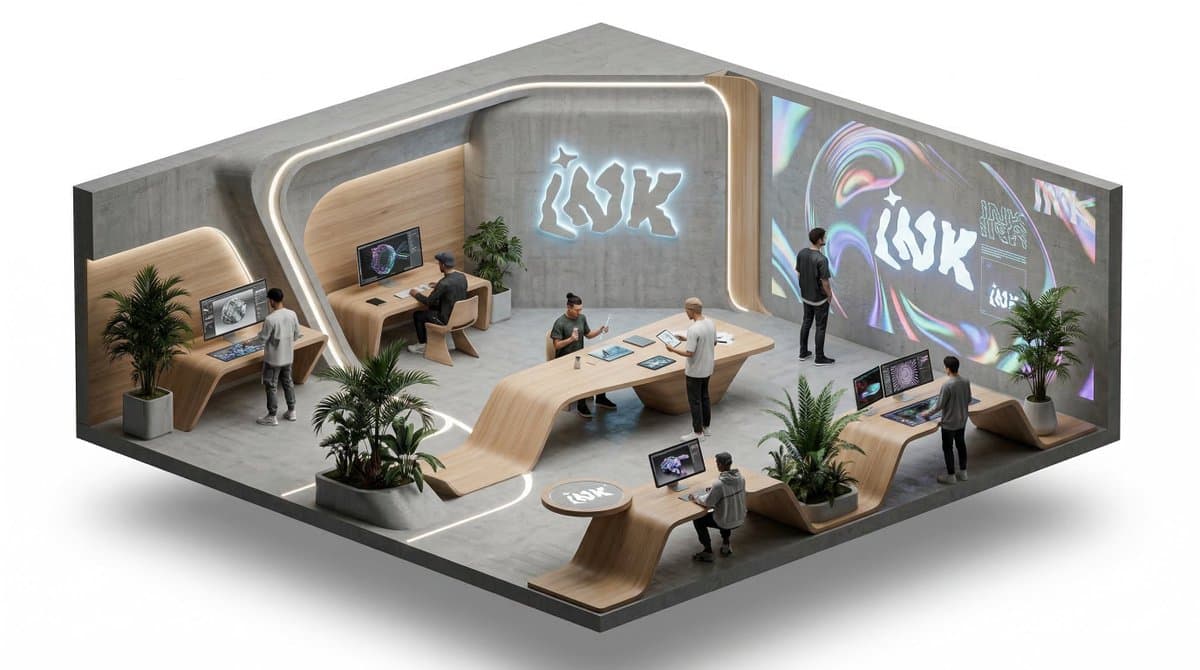
- A separate product-visualization workflow pairs a detailed still-image prompt with a minimal motion prompt: 0xInk’s office thread builds the isometric scene first, then the follow-up post animates it with “slow rotation around the isometric scene.”
- Multi-shot help is starting to circulate too, with a shared workflow post pointing users who struggle with Kling v3 sequencing toward an automated setup instead of hand-building every shot.
What prompt formulas are working
The clearest pattern is prompt compression. In Artedeingenio’s example, “Ancient sword embedded in stone altar deep inside ruined temple, camera slowly pushing forward, runes carved along the blade beginning to glow faintly” locks four things at once: hero object, environment, motion, and one timed effect. The result is a clean fantasy reveal rather than a vague mood reel.
That same specificity holds across genres. The “Beyond the Void” trailer frames Kling 3.0 as especially strong for sci-fi, with starships, alien landscapes, and glowing interfaces rendered as short trailer beats. The horror example uses an even simpler structure: start on the ceiling, then pan down into a face reveal. The useful takeaway is that creators are describing one shot and one action, not a whole film scene.
How creators are turning still concepts into camera moves
0xInk’s workflow is more modular. The base prompt is a long Nano Banana 2 setup for an isometric corporate office diorama on a pure white background, with placeholders for brand, material, layout, logo placement, lighting, and 5–10 workers. That turns the scene into a reusable template for branded concept frames instead of a one-off image.
The Kling step is deliberately minimal. The animation prompt boils the motion down to “isometric office, people working and talking, slow rotation around the isometric scene,” which keeps the camera move readable and preserves the diorama composition. A separate multi-shot workflow share suggests creators are also building automation around Kling v3 when one-shot prompts stop being enough. The common thread is separation: define the world in the image model, then ask Kling for one controlled move at a time.