
Magnific supports Spaces canvas for GPT Image 2 and Seedance 2 workflows
Creators documented Magnific Spaces workflows that keep character sheets, references, shots, and prompts on one canvas before moving into GPT Image 2 and Seedance 2 generation. Separate anime and realism threads show the same storyboard-first pattern, but the workflow evidence is community-made rather than an official release note.
TL;DR
- CharaspowerAI's workflow thread turns Magnific's Spaces canvas into a project board for character sheets, references, shots, videos, and prompts before any generation starts.
- In the anime example, CharaspowerAI's heroine sheet prompt and the yokai sheet prompt do most of the consistency work up front, then the Seedance 2 sequence prompt reuses both characters as references for the first 15-second scene.
- A separate realism thread from techhalla uses the same pattern, photo first, storyboard second, Seedance last, which makes this look more like an emerging community workflow than a one-off anime trick.
- MayorKingAI's full yakuza prompt shows the level of shot-by-shot control creators are feeding into Seedance 2, with camera language, SFX, music cues, timing blocks, and negative constraints packed into one script.
- CuriousRefuge's archival test adds a different use case: Magnific was judged the most documentary-friendly of three tools because it preserved source imperfections instead of over-polishing the footage.
CharaspowerAI's workflow thread lays out the anime version, techhalla's realism workflow mirrors it with photos and storyboards, and MayorKingAI's prompt dump shows how detailed the motion script can get once the references are locked. There is even a small positioning debate, where MayorKingAI's follow-up argues Seedance 2 is better read as a video-generation tool than a direct rival to Gemini Omni style editing.
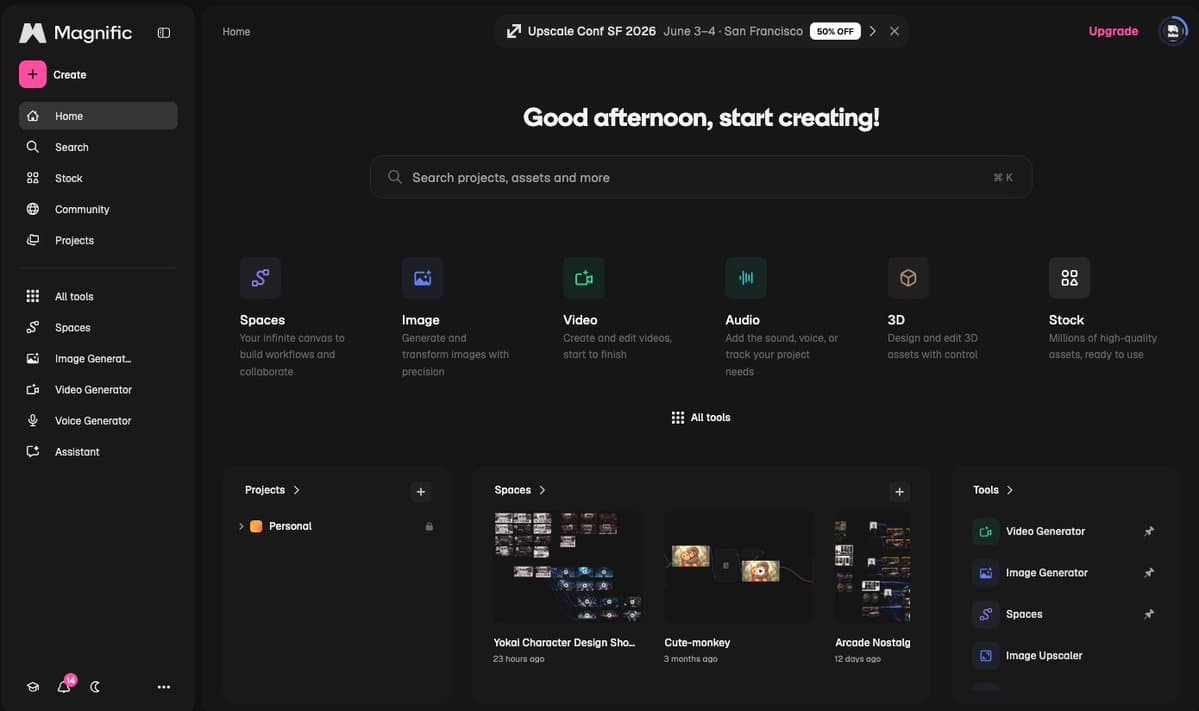
Spaces
Magnific's Spaces feature is the quiet star of these threads. According to CharaspowerAI's Spaces post, it gives creators an infinite canvas to park five asset types in one place:
- Character sheets
- References
- Shots
- Videos
- Prompts
That matters because both showcased workflows start with organization, not generation. CharaspowerAI's main thread frames Spaces as the place where an animation pipeline gets assembled before GPT Image 2 or Seedance 2 ever enter the picture.
Character sheets
The anime workflow spends two full steps on preproduction. CharaspowerAI's heroine sheet prompt builds a detailed sheet for Valkyra Noctis, while the antagonist sheet does the same for Kurogane Yasha.
Each prompt asks for more than a hero image. The requested sheet elements include:
- Multi-angle views
- Close-up portrait
- Dynamic action pose
- Expression sheet
- Weapons or props panel
- Detail callouts
- Color palette
- Symbol or insignia panel
That is a very storyboard-adjacent way to use image generation. The outputs are being treated like production references, not final poster art.
Seedance sequences
Once the references exist, the prompts switch from design language to scene language. CharaspowerAI's first Seedance 2 prompt opens on a clocktower, stages the yokai reveal, specifies camera movement, and ends on a face-off in a ruined avenue.
CharaspowerAI's second sequence then continues the same scene for another 15 seconds instead of starting over. The progression is explicit:
- Establish both characters with reference images.
- Write the first action block.
- Continue the scene with a second prompt.
- Preserve continuity across a roughly 30-second arc.
The interesting part is not just that Seedance 2 can make a flashy clip. It is that creators are treating it like a sequence engine with continuity prompts, not a slot machine for isolated shots.
Storyboards for realism
techhalla's workflow shows the same pipeline on a more photoreal brief. The sequence is shorter, but the structure is nearly identical:
- Start from a real photo.
- Use GPT Image 2 in Magnific to create the main reference.
- Reuse that image as a reference to generate a storyboard.
- Feed both images into Seedance 2 for the final video.
The post's line, "Don't let the AI invent stuff, just guide it," is the clearest summary of what these creators are optimizing for. The control layer lives in the references and storyboard, not only in the final animation prompt.
Shot scripting
MayorKingAI's yakuza example is the most concrete look at how far creators are pushing prompt structure inside this stack. The attached script in MayorKingAI's full prompt breaks a 15-second fight into global setup, timeline, music, and quality anchor sections.
The timeline block is especially production-like:
- 0:00 to 0:04, low angle wide shot
- 0:04 to 0:09, handheld medium shot
- 0:09 to 0:13, low angle medium shot
- 0:13 to 0:15, extreme close-up
It also specifies camera behavior, sound design, lighting, model restraints, and failure modes to avoid, including blur, flicker, bent limbs, deformation, cartoon styling, and visible travel between teleport jumps. In a reply, MayorKingAI said the most insightful part of a related workflow was "the aesthetics and the automation."
Restoration tests
A separate test from CuriousRefuge puts Magnific into a less flashy lane: archival cleanup. Their side-by-side comparison used the same low-quality home-movie clip across Seedance 2, Topaz Astra 2, and Magnific.
Their reported split was useful because each tool landed in a different aesthetic zone:
- Seedance 2 reduced shakiness and distortion while staying fairly authentic.
- Topaz Astra 2 smoothed the footage more aggressively, but sometimes drifted from the original texture.
- Magnific felt "the most documentary-friendly" because it preserved more imperfections and color character.
That is a new clue about where this stack may fit. The same community that is using Spaces plus GPT Image 2 plus Seedance 2 for anime fights is also testing Magnific for source-faithful restoration work.