
Nano Banana 2 adds chrome-logo brand prompt packs with swap-in variables
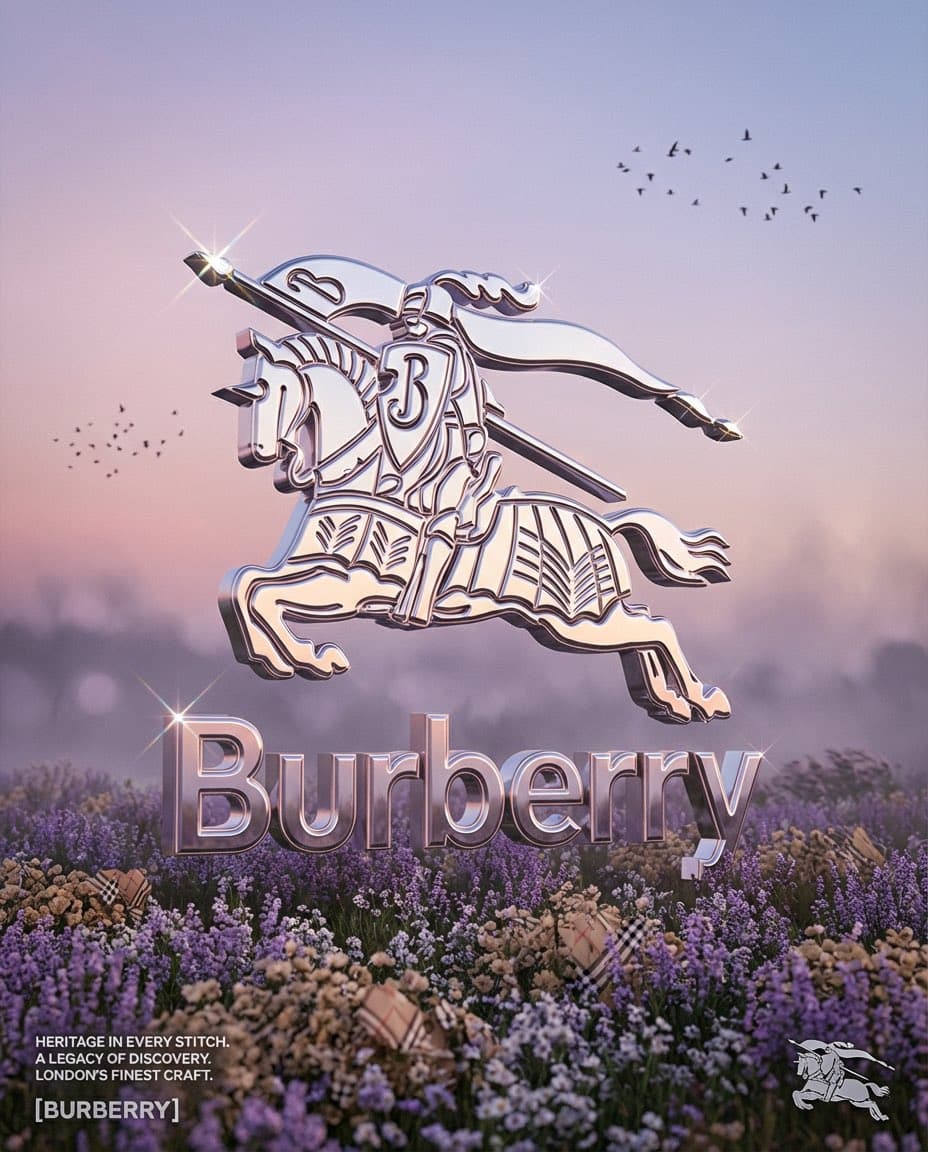
Creators published Nano Banana 2 prompt packs for chrome-logo brand worlds and paparazzi-style fashion shots, including full prompt scaffolds with swap-in variables. The format makes campaign iteration faster, but output quality still depends on strong brand cues and careful scene wording.
TL;DR
- Nano Banana 2 creators are sharing reusable prompt packs instead of one-off prompts: Amir Mushich’s brand scaffold turns a single
[BRAND NAME]swap into chrome-logo campaign art, while MayorKingAI’s paparazzi base prompt does the same for nightlife fashion shots. - The brand workflow is highly specified. In the full prompt, the logo is rendered as hyper-polished chrome with ray-traced reflections, a lilac-hour flower field, generated micro-copy, and Octane-style grading.
- The visual trick is controlled variation, not total randomness. Amir’s prompt overview frames it as “change one variable” and generate a fresh asset set around the same art direction.
- Early examples show the format working best when the scene already carries strong brand or fashion cues: YourAIPulse’s examples show Burberry and Lacoste adapted into the same surreal landscape, and MayorKingAI’s thread keeps the paparazzi look stable by locking flash, framing, shadows, and motion blur.
What do these prompt packs actually standardize?
The brand pack standardizes almost every art-direction choice except the brand itself. Amir’s prompt fixes the material stack, composition, lighting, environment palette, and even micro imperfections: 15–20% logo extrusion depth, 0.98 reflectance, 4–8 star-flare sparkles, a flower field in the lower third, and maximum-bounce ray tracing for chrome that reflects the sky and ground. It also tells the model to adapt the palette to the brand’s signature hue and generate matching editorial copy.
The paparazzi pack uses the same template logic in a different genre. MayorKingAI locks the camera language first — harsh direct flash, vertical framing, deep shadows, blown highlights, subtle motion blur, photoreal skin texture — then swaps subject, outfit, action, and location. The resulting examples span SUV arrivals, zebra crossings, gala entrances, and shopping streets without losing the tabloid-nightlife look.
Why this format matters for creators
These posts are less about a new model feature than a packaging trick for faster iteration. By freezing style decisions into a scaffold, creators can spin out campaign variants or editorial scenes by changing a single variable set instead of rewriting the whole prompt each time. YourAIPulse’s workflow share pitches that directly as a “smart brand workflow,” and the attached examples show how the same scene recipe can be re-skinned for different labels.
The catch is that the scaffolds are opinionated. The brand pack is tuned for chrome monument logos in pastel landscapes, and the paparazzi pack is tuned for flash-heavy celebrity candids. They save time when you want that exact lane, but scene wording and brand identity still do most of the work.