
Nano Banana supports a 9:16 luxury print template with brand and product variables
Creators shared a Nano Banana template with brand-colored backdrops, watermark patterns, logo placement, product crops, and studio lighting for luxury ad mockups. Use the prompt to turn simple brand or product swaps into repeatable campaign layouts for print and mobile ads.
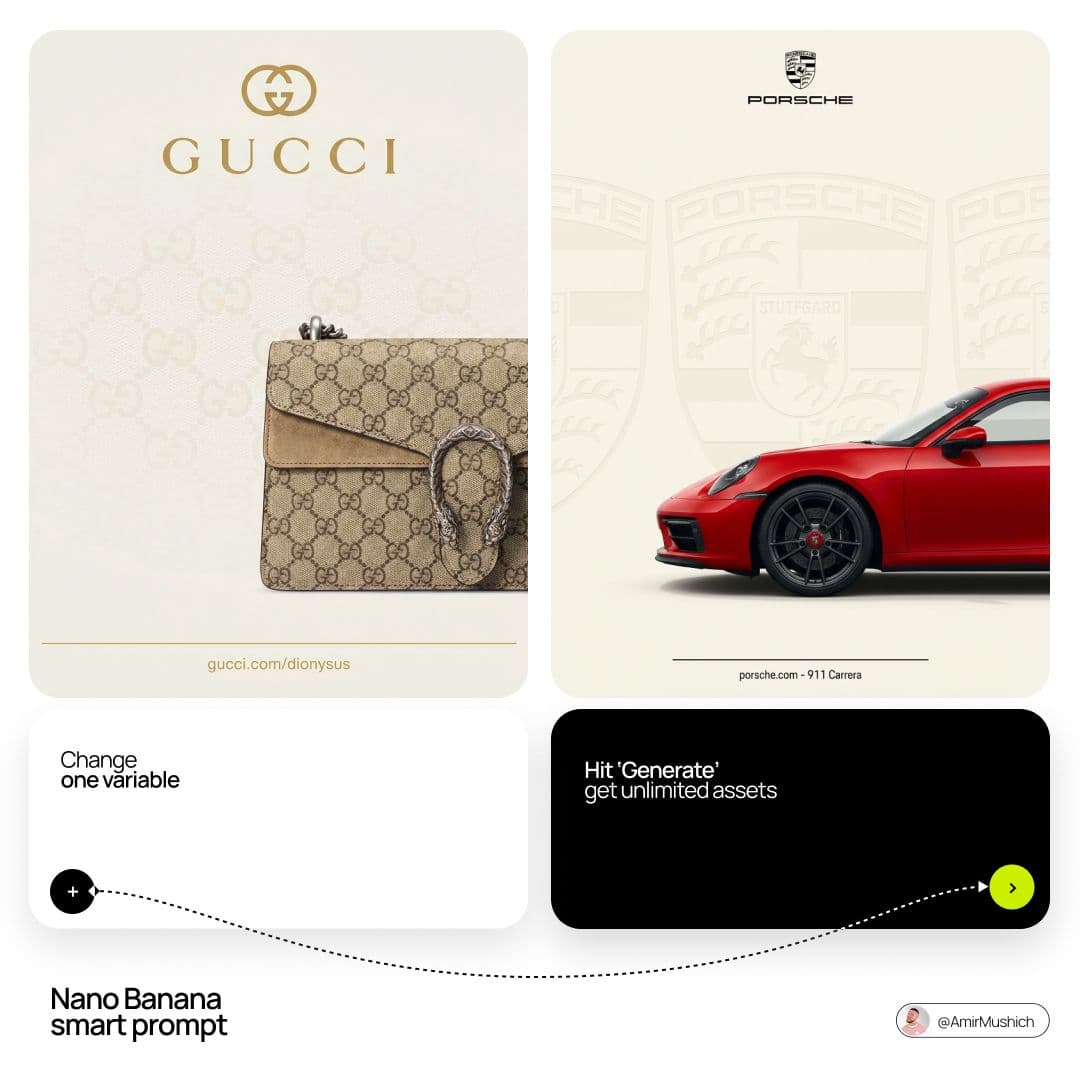
TL;DR
- A Nano Banana workflow shared by Amir Mushich packages luxury ad mockups into a single 9:16 template where swapping just the brand name and product is meant to generate new campaign variations template post.
- The prompt is unusually specific about art direction: it calls for an off-white brand-tuned backdrop, a low-opacity archival pattern, centered logo placement, and a cropped product entering from the bottom-right full prompt.
- The production recipe is also locked down to studio-photo settings, with soft north-window-style lighting, minimal contrast, sharp focus, and neutral color treatment aimed at official e-commerce or print-key-visual polish lighting specs.
- Creator examples show the same layout translated across brands including Gucci, Porsche, Starbucks, and Dyson, which makes this less about one finished image and more about a reusable branding system mockup examples brand variants.
How the template works
Amir Mushich's full prompt turns Nano Banana into a tightly constrained product-campaign generator rather than a general image prompt. The frame is fixed to vertical 9:16, the background stays in a warm ivory range, and the model is asked to infer each brand's “house” neutral instead of using plain white. Behind that, it adds a tone-on-tone watermark built from the brand's monogram, toile, crest, or other signature motif at just 10–18% opacity.
The composition is equally prescriptive. Logos sit in the upper third at roughly half the canvas width, while the product is rendered photorealistically, cropped to 60–75% visibility, and angled in from the bottom-right with only a faint contact shadow. The lighting spec in the prompt breakdown pushes a softbox-and-bounce setup with a 1.2:1 to 1.5:1 contrast ratio, no rim light, no dramatic shadows, no grain, and no bokeh, which is why the outputs read closer to product visualization than stylized AI poster art.
What simple swaps produce
The examples show how little has to change for the layout to feel custom. In Mushich's own demo, Gucci gets a beige monogram field and a Dionysus bag, while Porsche gets a crest-backed red 911 crop in the same vertical campaign structure mockup examples
. A separate post from youraipulse applies the same logic to a Starbucks cup and Dyson styling tools, with each version picking up brand-coded typography, palette, and background treatment
.
Mushich also claims the package includes “60+ free assets” and says this is the kind of deliverable he would normally price at $3,000–$5,000 for a client asset claim. The stronger takeaway from the evidence is the repeatable structure: fixed composition, brand-variable surface language, and product-specific material rendering all bundled into one reusable prompt.