
Dreamina Seedance 2.0 adds 15-90s workflows in CapCut Video Studio and Pippit
Seedance 2.0 is now showing up across CapCut Video Studio, Dreamina and Pippit with multi-scene timelines and shot templates. Creators can use it to move from single clips to editable long-form production.
TL;DR
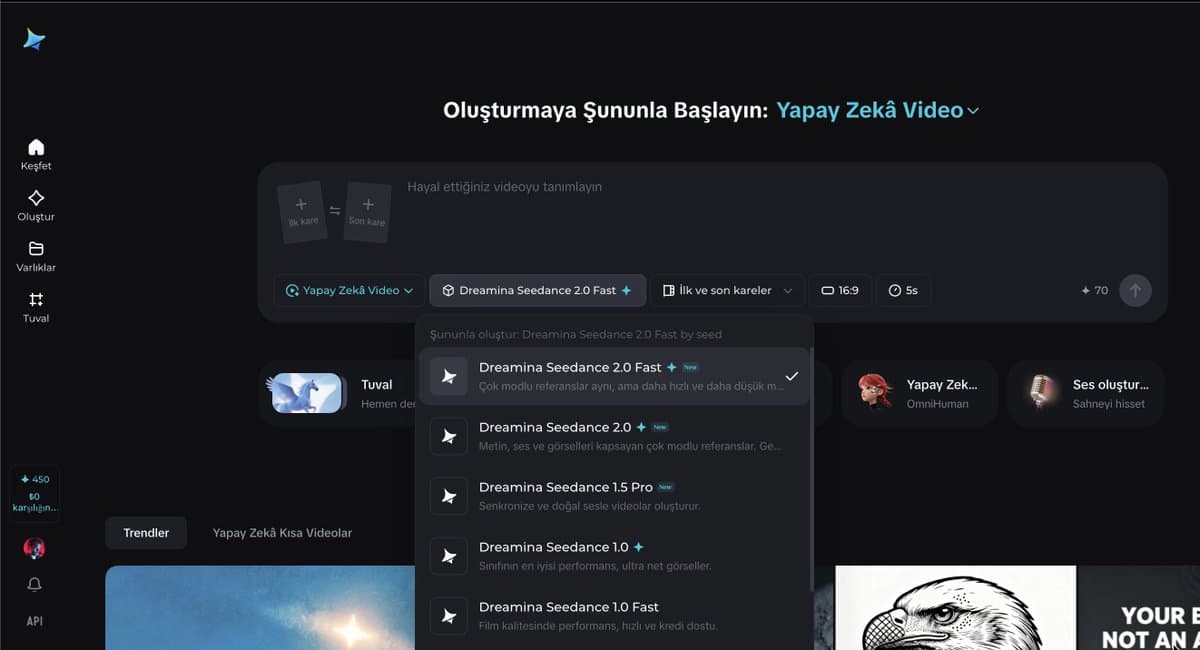
- Seedance 2.0 has spread beyond Dreamina into CapCut Video Studio and Pippit, where screenshots show model pickers for short clips in CapCut and 15-90 second modes in Pippit tool rollout.
- Topview is pitching a bigger shift: Agent v2 uses Seedance 2.0 in a storyboard-to-timeline workflow that turns a prompt into multi-scene sequences you can rearrange and refine on one canvas Agent v2 demo workflow thread.
- Creators are already using the stack for consistent stylized animation, from Midjourney image references animated through Topview's Omni Reference to event teasers made from three reference images and one prompt Omni Reference teaser build.
- The most useful community technique so far is a shot-scripted prompt template: define film stock, lens, lighting, audio, reference-image roles, then block the motion second by second across a 15-second clip prompt template full sequence.
What actually shipped across the tool stack
The rollout is broader than a single model drop. CapCut's own announcement describes Video Studio as a timeline-free web workflow that supports Dreamina Seedance 2.0 CapCut launch, while the screenshot set shows Seedance 2.0 appearing inside Dreamina, CapCut Video Studio, and Pippit at the same time. The clearest product difference is duration: CapCut's interface shows Seedance options for 5-15 second generations, while Pippit's menu splits into Seedance 2.0 for sub-15-second clips and separate Pippit modes optimized for 15-90 second projects.
Topview is where the long-form angle gets explicit. According to its launch post and the product page, Seedance 2.0 still offers the familiar prompt-plus-reference setup for short cinematic clips, but Agent v2 layers a unified editing workflow on top. A launch demo says the agent plans multi-scene videos and removes the practical ceiling of isolated 15-second generations.
How creators are turning Seedance into longer productions
The pitch is not just longer runtime; it's structured assembly. In MayorKingAI's workflow summary, Agent v2 takes a simple idea, expands it into a storyboard, breaks that into AI scenes, then lets you edit and reorder everything on one timeline. The attached examples span action-game trailers, mech shorts, fantasy scenes, anime, and dark fantasy rather than one house style action trailer dark fantasy.
Outside Topview demos, creators are already mixing tools to get there. Anima Labs says a 109-second insect-fantasy short combined Midjourney for 2D character work and backgrounds, Nano Banana for 3D, Kling for additional animation, and Seedance 2 in Dreamina for the motion pass, while also calling out inconsistencies once creature count and location count rise short film. A separate AIgorithm teaser was built with Seedance 2, three image references, and one prompt teaser build, and Artedeingenio used Topview's Omni Reference to combine up to three Midjourney images into a cyberpunk-anime motion piece Omni Reference.
The workflow details creators are sharing
The strongest practical recipe is 0xInk_'s prompt scaffold. It starts with a cinematic header for stock, lens, aperture, camera behavior, grade, lighting, atmosphere, and audio; assigns explicit jobs to each reference image; then maps the clip beat by beat from 0-1 seconds through the closing shot, with a stability note such as "Face stable, no deformation" built into the setup prompt template.
The full example gets very literal: Midjourney niji 7 for a 2D mech character concept concept step, Nano Banana 2 to convert that into a hyper-real 3D collectible render with anatomy cleanup and material realism 3D conversion, then Seedance prompts that specify shot scale, camera motion, sound effects, negative prompts, and exact action windows for armor assembly and launch. Separate creator tests suggest the model also handles reframing and aspect-ratio conversion between landscape and portrait reframe demo, plus stylized one-off genres like horror and illustrated motion horror clip illustration test.