
Seedance 2.0 supports triptych prompts in creator tests
Creators documented two Seedance 2.0 prompting patterns: Midjourney character sheets beating storyboards, and cinematic triptych grids steering tone and pacing. The workflows matter because they make Seedance outputs more controllable, even when creators still finish projects in other apps.
TL;DR
- Artedeingenio's dark fantasy workflow and Artedeingenio's mecha OVA workflow both treat Midjourney character sheets as the control layer for Seedance 2.0, with the creator saying the sheets can work better than storyboards.
- _OAK200's test thread introduced a second pattern, a vertical triptych grid used as a tone, pacing, and camera reference rather than a literal storyboard.
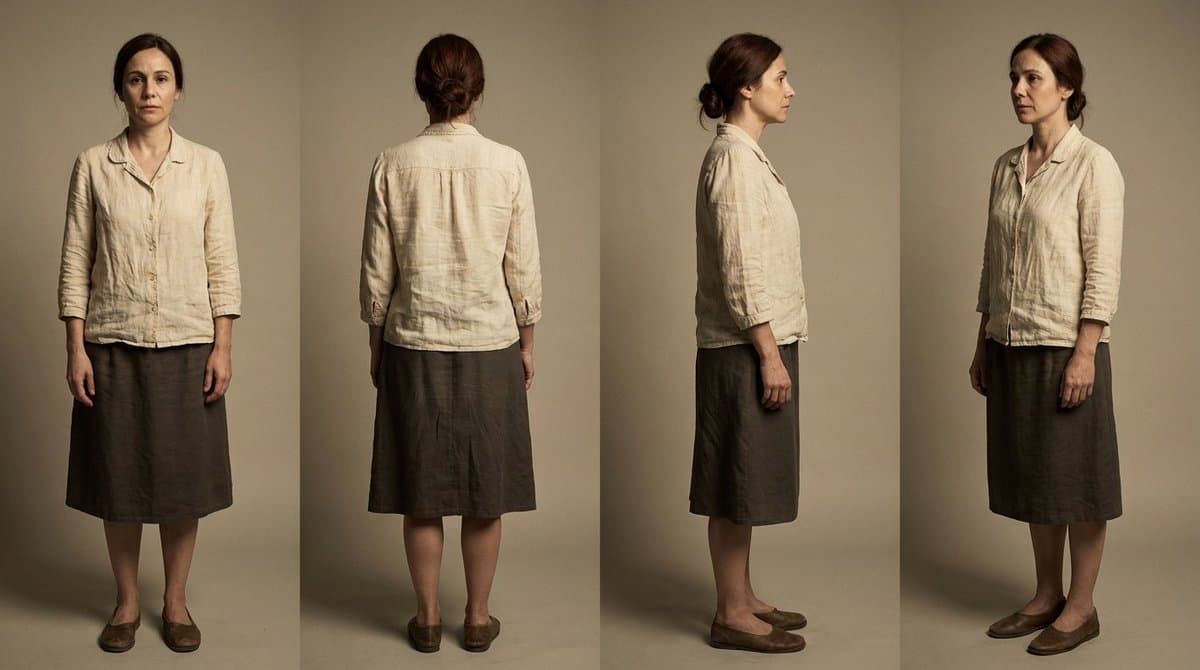
- underwoodxie96's character replacement post said a three-view reference plus Seedance 2.0 produced smoother motion than Kling Motion Control on the same kind of shot.
- HalimAlrasihi's Reve-to-Seedance handoff and carolletta's LTX Studio test both show creators treating Seedance as the animation stage inside larger multi-tool pipelines, not as a one-app workflow.
You can read Dreamina's own short-film guide, its consistency guide, and Byteplus's Seedance 2.0 prompt guide. The odd part is that creators are already pushing beyond those docs with reusable character-sheet workflows, three-view replacement setups, and now a triptych prompt that treats one image grid like a miniature edit timeline.
Character sheets
Artedeingenio keeps landing on the same formula: generate a character sheet in Midjourney, then animate from that sheet in Seedance. In Artedeingenio's mecha OVA post, he says you only need two tools, while Artedeingenio's reply about storyboards adds that character sheets often remove the need for a storyboard at all.
The prompt structure is unusually explicit. Artedeingenio's post breaks the Seedance segment into a timed 15-second sequence, camera beats, sound design, and a negative prompt, while the mecha thread uses the same recipe for a completely different genre.
Triptych grids
_OAK200's experiment is the cleanest example of the new triptych idea. _OAK200's test thread says the grid should steer tone, story, pacing, and emotion, not act as a frame-by-frame storyboard.
The prompt turns the three panels into sequential beats:
- Top panel: establish environment, mood, and character state
- Center panel: increase movement or narrative pressure
- Bottom panel: deliver the payoff and final frame
That is much closer to giving Seedance an edit rhythm than giving it a shot list.
Multi-app handoffs
The wider creator pattern is not loyalty to one platform. HalimAlrasihi's workflow used Reve 2.0 for images and Seedance 2.0 in Dreamina for video, while underwoodxie96's post used screenshots from a promo video to build a three-view reference before switching from Kling to Seedance for smoother motion.
Even the sponsored carolletta LTX Studio post lands on the same basic lesson: one strong full-body first frame plus a clear motion prompt can be enough, instead of feeding Seedance a pile of storyboard images.
Official guidance
The official docs are simpler than the creator experiments, but they point in the same direction. Dreamina's short-film guide says to work shot by shot, build a shot list around subject, action, camera move, and mood, and create reusable reference images for each character and location. Dreamina's consistency guide says the platform is designed around prompts plus image, video, and audio references.
Byteplus's Seedance 2.0 prompt guide is the missing official anchor for why these hacks work at all: Seedance is being positioned as a reference-driven model. The docs do not mention triptych grids, but they do validate the underlying habit creators are converging on, first lock identity and scene language, then ask the model to animate from that anchor.