
Topaz releases Expansion Release on web with Wonder 3 and Denoise Max
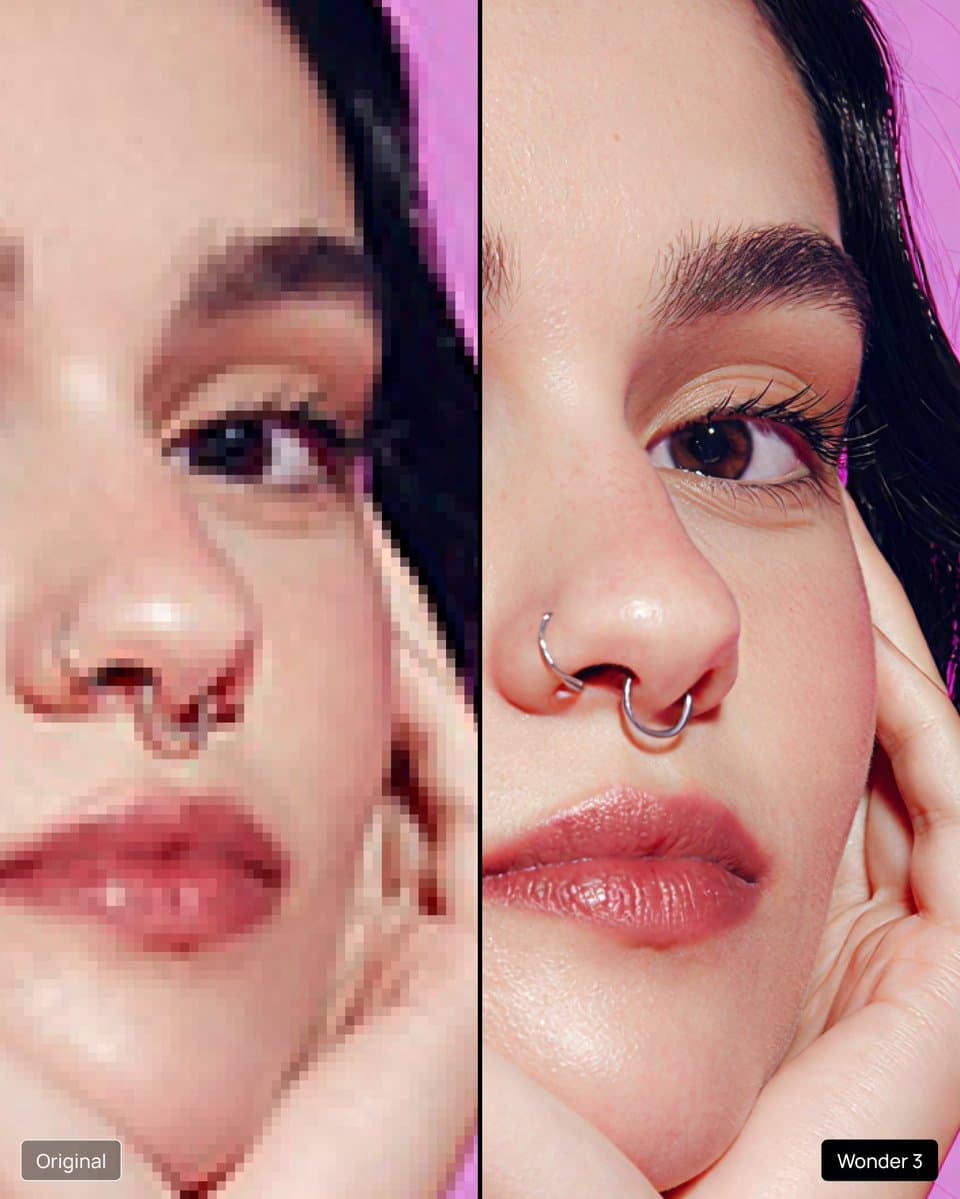
Topaz shipped its Expansion Release with a new video enhancement model and moved Wonder 3, Denoise Max, and Autopilot into the browser. The release brings cleanup, face recovery, and creative reinterpretation to web users who previously relied on desktop apps.
TL;DR
- Topaz's topazlabs announcement packaged the "Expansion Release" as two moves at once: a new video enhancement model, plus broader access to its image stack across web and desktop.
- According to topazlabs on browser access, web users can now run Wonder 3 and Denoise Max in the browser through Topaz Image.
- In GlennHasABeard's Autopilot demo, the browser workflow detects grain, blur, soft faces, and low resolution automatically, then upsized four 592x448 renders to 2368x1792.
- GlennHasABeard's Bloom Creativity example draws a sharper line between cleanup and reinterpretation: Bloom is diffusion-based, changes image details, and is aimed at AI art rather than straight restoration.
You can jump straight to Topaz Image, open the web app, and compare Topaz's own Expansion Release post with Glenn Has A Beard's early beta examples of Autopilot and Bloom Creativity. The practical shift is simple: the desktop-style finishing pass is moving into the browser.
Topaz Image Web
Topaz's core creator-facing change is availability. topazlabs on Topaz Image and topazlabs on browser access both point people to the browser version, where Wonder 3 and Denoise Max are now live.
That puts three different kinds of fixes behind a web upload flow:
- Wonder 3 for enhancement and upscaling in the browser, per topazlabs on browser access.
- Denoise Max for cleanup in the browser, again per topazlabs on browser access.
- Autopilot as the automatic triage layer described by GlennHasABeard's launch thread.
The links Topaz shared send users to Topaz Image and the live Topaz app.
Autopilot
The clearest workflow example came from GlennHasABeard's launch thread, who said he had been using the browser tool in beta and called it a daily driver.
His description breaks Autopilot into a short pipeline:
- Upload a render.
- Let the app detect the defect class, including grain, blur, soft faces, and low resolution, according to GlennHasABeard's Autopilot demo.
- Apply the fix stack automatically.
- Use Face Recovery for synthetic faces that need repair without a waxy look, as that same demo puts it.
The concrete output numbers are useful because they make the browser jump legible: four 592x448 inputs became 2368x1792 outputs in his example.
Bloom Creativity
Bloom Creativity is the part of the release that will matter most to people who want a finishing pass to add ideas, not just preserve pixels. GlennHasABeard's Bloom Creativity example says the model is built for AI art specifically and works by reinterpretation.
His examples separate Bloom from Autopilot pretty cleanly:
- It is diffusion-based.
- It does not just upscale.
- It changes content details, including opened eyes, added suction cups, and fuller fur, per the Bloom post.
- It exposes a creativity setting, shown at medium creativity and 4x in the example.
That gives Topaz two distinct browser stories on day one: automatic repair for images that are almost there, and controlled hallucination for images that need a more stylized second pass.
Video model
The release was not only about still images. In topazlabs' main post, Topaz said the Expansion Release adds a new video enhancement model and expands access across both web and desktop apps.
That video angle already shows up in creator workflows around the launch. topazlabs' repost highlighted a Seedance 2.0 clip upscaled with Starlight 2.5 to 4K, while AllaAisling's reaction framed the broader access as an excuse to revisit older footage. The still-image browser rollout got the sharper demo material, but the announcement itself was broader: Topaz is expanding its enhancement stack in both directions, across formats and across surfaces.