
Vitrine opens TestFlight with Metal live preview and shareable recipes
Vitrine opened a TestFlight beta for turning photos into glass-style wallpapers with live Metal previews, presets, and high-resolution export. Use the plain-text recipes to reuse settings while keeping processing local on the Mac.
TL;DR
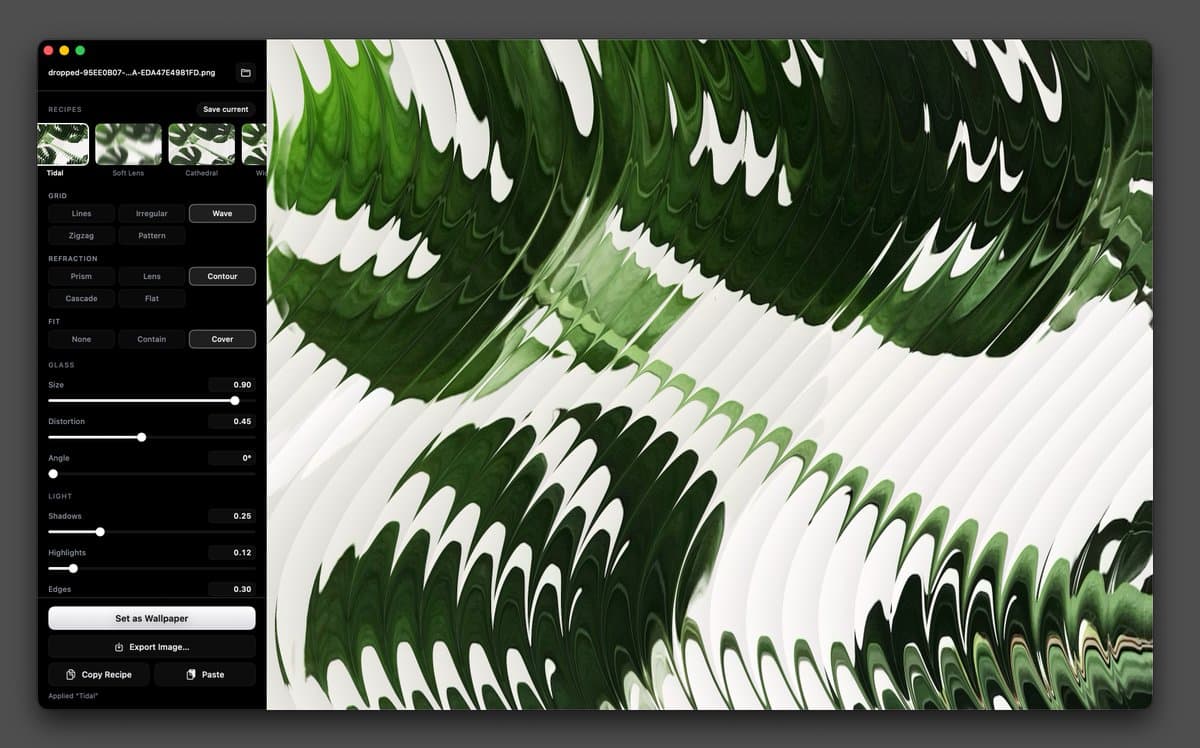
- marckohlbrugge's beta announcement introduced Vitrine, a macOS app in TestFlight that turns photos into fluted-glass wallpapers with instant preview and export, while the TestFlight listing says rendering is powered by Metal.
- marckohlbrugge's recipe example shows that Vitrine can save a look as a reusable "recipe" and copy it out as plain text, which makes presets portable instead of trapped inside the app.
- According to the TestFlight listing, Vitrine ships with presets including Classic Flutes, Soft Lens, Cathedral, Wide Prism, Tidal, Cascade, Frosted, and Diagonal, and the launch post frames it as a wallpaper tool first.
- marckohlbrugge's follow-up says Vitrine is built on top of Paper Shaders, whose site describes the library as ultra-fast and zero-dependency.
You can join the beta on TestFlight, browse the exact plain-text recipe format in marckohlbrugge's settings post, and trace the rendering lineage to Paper Shaders, which pitches the underlying toolkit around image filters, logo animations, and effects.
Vitrine
The TestFlight page describes Vitrine as a local wallpaper generator: drop in a photo, refract it through glass ribs, then either set it as the desktop wallpaper or export a high-resolution image. The same listing says all processing stays on the Mac, with no account or tracking, which is a useful detail for anyone feeding in personal photos.
The preset list is already pretty broad:
- Classic Flutes
- Soft Lens
- Cathedral
- Wide Prism
- Tidal
- Cascade
- Frosted
- Diagonal
The listing also breaks out the adjustable controls into a real effect stack, not a single canned filter: glass pattern, refraction style, rib size, distortion, blur, highlights, shadows, crop and fit, color grading, grain, and overlay settings all appear in the beta description.
Recipes
marckohlbrugge's example shows Vitrine's saved settings as a readable text block, starting with Vitrine/1 and then exposing fields like grid, refraction, size, distortion, blur, grain, and hex color values for background, shadow, and highlight.
That means a look can travel as text instead of a binary preset file. In the example recipe, the app stores both structural choices, like grid: lines and refraction: lens, and finishing values, like contrast: -0.050 and whiteLevel: 0.880.
The TestFlight listing adds one more workflow detail: exported files can embed those settings for recreation later, and users can save their own presets for quick reuse.
Paper Shaders
Vitrine is not presenting its glass effect as entirely from scratch. marckohlbrugge's attribution says it is based on Paper Shaders with added effects on top.
The Paper Shaders site describes that stack as ultra-fast, zero-dependency shaders for designs, with a React package, @paper-design/shaders-react, and examples split across image filters, logo animations, and effects. That gives Vitrine a clear technical lineage: a design shader toolkit repackaged into a dedicated desktop wallpaper app.