
Adobe Firefly introduces Pro Plus 10,000-credit tier and unlimited-generation promo
Adobe introduced the 10,000-credit Firefly Pro Plus tier and is offering unlimited generations to Pro, Pro Plus, and Premium customers through April 22. Watch model availability and resolution limits by plan, even as ambassador demos show Boards Quick Guides and Image Editor workflows.
TL;DR
- Adobe's new Firefly plans page lists Firefly Pro Plus as a 10,000-credit tier, while Alla Aisling's post and Ege Berkina's promo thread both point to the same April 22 cutoff for the unlimited-generation offer.
- Adobe's current promotions page says unlimited generations only apply on select models and resolutions on firefly.adobe.com, which matches Adobe ambassador copy in Alla Aisling's demo and the companion promo post saying plan limits still vary.
- In Alla Aisling's walkthrough and Ege Berkina's cinematic edit, Adobe is pushing the image editor as a single workflow that chains Generative Remove, Fill, Expand, Upscale, and Precision Flow instead of bouncing between tools.
- Carolletta's sponsored demo shows Firefly Boards adding Workflow Quick Guides that walk through a moodboard build inside the canvas, and Adobe's Quick Guides help doc confirms Boards now has a dedicated guide layer for step-by-step tasks.
Adobe started this push in a February blog post, but the April wave is more useful because the promo page spells out the clock and the plan gating. You can check the official offers, the plan comparison, and Adobe's separate Precision Flow writeup before deciding how much of this is pricing change versus workflow polish.
Firefly Pro Plus
Adobe's plan comparison page now shows four consumer tiers: Standard with 2,000 credits, Pro with 4,000, Pro Plus with 10,000, and Premium with 50,000. The same page says the limited-time promo gives Pro unlimited generations on 6 models, Pro Plus on 18 models, and Premium on 19 models, which is the real detail hiding behind the word unlimited.
Adobe's promotions doc says the offer runs from March 19 through April 22, 2026, only on firefly.adobe.com, after which credits start burning again. Ege Berkina's follow-up post adds the same public-facing promo language, including 50 percent off the first year for new Pro Plus and Premium customers.
Precision Flow image edits
The creator demos are basically Adobe's pitch deck in public. In Alla Aisling's edit sequence, a plain driveway gets rebuilt into a real-estate fantasy with object removal, generative fill, sky replacement, upscale, and Precision Flow in one pass.
Adobe's Precision Flow announcement says the beta tool generates a range of results from one prompt and adds slider-based control so edits can be steered instead of rerolled blindly. That maps cleanly onto Berkina's demo, which uses Precision Flow at the end of the edit to build the background after the subject, outfit, bike, and framing are already locked.
Workflow Quick Guides in Boards
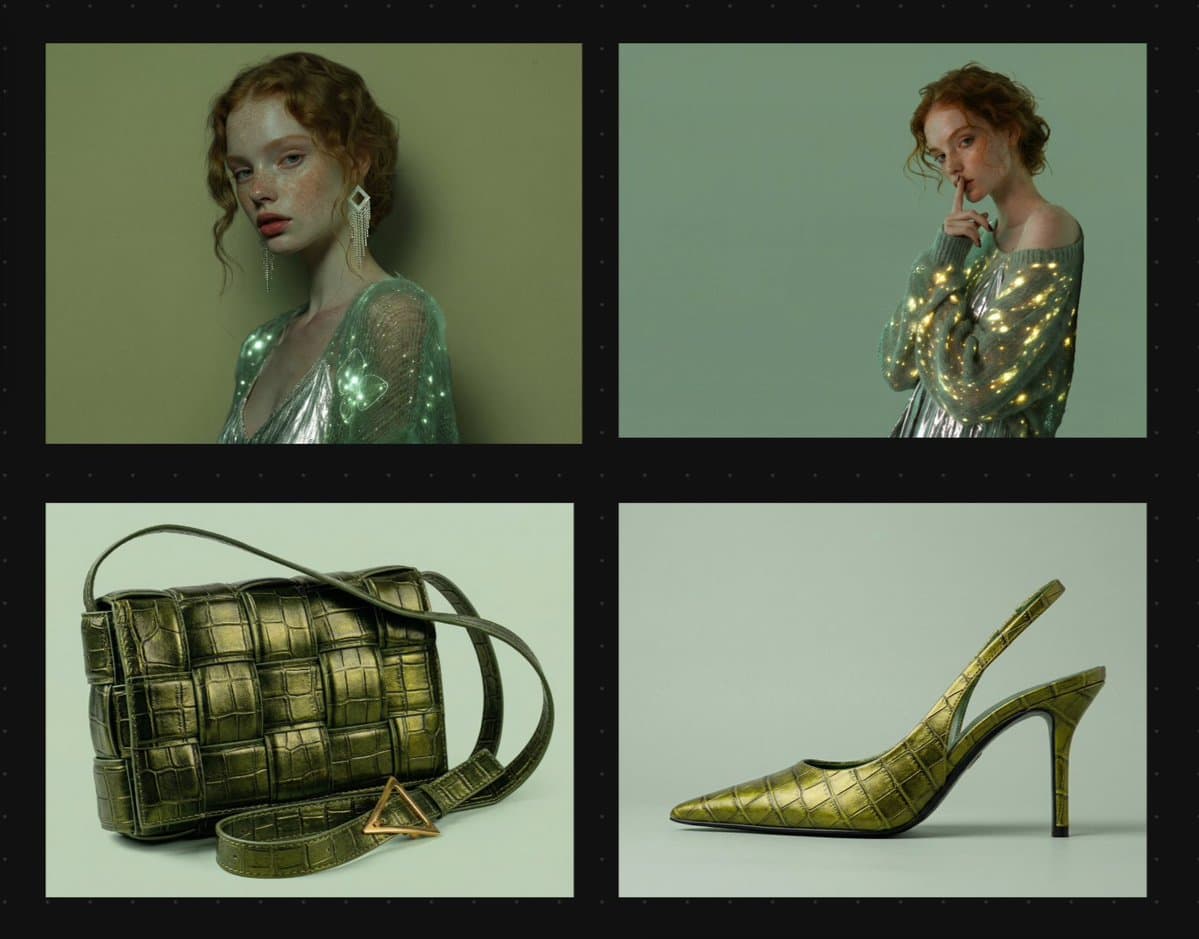
Firefly Boards looks like the softer sell, but it may be the stickier feature. Carolletta's demo runs through a Quick Guide called "Make a fashion design moodboard," then remixes the template, pulls in reference images, builds a mint-and-sage palette, finds similar inspiration, and adds textures without leaving the board.
Adobe's Quick Guides overview confirms that Boards now has guided workflows layered into its moodboarding toolset. Paired with the always-on Boards access on the plans page, that makes the Pro Plus launch feel less like a raw credit increase and more like a bet that guided ideation keeps people inside Firefly longer.
Prompt Share examples
The most concrete glimpse of how Boards may spread came from Carolletta's prompt-share post, which publishes a full graphic-design prompt for a warped "AI FUTURE" poster directly in Firefly Boards.
That prompt is unusually specific:
- heavy condensed grotesque sans-serif, with Helvetica Black Condensed and Akzidenz-Grotesk named as references
- bright acid yellow text on matte charcoal gray
- duplicated letters receding toward a vanishing point
- repeated thin white outlines for depth and motion
- an isometric-inspired but warped layout
Unlike the sponsored moodboard and image-editor demos, this one is not about a before-and-after transformation. It shows Boards as a place to pass around reusable prompt recipes, which is a different kind of product habit than buying more credits.