
Chumbo uses dark foreground objects to hide cuts in a 23-second scene
Magnific details how Chumbo built a 23-second scene using Seedance 2.5, reused video frames as references and dark foreground objects to hide cuts. The team generated at 720p before upscaling.
TL;DR
- The 23-second “continuous” scene combines several Seedance 2.5 generations, with dark foreground objects concealing hand-made joins in the editing breakdown.
- Twenty references established the scene, including frames recycled from earlier generations to capture characters, sets and lighting together, as the reference workflow explains.
- The whole short was generated at 720p before upscaling, according to the production breakdown, with draft-mode tests for difficult shots.
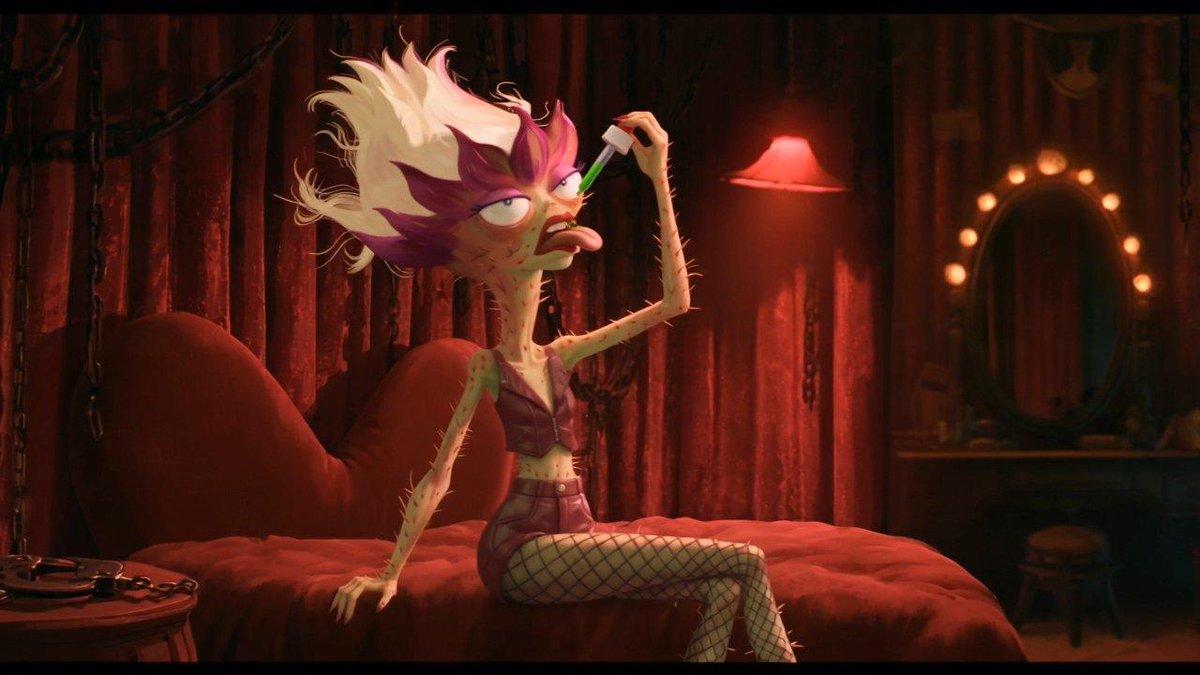
The full shot prompt specifies exactly one green drop per neighbor, while Chumbo takes none. Contanimation found Chumbo during moodboard experiments and wrote the script around the character afterward.
Dark foreground cuts
The cleverest prop in Chumbo’s 23-second journey through five neighbors’ rooms is a beer bottle.
Three kinds of foreground mask nearly black out the frame between rooms in the transition breakdown:
- A dark wall.
- A beer bottle passing close to the lens.
- A lava lamp crossing the foreground.
Those brief blackouts give Seedance a moment to change the set and lighting without blending neighboring rooms together. The team also used them to conceal manual joins between the strongest sections of several 23-second generations.
20 reference images
Before connecting the rooms, the team prepared three kinds of assets:
- Characters on white backgrounds.
- Empty sets.
- Props, including the dropper.
Character names appeared on reference sheets so prompts could refer to them directly. An initial generation then supplied frames of each neighbor inside their room, capturing character, set and lighting together for subsequent generations.
Across the film, Contanimation created reference stills from video generations, rather than using a separate image model. It supplied those still images as references, with no video-reference inputs.
8-second bottle test
Before attempting the full scene, the team tested one small action in isolation: an eight-second clip of Chumbo unscrewing his bottle. That gesture would close the longer camera move in the finished shot’s prompt.
Room-by-room prompt
Contanimation described each room separately while keeping four rules fixed:
- The camera moves left to right at a constant speed.
- Characters remain off-center.
- Nobody looks at or acknowledges the camera.
- Each neighbor takes exactly one drop. Chumbo takes none.
The filmmakers also specified medium-shot framing throughout, with lens height, foreground depth and lighting changing between rooms.
720p and draft mode
The team generated the entire short at 720p for faster iteration and lower credit costs, leaving upscaling and finishing until afterward. Difficult shots went through Seedance Draft tests before more expensive final generations, according to the production breakdown.
Magnific says Seedance 2.5 is also available in 4K on its platform.
13-shot fight
Seedance struggled to keep two characters’ positions and handedness consistent during the film’s hardest scene. One character would grab a bottle with his right hand and strike with his left, according to the filmmakers’ account.
Contanimation described the fight’s production process, with six concrete decisions:
- Break the action into 13 short shots, mostly overhead with little background.
- Generate the entire sequence together as one 30-second clip.
- Supply named character sheets, a side-by-side scale reference, sets, the bottle and frames from earlier takes.
- Specify hand positions precisely and define directions relative to the frame.
- Correct only failed shots in the prompt, then regenerate the whole sequence.
- Assemble the matching shots from more than 25 takes.
330 hours of post-production
Magnific reports 610 working hours for Chumbo, with 330 spent after generation. The six-person team delivered 272 final shots from 1,327 video generations.
Post-generation work covered:
- Editing.
- Sound.
- Original music.
- Human performances for the characters’ nonverbal vocal sounds, despite the absence of spoken dialogue.
- Color finishing.